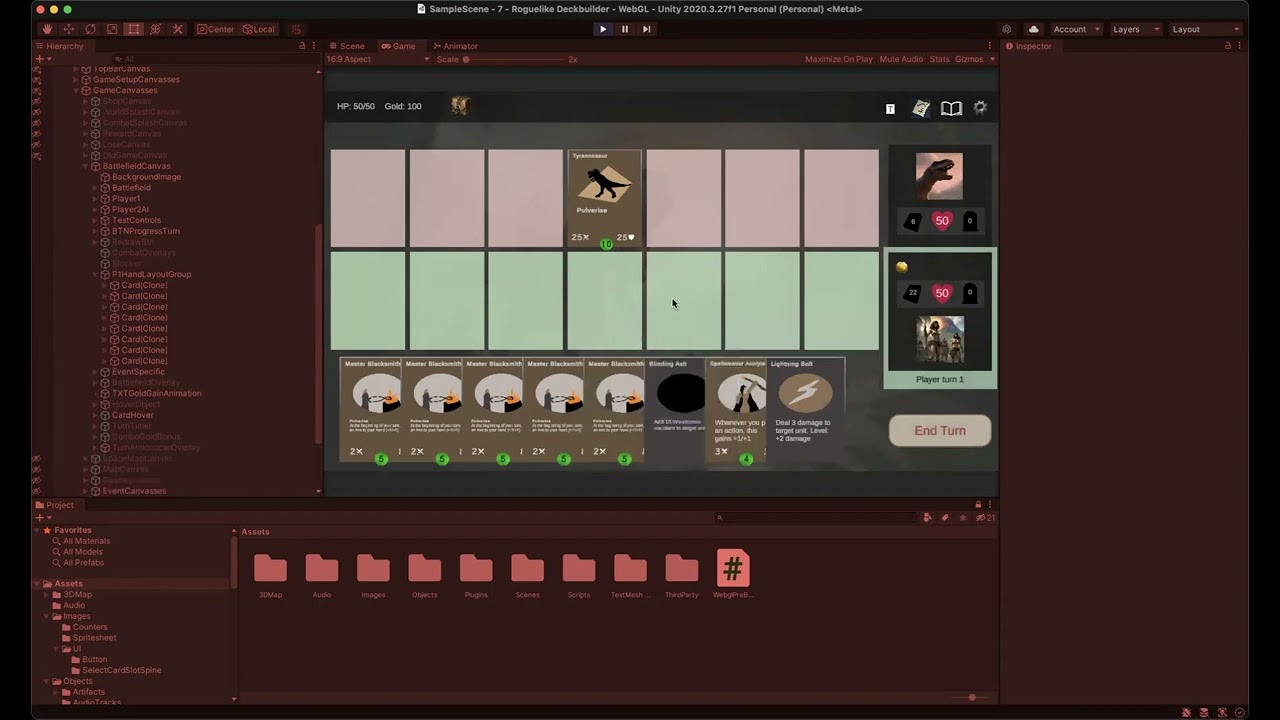
Note: if that large card also has a UI component(image etc.) with raycast target enabled, the other cards wouldn’t receive pointer events unless they are above the large card. Otherwise continue reading.
You can either disable the .blocksRaycasts of every other canvasgroup and/or use a custom logic.(I use both in my project)
This is called input bubbling if I am not mistaken, if you need to stop pointer enter etc. when your mouse is over a second UI object, you need to stop bubbling. More read here
Stopping it is rather easy, just add this component to any UI object that’ll count if pointer is over it or not. Then use the InputBlockingUICount to determine whether you need to do anything or not
using UnityEngine;
using UnityEngine.EventSystems;

namespace YourNameSpace.UI
{
    /// <summary>
    /// Blocks the input when mouse enters the UI of this object or its children
    /// </summary>
    public class InputBlockingUI : MonoBehaviour, IPointerEnterHandler, IPointerExitHandler
    {
        public void OnPointerEnter(PointerEventData eventData)
        {
            UIManager.Instance.InputBlockingUICount++;//you can also use a public static field/property inside this class
        }

        public void OnPointerExit(PointerEventData eventData)
        {
            UIManager.Instance.InputBlockingUICount--;
        }
    }
}
You can also use the InputBlockingUICount in your input detection to prevent left click etc. doing what it usually does.
Thanks @venediklee . I didn’t end up trying the InputBlockingUICount solution, but updating all other cards worked. I always get an onPointerExit on one card before the onPointerEnter on the card below, so I think InputBlockingUICount would have stayed at 0-1.
The large cards DO have image components with a raycast target, but the raycasts still seemed to get through. Disabling raycast target on other cards didn’t do the trick either.
What DID do the trick was disabling the 2D box collider on all other cards when you hover over one. The solution isn’t pretty (seems inelegant/inefficient to be modifying everything else instead of the current card), but it worked.
Here’s the code I used:
//In Card onPointerEnter
gameManager.setAllCardBoxCollidersActive(false);
attachedCard.setBoxColliderActive(true);

//In Card onPointerExit
gameManager.setAllCardBoxCollidersActive(true);


//In gameManager
public void setAllCardBoxCollidersActive(bool active) {
        foreach(int player in new List<int>{1,2}) {
            List<Card> cardsInDeck=deckManager[player].getAllCardsInDeck();
            foreach (Card cardInDeck in cardsInDeck) {
                cardInDeck.setBoxColliderActive(active);
            }
        }

        foreach (Card cardInPlay in combatManager.battleMap.getAllCards(true)) {
            cardInPlay.setBoxColliderActive(active);
        }
}


//In the card class
public void setBoxColliderActive(bool active) {
        BoxCollider2D collider = cardUI.GetComponent<BoxCollider2D>();
        collider.enabled=active;
}
I tested it with an overlay UI in front of world space UI(no 2d collider on either) and it blocked the raycast behind correctly; I feel like your cards dont scale their box collider or something(especially because you get onpointerexit before a second onpointerenter call)
Ok, I’ve got a better solution. When moving the card to the last child of the canvas, the Z index was also changing, so it was further away from the camera. Setting the Z index to make it closer to the camera than the other cards has solved the problem.
I removed the previous code, then added this:
float zIndexBeforeTransform=cardTransform.localPosition.z;

/// .... code to set new parent ...

cardTransform.localPosition= new Vector3(cardTransform.localPosition.x, cardTransform.localPosition.y, zIndexBeforeTransform-20f);
(note - the camera is positioned so that a negative Z index is closer to it)
My previous code worked great most of the time, but occasionally it would fire an onPointerEnter with no OnPointerExit (at least I think this is what happened) and all cards would become non-interactable.
I did test the box colliders, and they seemed to be sizing to the card correctly.
Unity 2D layering does my head in! I originally played with Z indexes, but discovered that re-ordering in the heirarchy seemed to be the most effective method to move stuff to the top. It seemed in this case I needed to do both.
In my case, I have a Canvas within a Canvas (that is above some objects I want to block), and I forgot to add a Graphic Raycaster component to the inner Canvas. (Also for the inner Canvas I used “Override Sorting” so the Canvas’ images would be above the other images.)

 I tested it with an overlay UI in front of world space UI(no 2d collider on either) and it blocked the raycast behind correctly; I feel like your cards dont scale their box collider or something(especially because you get onpointerexit before a second onpointerenter call)
