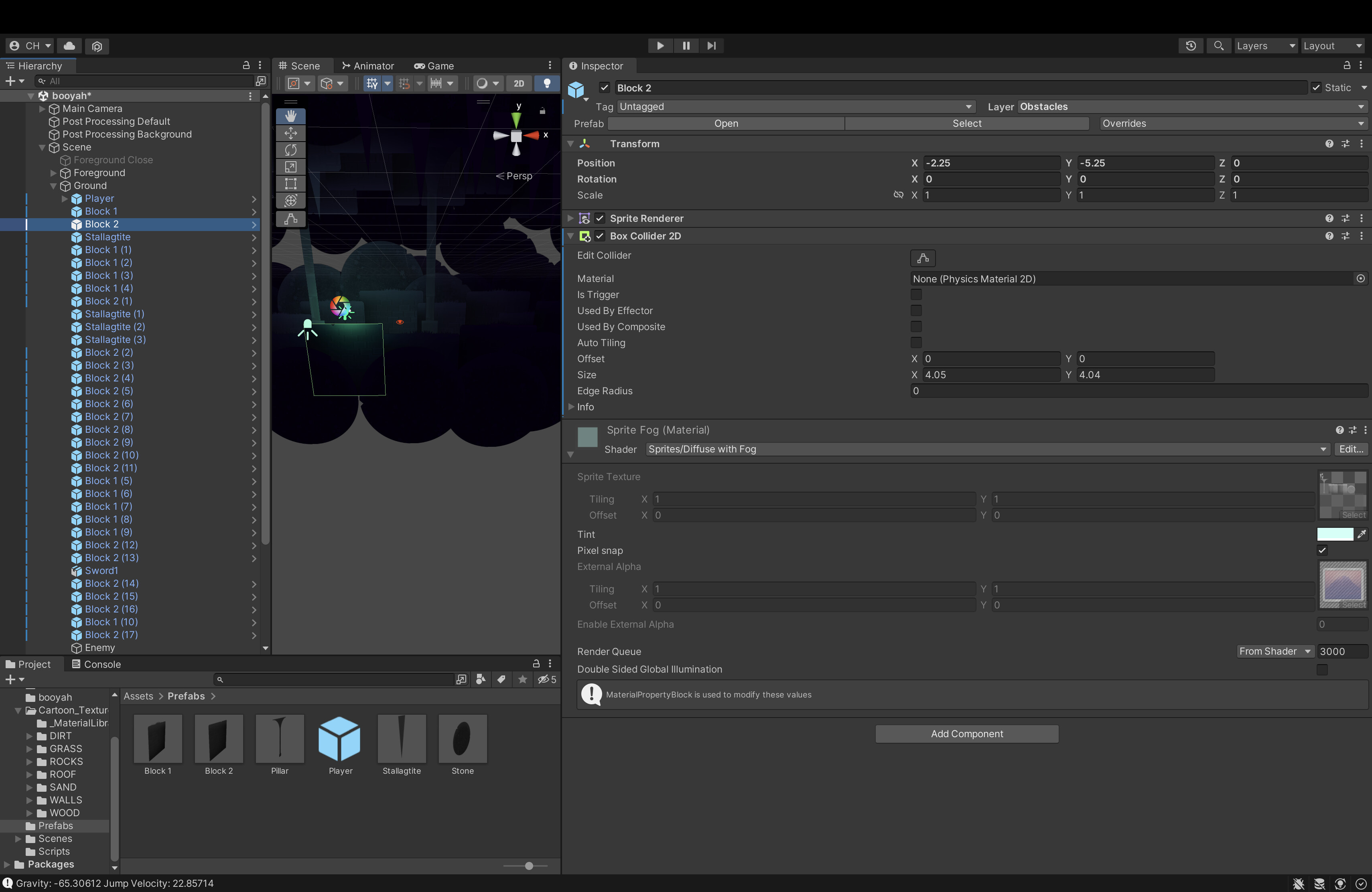
I am having an issue in which my player (box collider) becomes fixed in a corner when moving left against a block (box collider), and phases through blocks when moving right. I seem to only be able to remedy my fixed movement by jumping out of the situation.
P.S. I am trying to use ‘ray casts’ and ‘transform’ for my player controller to get tight movement for a 2D game, but getting stuck is not exactly ideal right now. Explain it to me like I am a newborn, if you’d like. Needless to say, I am a noob. Any help is appreciated.
P.S. (part 2) I am trying to make a 2D platformer/MV in a 3D space using a parallax effect, and I found these assets online, but maybe creating my own assets that do not allow for overlapping colliders but rather one continuous collider would be better. Tips?
First, check out using Physics materials so your player doesn’t get caught on walls and other vertical colliders. Add one to your player and/or your walls with a friction of 0 so the player doesn’t get stuck while holding left or right. This is a very common issue.
Second, if you are moving your player using the transform.Translate function, you are ignoring physics (which is fine if thats what you are looking for) and are likely to ignore some collisions if moving too fast. You can still get that tight movement you are looking for by using Rigidbodies and moving the player directly setting the velocity, or using AddForce or MovePosition functions.
Since you are a super newbie, I would use physics and ignore the 2DController stuff. It is very likely you don’t understand what is going on in that script and using physics will make it much easier to understand movement as a beginner.
I tried out your method of using a physics material on both the player and the walls, but I still seem to be having the issue of getting stuck. I’m guessing by now that there isn’t some magic wand to easily fix this issue, but maybe you or someone you know can think of another common remedy off of the top of your head. Also, I am skeptical about adding a physics material when physics are removed, as you said. Based on that idea, is it possible to use some physics that unity provides while not using others?
Additionally, many thanks for the advice for a super newbie such as myself. I’ll take all I can get.
The answer is yes with regards to using some physics vs others. For example, you can turn off gravity to some objects/players with the click of a button or during runtime. You can increase mass and drag as well. Heck, you can essentially disable it for periods of time and then re-enable it.
I just think using a custom 2D character controller with some not-so-beginner-friendly concepts in there isn’t a great idea for a beginner. A main reason is the Rigidbody and Unity physics will do a LOT of the work for you that your controller script is currently doing. It will make objects fall, receive collisions (as long as they have a collider as well), allow you to add forces, etc.
Don’t let me stop you from continuing your current method, I just want to advise you on trying the path of least resistance instead of using more advanced scripts you found from the internet. If you don’t understand when to use Structs or passing by value or reference (things the Controller2D script is using), I would suggest either understanding them much better so you can possibly solve your issue, or going with something simpler. If you have a CS degree and actually wrote all of that yourself, then ignore me and proceed.
Long story short, I almost always use physics and hardly ever directly modify the transform so i unfortunately cannot help you solve this issue unless i had a copy of your project and could tinker around. Hopefully someone who understands the custom controller comes around and can better diagnose and solve your issue.
Hey Cornysam,
I’m just putting up a final post to let you know that I took some time later today that used a Rigidbody2D rather than avoiding physics. It seemed too greedy to ask you to look through my whole project to figure out my issue, so I decided to respect your perspective instead. I am now using a hybrid of forces and integrating some of Unity’s built in physics for my controller, and it works like magic.
Your tips video was awesome, and I decided to implement coyote jumping and hang time. I’m working on some more now, and it is much easier than implementing typical programming data structures like structs in Unity. It turns out my CS and liberal arts classes haven’t helped much for game development.
I have to admit, you were right. RB2D is much better for beginners, and I can always flesh out this controller with ray casts, refactored mastery, etc. later on in development. It’s all about iteration after all. Thank you very much for your time, guidance, and patience. Good for you.
For anyone reading this, take my experience as a path of caution. My controller is refined. It’s sick. Use forces and physics. Start building.
P.S. Being a cocky and stubborn CS student makes learning Unity hard. You taught me a lesson. Enjoy
Happy to help. One of the biggest lessons in gamedev that you’ll see often here is, start simple, get it working, optimize later. Just make the dang prototype first and then refine refine refine. Good luck!