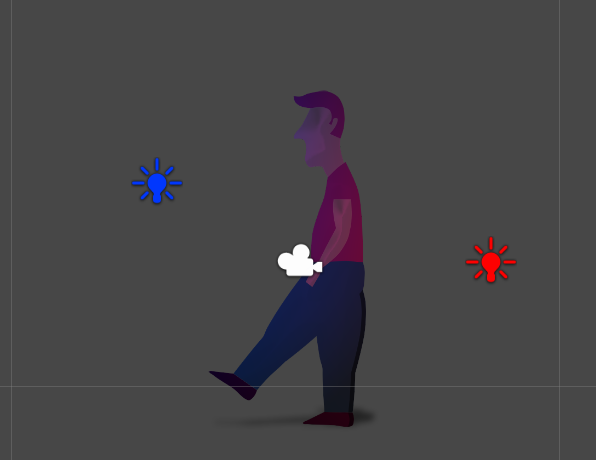
Hello!
A friend had the kindness of creating a shader for sprites for me that can take normal maps as well.
I’m trying to do achieve something as shown in this example
But my results have been less than optimal. Could it simply be that I’m creating lousy normal maps?
This is what I have going so far…
The normal maps just look like some kind of artefacts in the middle of the sprite, they don’t actually look like that convincing shaded effect.
It’s perfectly possible. I did a couple of successful experiments in a matter of hours (video 1, video 2). Sprites are no different than bump-mapped walls for the GPU in the end. There are, however, some things to take into consideration:
You have to do your own shader. I started by downloading the default shaders’ sources to use them as a base, and integrate the lighting model into it. Enable lighting, first of all. Modify the default vertex shader to define the tangent vector for each vertex (the default shader defines v.normal as float3(0, 0, -1). Define v.tangent as float4(-1, 0, 0, 1)). You will need it for the bump mapping.
Normal maps cannot be defined per-renderable, just like you do with the sprite atlas sheet, what is a problem as you have to define a new material per sprite atlas, which is inefficient. However, this is only half true, as you can define other per-renderable textures manually, using Renderer.SetPropertyBlock(). The bad news is that they aren’t serialized. The good news is that you can figure alternative ways to have those textures serialized, and applied to the SpriteRenderer, for instance, on Awake()
Won’t work with automatic laying out of sprites. I think this isn’t available on the free version, but in case you throw a bunch of separated sprites and let Unity stitch them together in a single sheet, you’ll have trouble using normal maps. Mostly because the UV coordinates of each sub-sprite in the sheet must correspond exactly with the UV coordinates of them in the normal map. But remember: UV coordinates are resolution-independent (range from 0 to 1). I.e.: your sprites sheet can be for instance 2048x2048 and its normal map 512x256.
There seems to be a glitch when looking for the nearest lights, so in certain cases you may see lighting inconsistences near the lights’ range end (like lights were suddenly stopping lighting the sprite, etc.) Also, Unity’s sprites and their lighting doesn’t get along with scaling, so try to have your sprites with a uniform (1, 1, 1) scale if you plan to light them. My theory is that it’s a bug when recalculating the sprites’ boundaries, not taking the scale into consideration. Translation and rotation seem to work fine though
As excellently pointed out by Jessy in the comments below, as soon as batching happens, the vertex data fed as input to the vertex shader no longer is in object space (relative to each sprite fragment separately) but in “batch space” (relative to the batch itself, most likely the same as world space). Thus, using the left vector for tangents may be wrong if a sprite fragment rotated or scaled and batching happened.