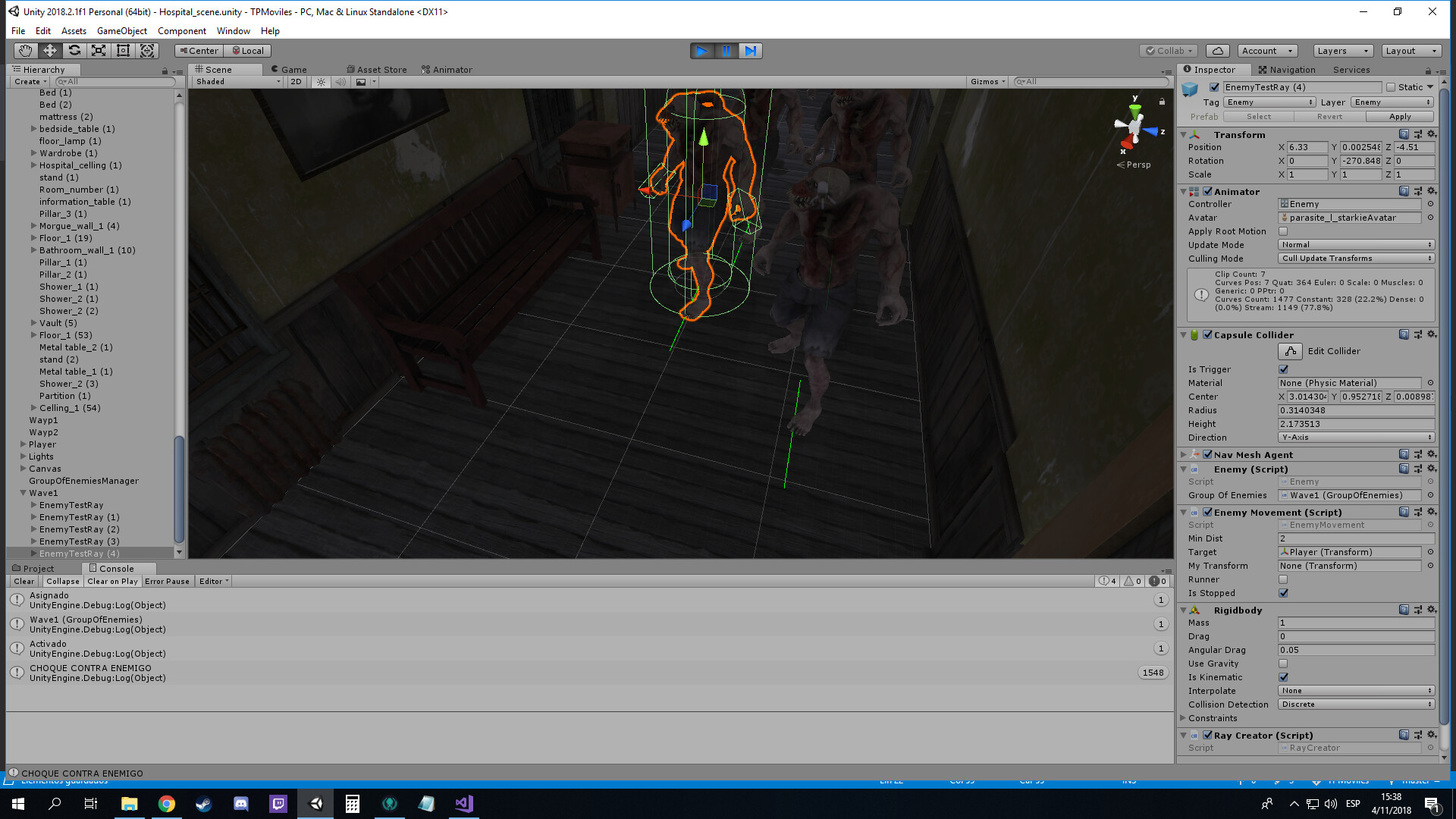
Edit: It works but it detects collision all the time, wich stops all my enemies… thats wierd because i only cast 7 rays in these angles: 0, 10, 20, 30, -10, -20 and -30.
Also when I draw the line it draws a line in the bottom of the object (the ground)
using System.Collections;
using System.Collections.Generic;
using UnityEngine;

public class RayCreator : MonoBehaviour {

    Animator animatorEnemy;
    EnemyMovement enemy;
    LayerMask layermaskEnemy = ~10;
    Vector3 rayPos;

    void Start ()
    {
        animatorEnemy = GetComponent<Animator>();
        enemy = GetComponent<EnemyMovement>();
        rayPos = new Vector3(transform.position.x+0.35f, transform.position.y + 1, transform.position.z);

    }

    void Update ()
    {
        RaycastHit hit1;
        var direction1 = transform.forward;
      //Physics.Raycast(transform.position, direction1, out hit1, 3,layermaskEnemy);
        RaycastHit hit2;
        var direction2 = Quaternion.AngleAxis(10, transform.up)*transform.forward;
       //Physics.Raycast(transform.position, direction2, out hit2, 3, layermaskEnemy);
        RaycastHit hit3;
        var direction3 = Quaternion.AngleAxis(20, transform.up) * transform.forward;
       //Physics.Raycast(transform.position, direction3, out hit3, 3, layermaskEnemy);
        RaycastHit hit4;
        var direction4 = Quaternion.AngleAxis(30, transform.up) * transform.forward;
       //Physics.Raycast(transform.position, direction4, out hit4, 3, layermaskEnemy);
        RaycastHit hit5;
        var direction5 = Quaternion.AngleAxis(-10, transform.up) * transform.forward;
       //Physics.Raycast(transform.position, direction5, out hit5, 3, layermaskEnemy);
        RaycastHit hit6;
        var direction6 = Quaternion.AngleAxis(-20, transform.up) * transform.forward;
        //Physics.Raycast(transform.position, direction6, out hit6, 3, layermaskEnemy);
        RaycastHit hit7;
        var direction7 = Quaternion.AngleAxis(-30, transform.up) * transform.forward;
        //Physics.Raycast(transform.position, direction7, out hit7, 3, layermaskEnemy);

        if (Physics.Raycast(rayPos, direction1, out hit1, 4, layermaskEnemy) || Physics.Raycast(rayPos, direction2, out hit2, 4, layermaskEnemy) ||
           Physics.Raycast(rayPos, direction3, out hit3, 4, layermaskEnemy) || Physics.Raycast(rayPos, direction4, out hit4, 4, layermaskEnemy) ||
           Physics.Raycast(rayPos, direction5, out hit5, 4, layermaskEnemy) || Physics.Raycast(rayPos, direction6, out hit6, 4, layermaskEnemy) ||
           Physics.Raycast(rayPos, direction7, out hit7, 4, layermaskEnemy))
        {
            Debug.DrawRay(transform.position, transform.forward, Color.green);
            Debug.Log("CHOQUE CONTRA ENEMIGO");
            animatorEnemy.SetFloat("Speed", 0);
            enemy.isStopped = true;
            return;
        }
        else
        {
            Debug.DrawRay(transform.position, transform.forward, Color.green);
            animatorEnemy.SetFloat("Speed", 0.1f);
            enemy.isStopped = false;
        }
    }
}