I am trying to change the color of single object, rightLeg object without changing of the texture, and not the color of whole object. The problem is if I try
to change the color of renderer, then the color of whole object is changing. Therefore, I changed the code as ,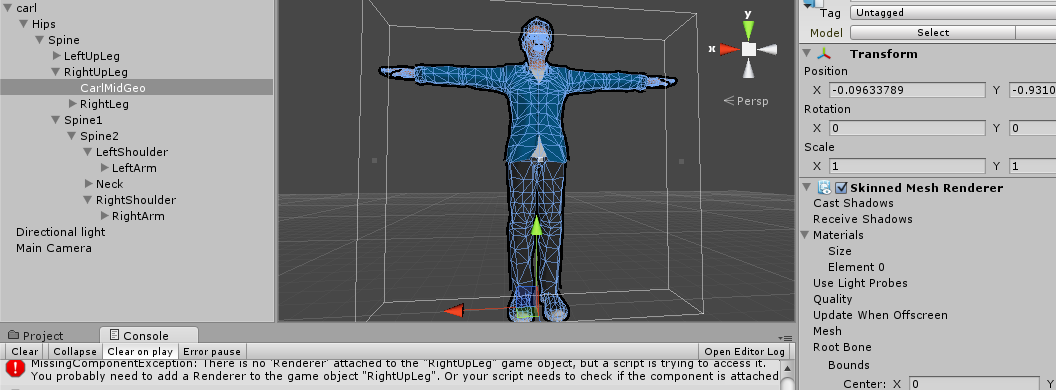
rightLeg.renderer.material.color=Color.red;
then, it shows an error as follows : MissingComponentException: There is no ‘Renderer’ attached to the “RightUpLeg” game object, but a script is trying to access it. I have referenced this script to whole object, and rightLeg is initialized as a GameObject. Also, I referenced the rightUpLeg object via inspector.
Since the skinned mesh renderer is right under the whole object, I tried to move the skinned mesh renderer object beneath to rightLeg as picture I have attached. However, I have the exact same error as before. Please help me out of this issue. I am struggling more than 3 days of this issue.

