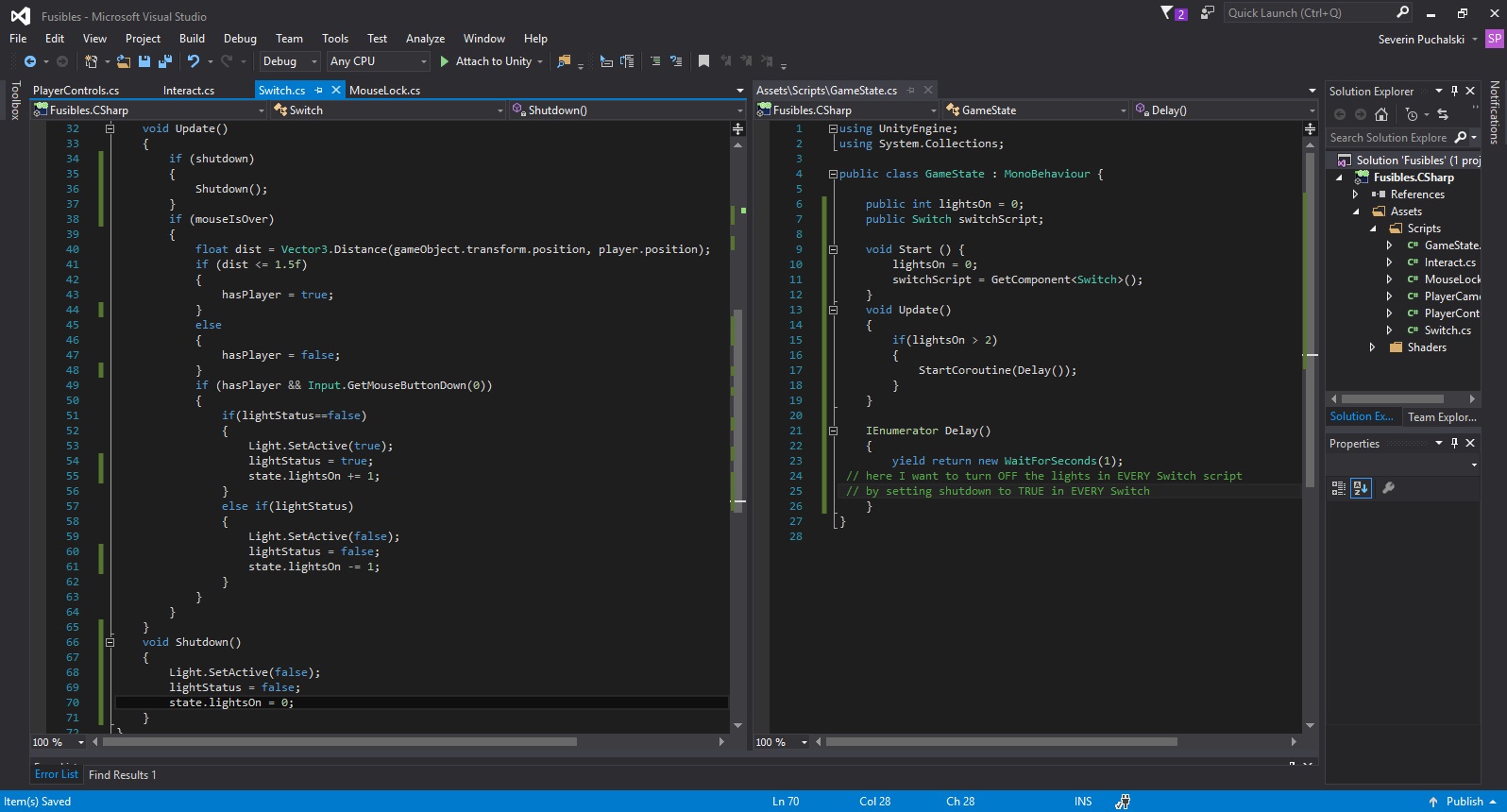
I created a few lights and I want them all to turn OFF when more than two are turned ON.
Every 3D switch toggles one light via the Switch script,
and adds 1 to the number of lights ON in a script apart named Gamestate (a fake one, but I guess using one could maybe be an answer).
Here are pics,
thank you very much for your time !
You should keep a static list or array of all switches and when the counter reaches 3 you turn off all of them. If you don’t want to keep a list of switches you can tag them and get all with GameObject.FindGameObjectsWithTag to find them which is relatively fast if you don’t do this too often. Alternatively since you already have update functions in the switches, you can just check if counter is above 2 and if it is, turn it off.
I will go for the tags, even though I'd really like to know how to use arrays or a static list! Thanks a lot I'll accept the answer later.
put these in the Switch class: public static List<Switch> switches = new List<Switch>(); void Start() { switches.Add(this); } You need the System.Collections.Generic namespace for the list.
I'm almost there, but when calling all the objects, how do I change a value inside them? Or simply disactivate them? GameObject.FindGameObjectsWithTag("switch").??? there's no enabled or Active() I could use...
that method returns an array so you have to iterate it foreach(GameObject go in GameObject.FindGameObjectsWithTag("switch")) { Switch sw = GameObject.GetComponent<Switch>(); sw.Deactivate(); //or whatever }

Hi, thx for your reply, I was using Destroy(myPlatform), anyway I've resolved everything using object pooling instead.
– bluebeardit