I’ve had this issue since last year and it is really beginning to bother me as I cannot find out what has gone wrong. I have already searched multiple times on Google and around this forum but I can not find any clear solutions to this issue. I have created an IAP Button to remove adverts from the game. It does not seem to work at all and always gives me the error of: “Purchase failed because Purchasing was not initialized correctly” followed by a message of: “IAPButton.OnPurchaseFailed(Product , PurchaseFailureReason PurchasingUnavailable)”. I know this has probably been asked before but I have tried the sample projects from the past and they are too outdated to work. What causes this issue and how can I fix it?
Attached is a screenshot of the component for my button, in case it is needed.
You have no method hooked up for On Purchase Complete! So I would not expect this to work as you are not rewarding your users. Please see the updated samples here Sample IAP Project
Ah yes, it seems I completely forgot to put in the method there in that screencap! Although I still get this error with the method there. I will check these update samples though, thanks
Right, I haven’t actually put this application on any device as of yet so I cannot provide logs as the errors I receive are in the unity editor. Do I need to add the in-app purchases to the app store/play store in order for the fake store to work?
Please load the IAPDemo scene included in the IAP asset package to confirm that the fake store is working. The fake store does not perform actual purchases, you need to install on a device for IAP to actually work.
Yeah, it turns out that the updated samples were the ones I was using last time. On all the buttons/listener I get an error telling me to assign a valid script and when I updated IAP, I got more errors to do with the IAPButtonEditor, so it’s not really possible for me to see if the fake store works or not when I’m getting errors on a project that shouldn’t have any.
I’ve done it already, the problem that I have is that upon updating the sample projects, they don’t work anymore and throw several errors and produce the errors shown above. Is this just me or are the samples not supposed to be updated?
Yes, the video shows how to update the samples.I do it daily for customers. I would advise you to use Unity 2018, there are issues with IAP on 2019 that are mentioned elsewhere on this forum, including a sticky post, if that applies. I have it working however, using the suggested workarounds. But if you don’t need 2019, use 2018 or 2017.
Hi, I’ve downgraded the project and I’ve finally got the sample project working. However, I still get the same issue with my project despite it using the same version of unity. Are there any other reasons that this error could occur?
The fake store, as the name suggest, doesn’t perform actual transactions. You need to test on a device. To see the fake/demo store in action, load up the IAP Demo scene included in the IAP package.
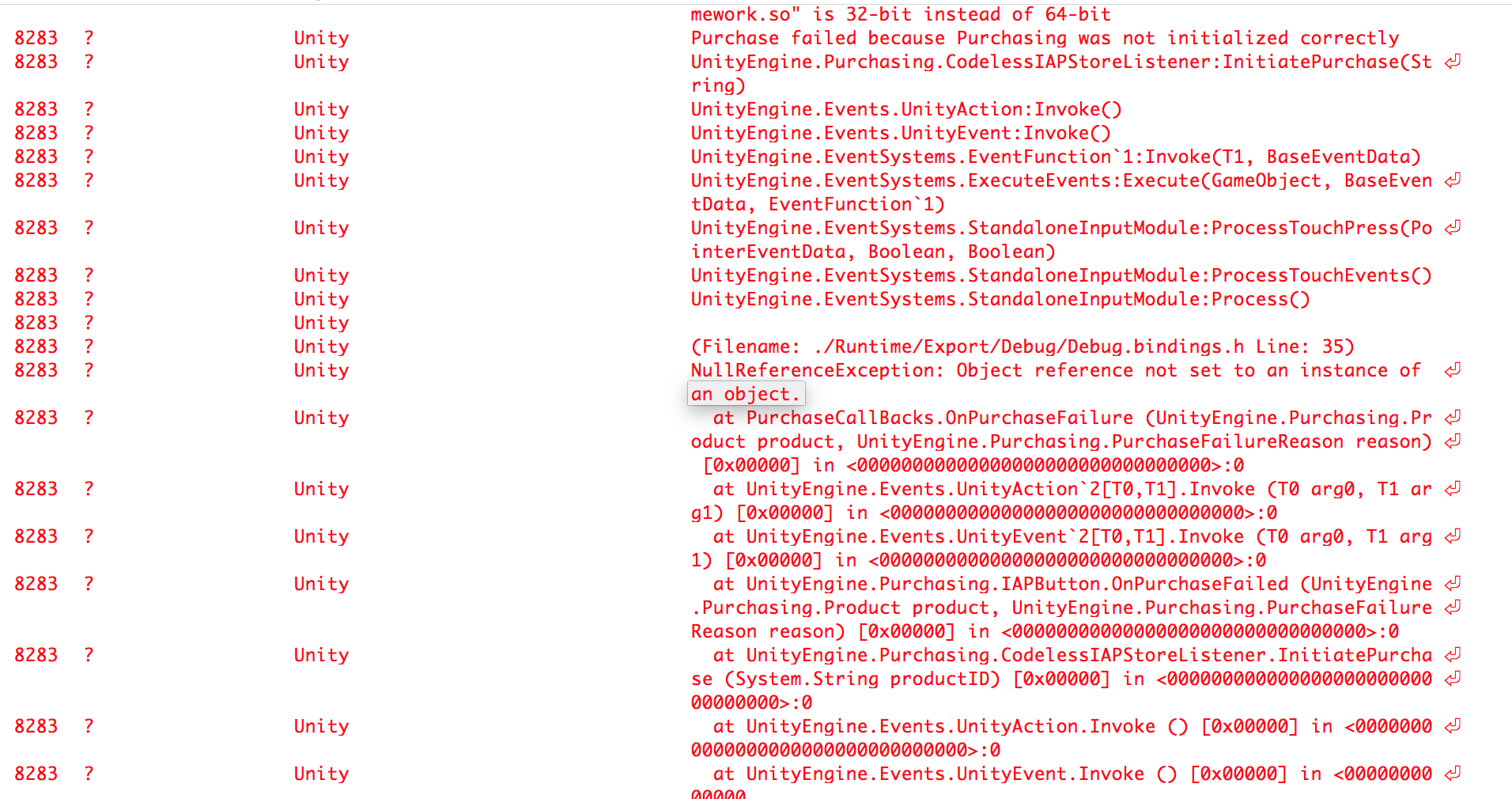
It’s generally best to attach the logs as a file instead of a screenshot so it can be searched, etc. But you have a few errors in the logs that you will need to address, you have an Null Reference Exception for example. Are you using the Sample IAP project? Get the basics working first. Have you followed the steps here? https://docs.unity3d.com/Manual/UnityIAPGoogleConfiguration.html This may help also, your Debug.Log statements will show in the device logs https://discussions.unity.com/t/748729/14
Thanks, @JeffDUnity3D for all the guidance and tips.
I’m using Codeless IAP and I’ve checked the “automatically initialize unity purchasing” and simply drag and drop(Pass) the functions(Methods) to “On Purchase Complete(product)” of my codeless IAP button and set the IDs on the buttons.
I have a few questions to ask.
Question 1:
While implementing Codeless IAP, Do I need to initialize the products separately in the script or it will be done by “automatically initialize unity purchasing”.? because I’ve not initialized any of the products in the script, I’ve just checked “automatically initialize unity purchasing”.
Question 2:
My IAP is working fine in unity editor but when I run on the android device it gives errors like “PRODUCT FAILED BECAUSE PURCHASING WAS NOT INITIALIZED CORRECTLY” and when I click on the buy button it gives this error “PURCHASE FAILED TO INITIALIZE: REASON NO PRODUCT AVAILABLE” . Note: as it’s my testing project I’ve not downloaded it from google play store but the IDs are defined In the relevant projects of google play console.
To test IAP of a personal project, is it necessary to define/declare Ids on google play store.?
Question 3:
What i believe that My codless button implementation(Assign ids, methods) is correct, it will work perfectly fine when I launch the game and download it from google play store. Pls, correct me if I’m wrong.
One Suggestion here, If “Codeless IAP” is the only slot to implement codeless IAP and the tabs beneath it do not depend on it then in the documentation Unity - Manual: Codeless IAP, Under the Parent “Cross Platform Guide” make 2 Childs. 1st should be “Codeless IAP” and 2nd child should be “IAP implementation through Code”(Or whatever name unity suggests).
Because it kept me confused for 5 days that IF I HAVE TO IMPLEMENT CODELESS IAP OR DO I NEED TO FOLLOW ALL THE TABS UNDER CODELESS IAP.
No, you don’t need all the tabs, only the ones that you need. I would suggest that you take a look at the Sample IAP Projects here, the first is scripted IAP, the second is Codeless. You need to define all your products in the Google Store and in your app. Please show a screenshot of your button properties for one of your products, and your products defined on Google Play. These instructions may help Unity - Manual: Configuring for Google Play Store and Sample IAP Project Personally I would use scripted vs Codeless, I find it easier to implement, no need for a listener, etc.
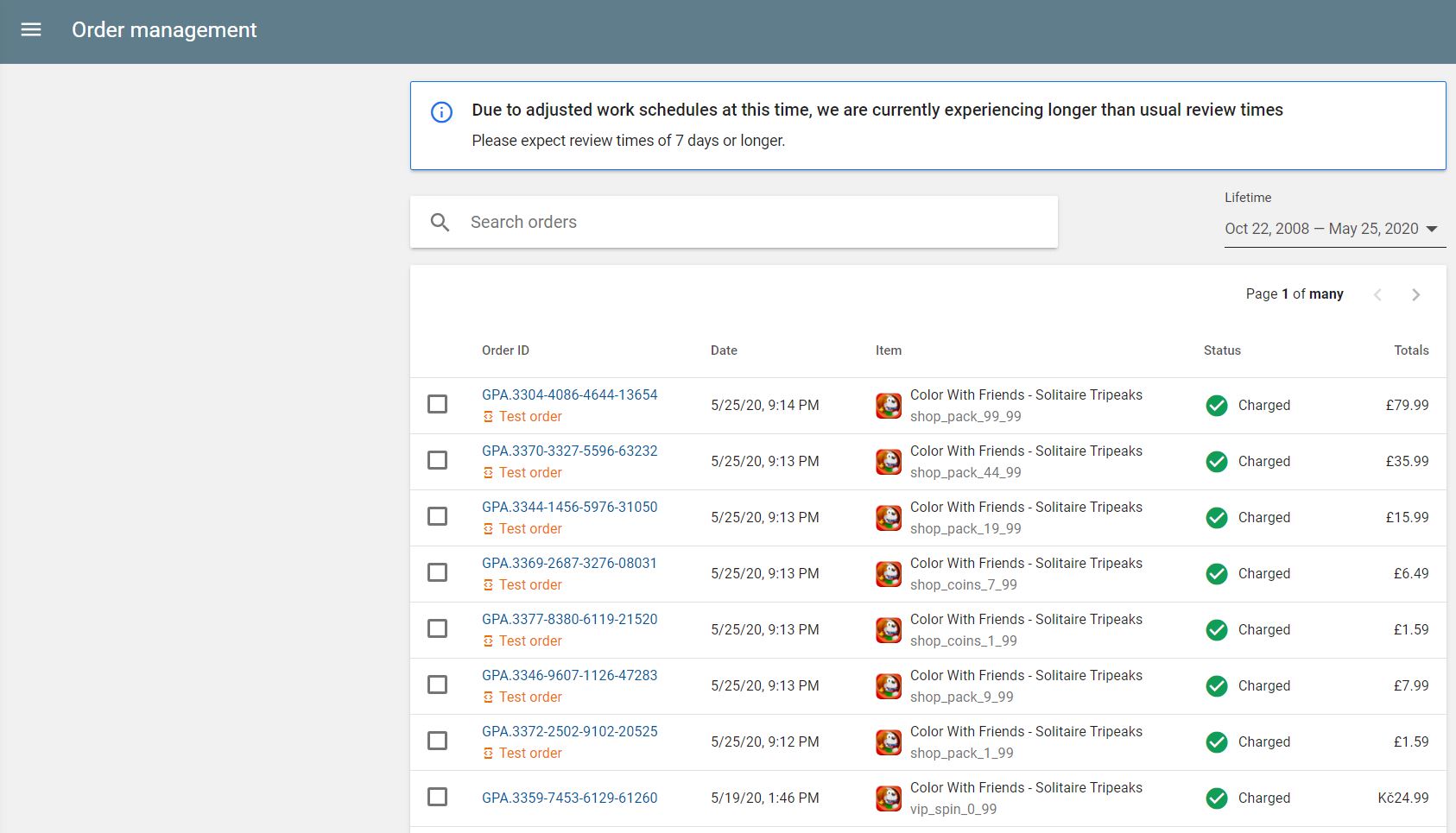
When checking the IAP by ourselves we see that everything works fine and transitions from our test devices are coming.
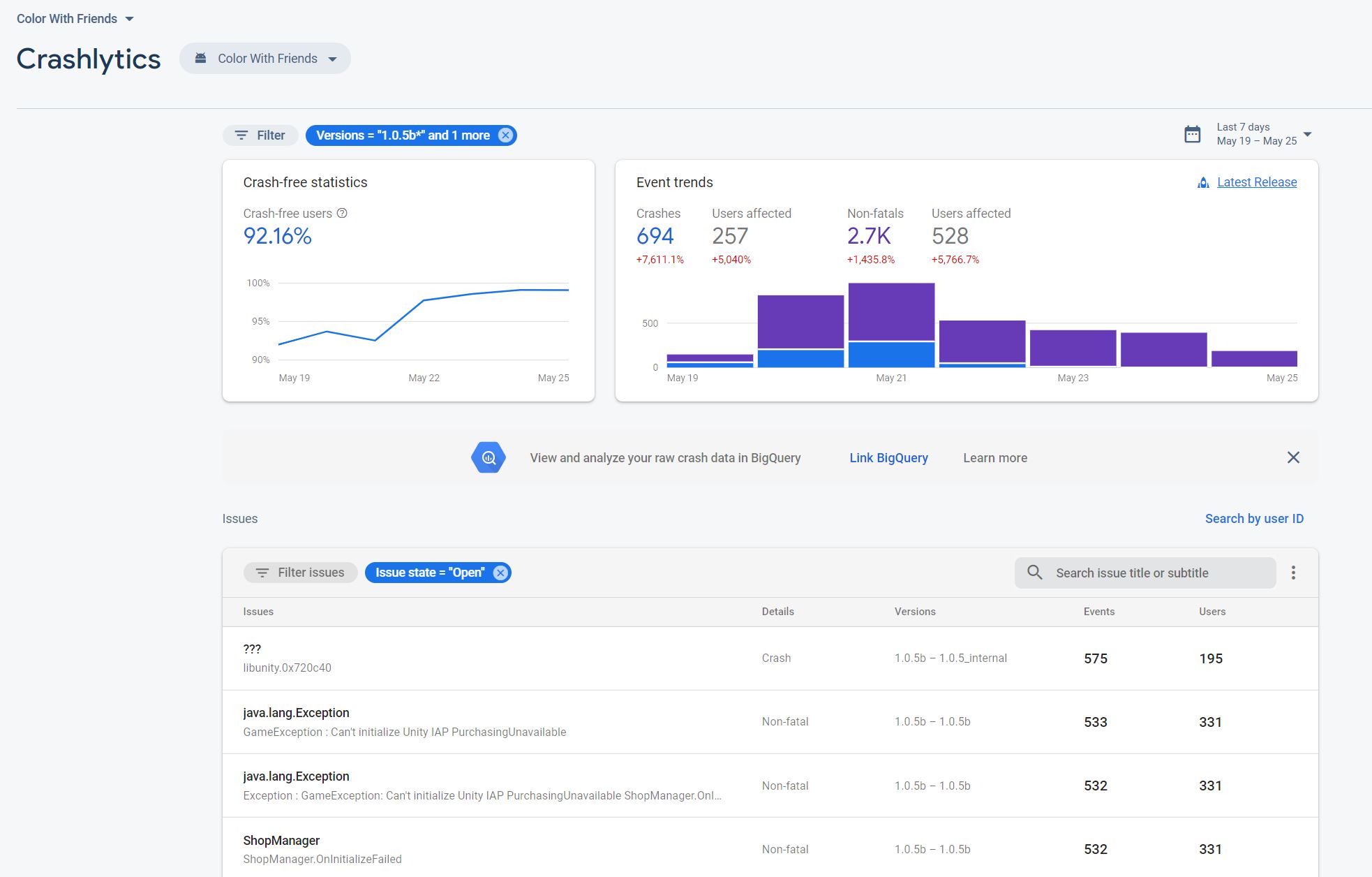
All the issues are coming from a game that is published in the Google Play store and being promoted by pure marketing to real users.
Attached a few examples of transactions and our issues on crushlytics.
Does it work on your devices when you download it from Google Play? Create a new Google account to test, don’t use one of your developer accounts, and switch accounts on one of your test devices (some Android devices allow you hot-switch multiple user accounts, otherwise you need to reset your phone). How are you inviting users to your Beta program?