I currently have an issue where I try to make a box cast to check if an area has space to instantiate a new entity. However there are always objects that are hit, even if the supposed are is empty.
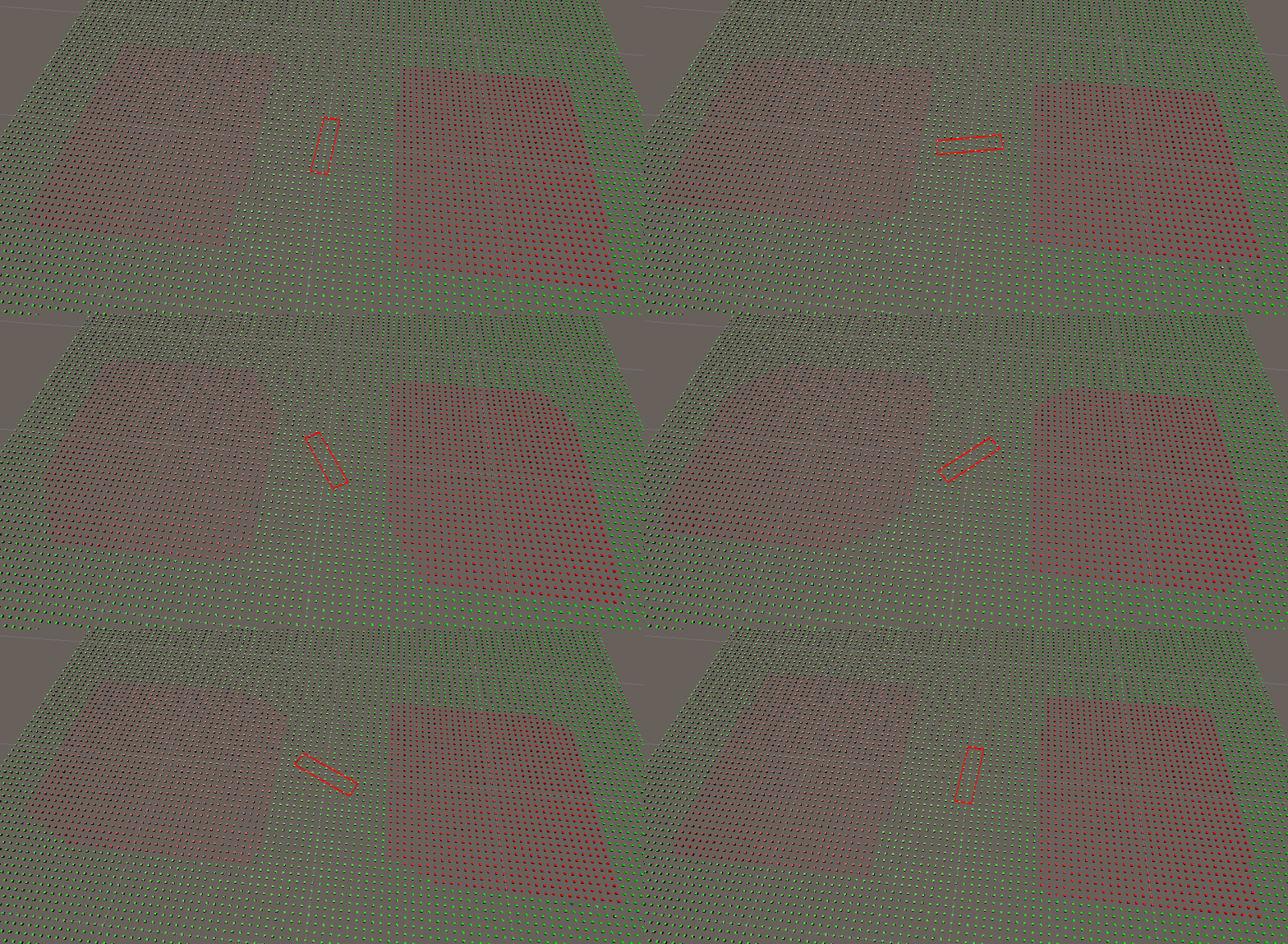
Debugging into it for a whole day it appears as if the CastCollider covers a much bigger area than it is supposed to. I’ve tried visualizing the hit area by covering the plane with cubes and changing their color when hit by the CastCollider area. The center rectangle is a visualization of the mesh vertices (based around 0, 0, 0).
As you can see in the gif, the CastCollider covers a much bigger area and it seems as if it is restricted by some bounding box, I assume due to some broad phase check.
var boxCollider = BoxCollider.Create(new BoxGeometry()
{
    Size = new float3(
        0.1f,
        0.01f,
        0.4f
    ),
    Orientation = quaternion.identity,
    BevelRadius = 0f,
    Center = float3.zero,
}, filter);

unsafe
{
    bool isBlocked = false;
    NativeList<ColliderCastHit> hits =
        new NativeList<ColliderCastHit>(Allocator.TempJob);
    isBlocked = collisionWorld.CastCollider(new ColliderCastInput()
    {
        Collider = (Collider*) boxCollider.GetUnsafePtr(),
        Start = math.up() + math.right(),
        End = math.down() + math.right(),
        Orientation = quaternion.AxisAngle(math.up(), rotation),
    }, ref hits);
    if (isBlocked)
    {
        // change color of hit entities
    }

    hits.Dispose();
}
Can anyone explain what is going on here and how to fix it?
Also does anyone have a better way of visualizing CastCollider?
Currently doing further investigation.
With 1/10x of the scale the rectangle stays the same size but somehow has more hits (covers more cube inside the rectangle).
With 10x scale (1, 0.1, 4) the rectangle is quite a bit bigger and the rotating collider is bigger as well, however still cropped. I’ve measured the resulting scale by scaling a cube in the editor and the scale factor doesn’t make any sense (~2.36 on the actual hit area; 2.1 [2 is too small] in X direction, 1.1 in Z direction on the bounding rectangle). I have absolutely no explanation why it would be those odd decimal factors and why the scaling factor is different in X and Z direction. Furthermore the bounding rectangle has an aspect ratio of 2.095 which rebuts it being some size w in X direction and 2w in Z direction.
(Left and center Size: (1, 0.1, 4); Right: Size: (0.01, 0.01, 0.04) covering full rectangle in contrast to original (0.1, 0.01, 0.4);
I’ll just throw out more observations, hoping anyone can make sense of it.
When applying the rotation to the ColliderCastInput instead of the BoxGeometry the area is way bigger (or actually scaling with the rotation) but still too small and cropping the result.
var boxCollider = BoxCollider.Create(new BoxGeometry()
{
    Size = new float3(
        0.5f,
        0.1f,
        4f
    ),
    Orientation = quaternion.identity, // was rotation before
    BevelRadius = 0f,
    Center = float3.zero,
}, filter);

/// skip

isBlocked = collisionWorld.CastCollider(new ColliderCastInput()
{
    Collider = (Collider*) boxCollider.GetUnsafePtr(),
    Start = math.up(),
    End = math.down(),
    Orientation = quaternion.AxisAngle(math.up(), rotation), // was identity before
}, ref hits);

I just realized, that there is CollisionWorld.BoxCastAll() and CollisionWorld.OverlapBox() which is not mentioned in Collision queries | Unity Physics | 0.6.0-preview.3 which would probably be more fitting for my use-case, however, these functions shows the same problems as described above.
Do you have a sample project that we can try out locally? Physics doesn’t support runtime scaling so I suspect what you are seeing on the graphic level, isn’t what you would see on the physics level. Can you try adding the ‘Physics Debug Display’ component and see if the colliders actually align with expectations?
I’ve just tried integrating my testing system into the physics demo project and realized just that. It appears my colliders are not properly scaled and I’m currently trying adjust the collider to match the visual representation.
I will do some further testing to validate that is really what’s happening before marking the post as solved.
Okay, turns out that really was the issue, now it is working fine.
@steveeHavok One problem that is still very unintuitive is that setting the rotation on the BoxGeometry instead of the ColliderCastInput performs the cast with the rotated mesh, however it uses the bounds of the non-rotated mesh, thus cropping the result. Is that intentional, if so, what is the reason behind it?
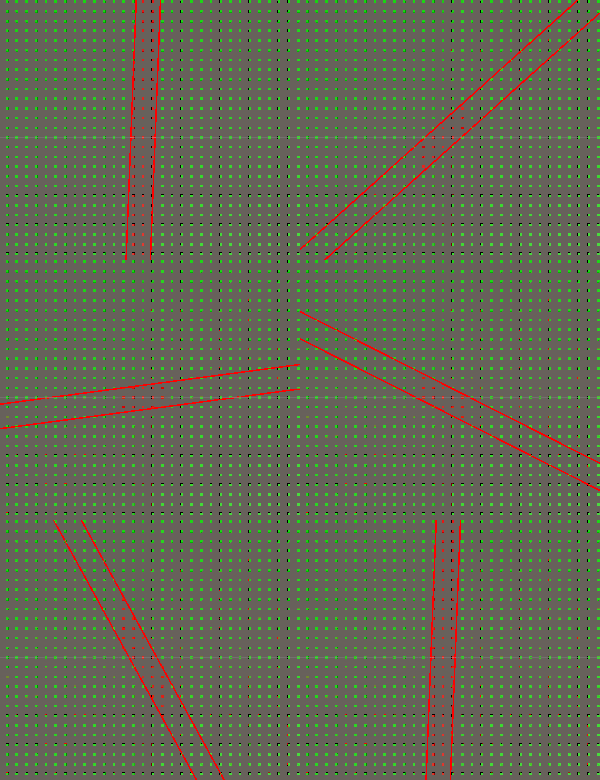
hi @ScallyGames , there should be no cropping in collider cast and I didn’t find a place where we do it (after looking at the code briefly). Could you please give us a precise example where you saw it (ideally a small repro project)?
Please bear in mind that there’s 2 places where rotation can be specified - in collider itself (translation and rotation here are basically displacement from rendered shape, see how Center and Orientation in Physics Shape component affect a cube) and in ColliderCastInput (Start and Orientation here give you the transform to apply to the collider in order to get the starting transform for the cast). It might be useful to test this with a non-cubical box (size like 1, 2, 3) and 90 degree rotations along different axes, to get a feeling of the geometry.
