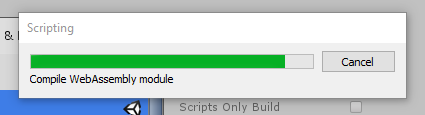
Has anyone ever experienced temporary system freezing when building for WebGL platform using Unity 2018, I’ve tried building on both 5.3f1 / 14.3f1 Engine versions. To clarify, the builds complete successfully, however my system freezes consistently and builds take longer than I believe they should.
My keyboard’s RGB and input, open browsers/Youtube and mouse will all freeze for a few seconds. Then repeatedly freeze another couple times during every attempt to build. This is consistent with my Laptop and my rig, as well as across multiple project attempts both small and large. Additionally, build times exceed 5-10 minutes for projects as small as 3 scripts (with minimal code), 1 scene, and 30 images.
In my rig I have a GTX 1080, i7-6700K @4.0GHz, m.2 ssd for my OS, 1tb ssd for my software… so it’s not a matter of hardware. I only experience this issue with WebGL for 2018 and have not tried other versions of Unity. I am aware that WebAssembly underwent changes in the crossover from 2017-2018 and I’m curious if anyone else has experienced this issue / if anyone found a fix.
This is because one of the last steps in the WebAssembly build process is completely multi-threaded which actually makes the WebAssembly build part incredibly fast. The side-effect is that all your CPU cores being maxed out can result in your system momentarily being unresponsive - this doesn’t mean the build process is slower than it could be.
If system responsiveness is something you’re really after in exchange for slightly longer build times you could manually tweak either the process priority or the process affinity of asm2wasm.exe, although generally I find the process doesn’t take more than 20 seconds or so on a full project.
WebGL builds are unfortunately expected to be long, most of the time is spent during the IL2CPP process - for faster iterative builds you can do a few things like building development builds instead. Having said that, a practically “empty project” doesn’t take more than around 90 seconds for me to compile with the same CPU. One thing that reduce your build times is excluding your Unity projects from your virus scanner as Unity has documented here (Optimizing IL2CPP Build times) - regardless of using SSDs or an I7 CPU, this can be quite noticeable.
Thank you for the information, I will look into the information you’ve provided and also consider a CPU switch to something like an AMD Ryzen series to handle a heavier workload.
i experience the same issue and i am on a Mac Mojave. Do i need to change my computer to a stronger type or do i wait it out while it give the the spinning wheel of death for 100 hours.
It is unfortunately a known issue that build times to WebGL can be slow. We are looking for ways to speed things up, but there are no immediate wins to be had to improve this.
Currently when iterating on builds, disabling compression and doing a Development build should be a little bit faster to finish a build.
In the current Unity version (2020.2 and older in case someone is reading this in the future), you can also try doing an asm.js build for iteration, by setting the C# build pref
That may speed up the build a little. You can try out the attached build script to quickly test that out. See the instructions inside the file. In the future we are migrating to a different compiler backend that will drop asm.js support, so that advice will then no longer hold.
I have the same issue if I use the default webGL template. If I change to the minimal template then it completes the webAssembly step in under a second. Go back to the default template and it takes 15-20 minutes. I am running on a fast PC with a Samsung EVO 960 Nvme drive, so it has nothing to do with the speed of my drive.
Anyone have any suggestions on how to get this to perform better? 20 minutes is a LONG time to complete the final step for webGL.
Anti-virus can be triggered by file access and creation processes adding to the build overhead.
Most AVs allow you to exclude folders which can allow you to get the AV to ignore the build process executables e.g. ignore the Unity folder.
Or you could watch the process and add the executables used in the build process, I think there are quite a few programs and python scripts involved.
Other things to consider for speed: RAM utilisation, CPU thread counts and speed of project SSD.
Look on the bright side the DirectStorage API should be out later this year and could turbo charge NVMe SSD access times, in theory ideal for building/loading/saving your game files.
It isn’t my anti-virus software. I can disable it entirely and it still behaves this way. But if I switch to a minimal webGL template it finishes almost instantly.
I believe if you see these “it completes almost instantly”, it is because you did not actually do any changes to C# code. If there are no scripts to be rebuilt, then the build pipeline skips building any code (which is the slow part atm), and only assembles the assets and code together.