Configruable joint use of a lot of links to sections of cylindrical objects simulation Rope, carried out by dragging the mouse was broken when the phenomenon. Like the map as. How to fix this error?
ps: In addition to the use of Configruable joint simulation Rope, there are other ways you? a more realistic way! Thank you
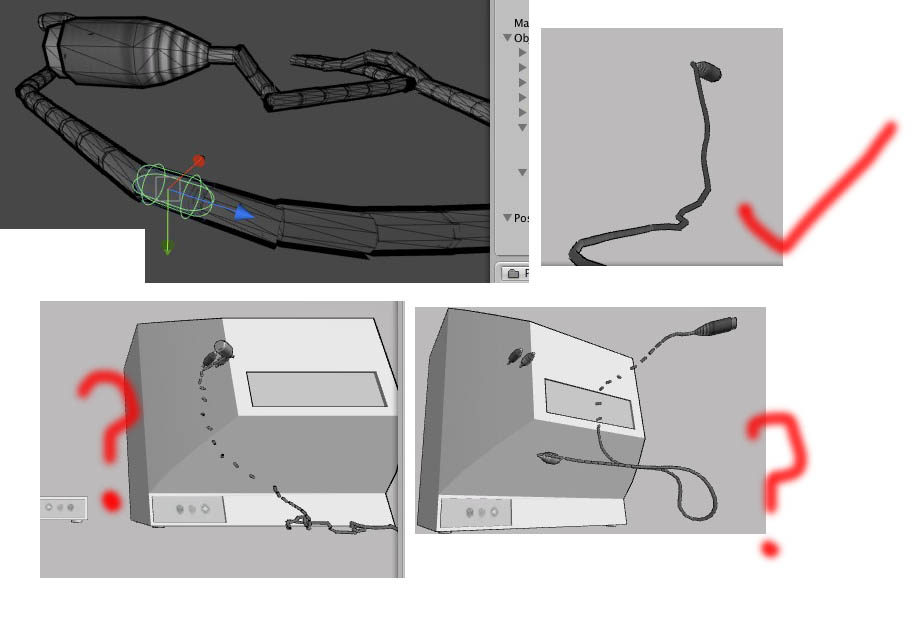
Hi,
I’ve seen this happen a couple of ways. My guess, based on your picture, is that your colliders are overlapping. The instant the physics engine acts on the model, the colliders push on each other until they fly apart. I’ve got a solution, and at least one theory, to fix that. The solution is to adjust the collider sizes/positions so they don’t overlap. If your using a series of links, then insure the colliders are extending outside the model, where the next link in line will be attached.
A theoretical approach (I haven’t yet tried), is to set the colliders to ignore a layer (I’m not sure this is even a collider setting at this point), then assign all the colliders to that layer (they’ll ignore each other this way and not do what you’re seeing).
If this isn’t the situation, let me know. Joint questions seem to have a habit of not getting responses, I’m not sure why.
Thanks,
Galen
This might be an old topic, but I am having a similar problem. In my case, I am building a 4 legged robot that will walk and move using physics. The problem is that upon starting the simulation, the object blows itself apart and the joints break. Each object has a script that causes it to ignore collisions with its neighbor, and as much as possible, I have minimized possible overlapping. Despite this, the problem is still there, and doesn’t want to cooperate. The hinge joint works fine, sort of. The hinge joint does not do what I need it to do. The hinge joint allows rotation along axis that are undesirable, even if that is not the rotational axis. The configurable joint, if I can get i to work, lets me lock the unwanted axis.