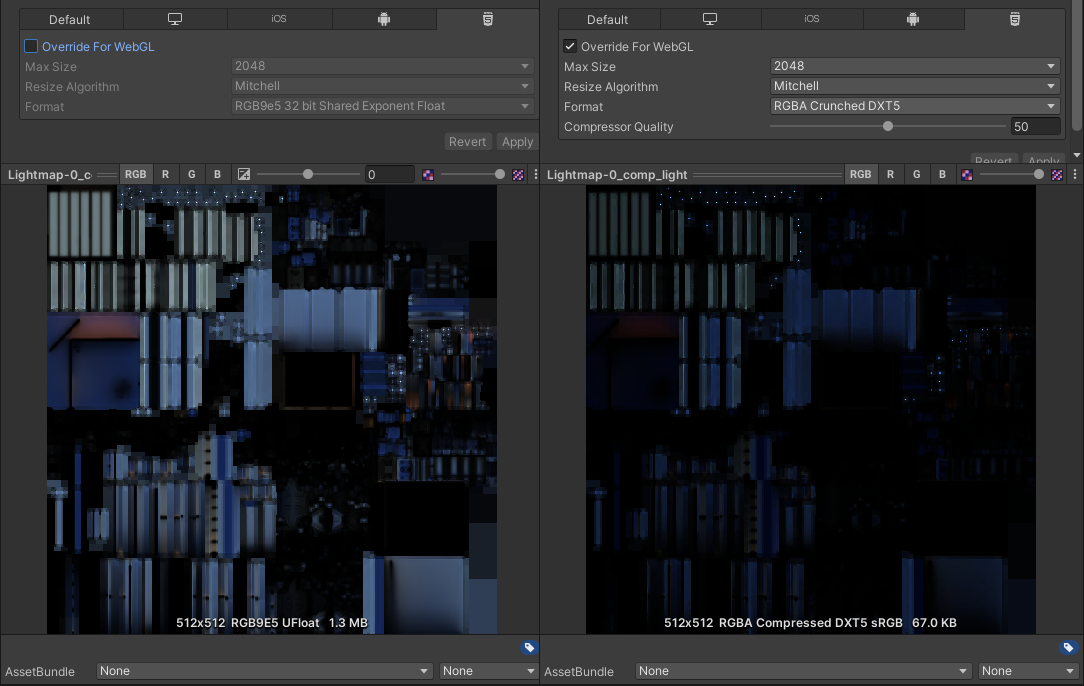
We’ve upgraded from 2019.4 and one issue I’m seeing is that when I compress (crunch) the lightmaps, they get much darker. You can see the difference below here. It pops on when I crunch it. And lightens back up as soon as I turn turn off crunching and apply. I’ve tried every different kind of compression format option I can think of. If I switch my Editor to Android or iOS the problem goes away. It makes all my scenes quite a bit darker in WebGL. It affects all my WebGL scenes.
Is this a known issue in 2020 or has anyone experienced this before? Any ideas of how I might be able to fix it?