Draw Planet Orbit

Can someone tell me what code i would write to display my planet orbits in this manner

Example:https://lh3.googleusercontent.com/GMYRsUm0AIFXdFycVDzbhDoDQpd8KyPYnlzVs_fye_DNfi8m3aKCRtFrTJc8tuEzkDU=h900

Im looking specifically for

changeable Color Orbit effect (selectable with color picker in unity inspector)
transparent color options
the “fill to next orbit” (to show a thicker area, much like how nasa displays red/goldylocks/blue zones). Look at the left of the example to see what i mean about filled instead of just a line with blank space between.

thanks in advance for help.

It’s unlikely you’ll find anything ready-to-go which does that for you.

I needed to generate circular meshes on the fly in the editor, so I adapted this code (and sent him back some handy new features).

http://martinysa.com/portfolio/blog/an-efficient-way-to-draw-procedural-circles-in-unity/

However, it also won’t do what you want, this generates solid circles – you need an inner and outer radius. It shouldn’t be too hard to modify to achieve that effect. Then you’re just applying materials to the generated mesh for transparency and color. I put the code for an Unlit Transparent Diffuse shader at the end of this post for you, that’ll let you colorize and adjust the transparency of the material.

To draw the single line representing the orbital path of the planet itself, you can use the built-in LineRenderer component. It doesn’t perform well. I use Fast Line Renderer and there is also Vectrosity for high-performance line-drawing.

Shader "Custom/Unlit Transparent Diffuse" {

    Properties{
        _Color("Main Color (A=Opacity)", Color) = (1,1,1,1)
        _MainTex("Base (A=Opacity)", 2D) = ""
    }

        Category{
        Tags{ "Queue" = "Transparent" "IgnoreProjector" = "True" }
        ZWrite Off
        Blend SrcAlpha OneMinusSrcAlpha

        SubShader{ Pass{
        GLSLPROGRAM
        varying mediump vec2 uv;

#ifdef VERTEX
    uniform mediump vec4 _MainTex_ST;
    void main() {
        gl_Position = gl_ModelViewProjectionMatrix * gl_Vertex;
        uv = gl_MultiTexCoord0.xy * _MainTex_ST.xy + _MainTex_ST.zw;
    }
#endif

#ifdef FRAGMENT
    uniform lowp sampler2D _MainTex;
    uniform lowp vec4 _Color;
    void main() {
        gl_FragColor = texture2D(_MainTex, uv) * _Color;
    }
#endif   
    ENDGLSL
    } }

        SubShader{ Pass{
        SetTexture[_MainTex]{ Combine texture * constant ConstantColor[_Color] }
    } }
    }

}
4 Likes

Thanks so much. This is the best answer iv gotten so far for help :slight_smile:

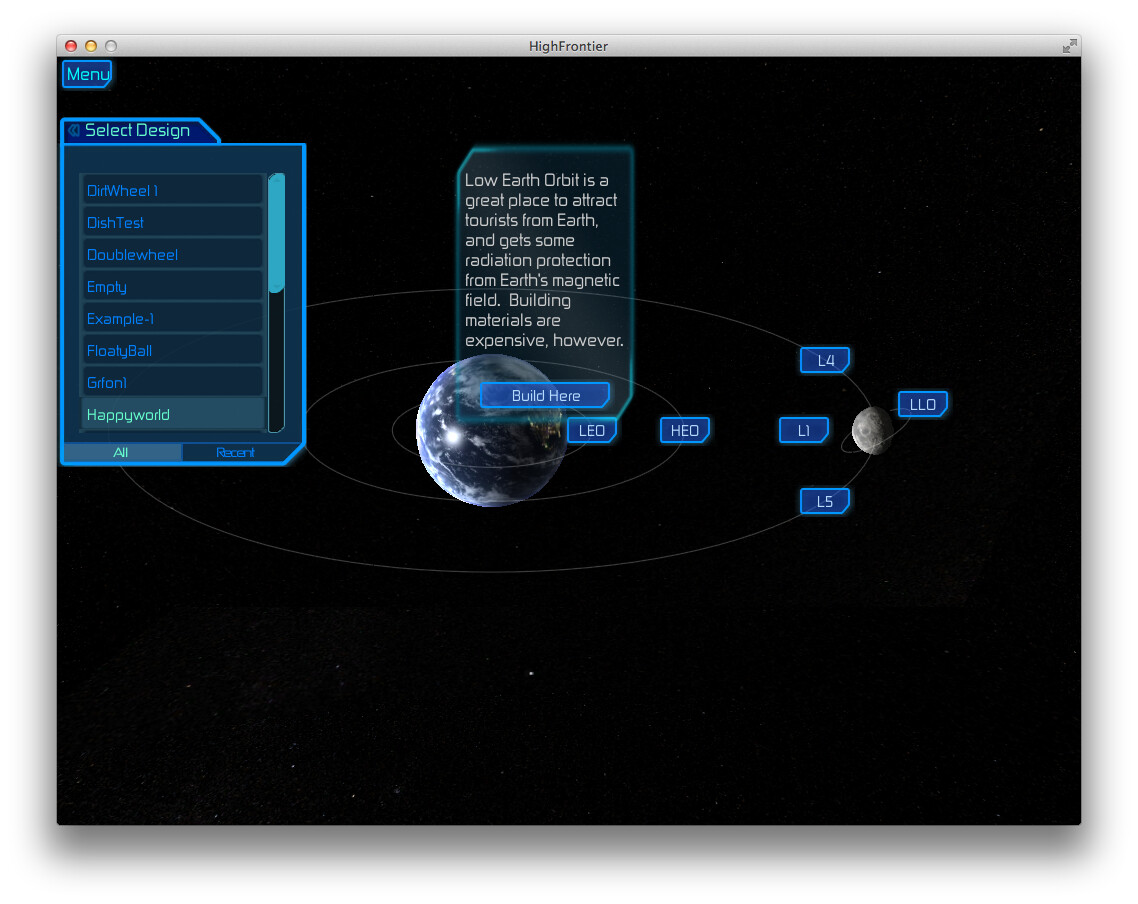
@MV10 's answer is top-notch. FWIW, I use Vectrosity for drawing orbit lines in High Frontier:


…but it’s just the lines, no fill. I don’t think Vectrosity would be any help for that.

1 Like

This is correct, neither will fill an area. Both products looked pretty flexible to me. This is Fast Line Renderer drawing the sectors and an animated “marching ants” selection border on my galaxy map, and tactical-map ship movement lines and weapon range arcs.

Oh, and the solid green circles under the ships in the last two are generated meshes based on code from that link I posted.

2857503--208993--1.jpg 2905108--213970--1.jpg 2905239--213992--1.jpg

2 Likes