Entities converted from prefab are not rendered

I tried the ECSSamples and all works fine there, but when I trying to use the same code to spawn entities in my game they are not rendered.
The same result, strangely, I got when I tried to copypaste ECSSamples into my project, official samples didn’t render a thing.
Maybe I missing something and there is some project setting or something…

So I do this three things to instantiate entity. No difference with “Spawner from MonoBehaviour” example:
prefab = GameObjectConversionUtility.ConvertGameObjectHierarchy(Prefab);
var entity = manager.Instantiate(prefab);
manager.SetComponentData(entity, new Translation {Value = position});

The problem is, actually, that in my project I got this:
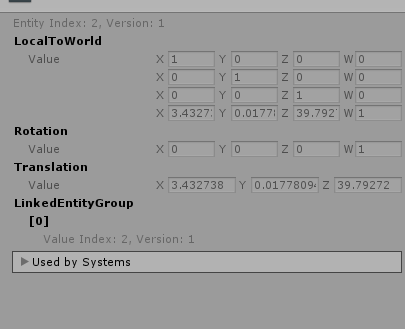
4838276--464630--2019-08-09_09-37-37.png
and in sample project entities looks like this:

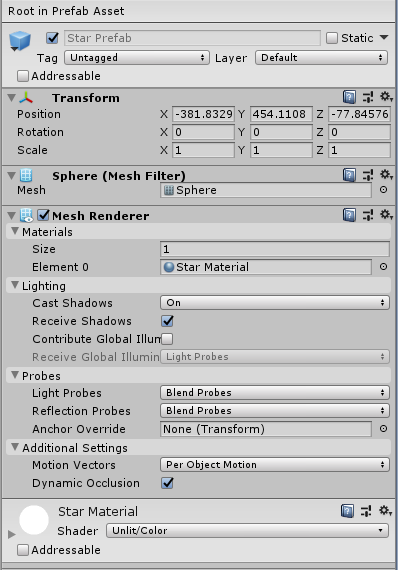
My prefab is a simple sphere object:
1 Like

Which sample of
EntityComponentSystemSamples/ECSSamples/Assets/HelloCube
you are based on?
5. SpawnFromMonoBehaviour (seams this one?)
or
6. SpawnFromEntity

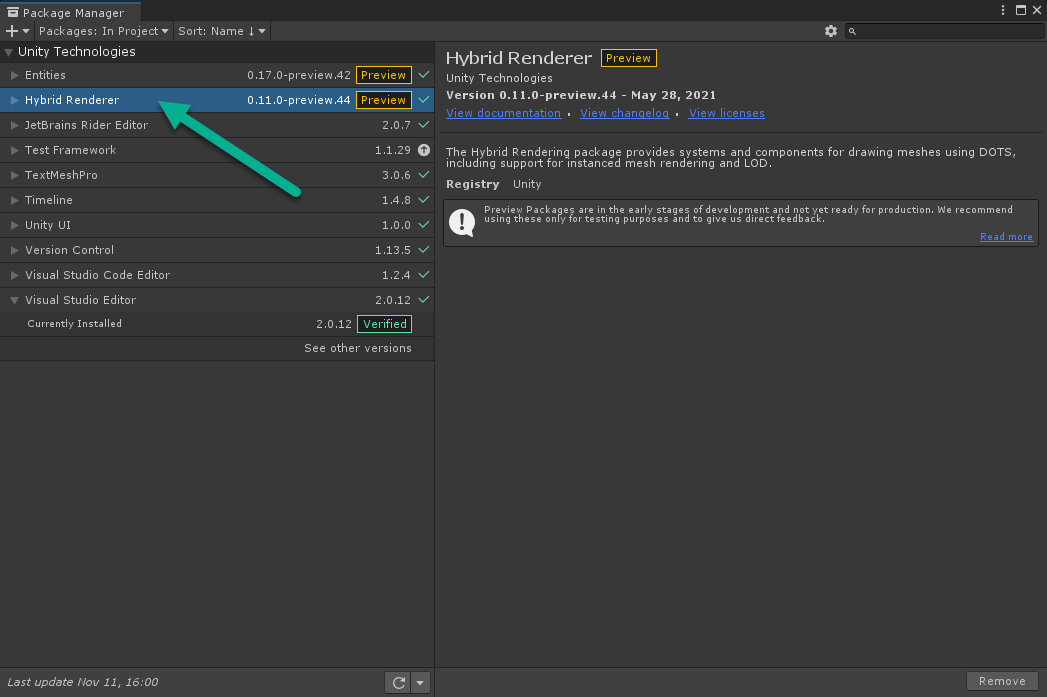
Do you have the Hybrid Renderer (com.unity.rendering.hybrid) in your project?

3 Likes

Nope.
I use Unity.Rendering (for later changing materials) and Unity.Transforms respectively.
Does Hybrid Renderer helps with anything?

Edit:
Oh I realized that @tertle responded to @Deadcow sorry.

Just a note, Unity.Rendering is the namespace of the Hybrid Render package.

Oh, that interesting.
I suspect, it may be moved away at some point in future, as DOTS evolves?

Thanks! I probably missed that part about Hybrid Render in docs. Sorry for bothering :slight_smile:

I just had the same problem and by adding com.unity.rendering.hybrid solved the issue