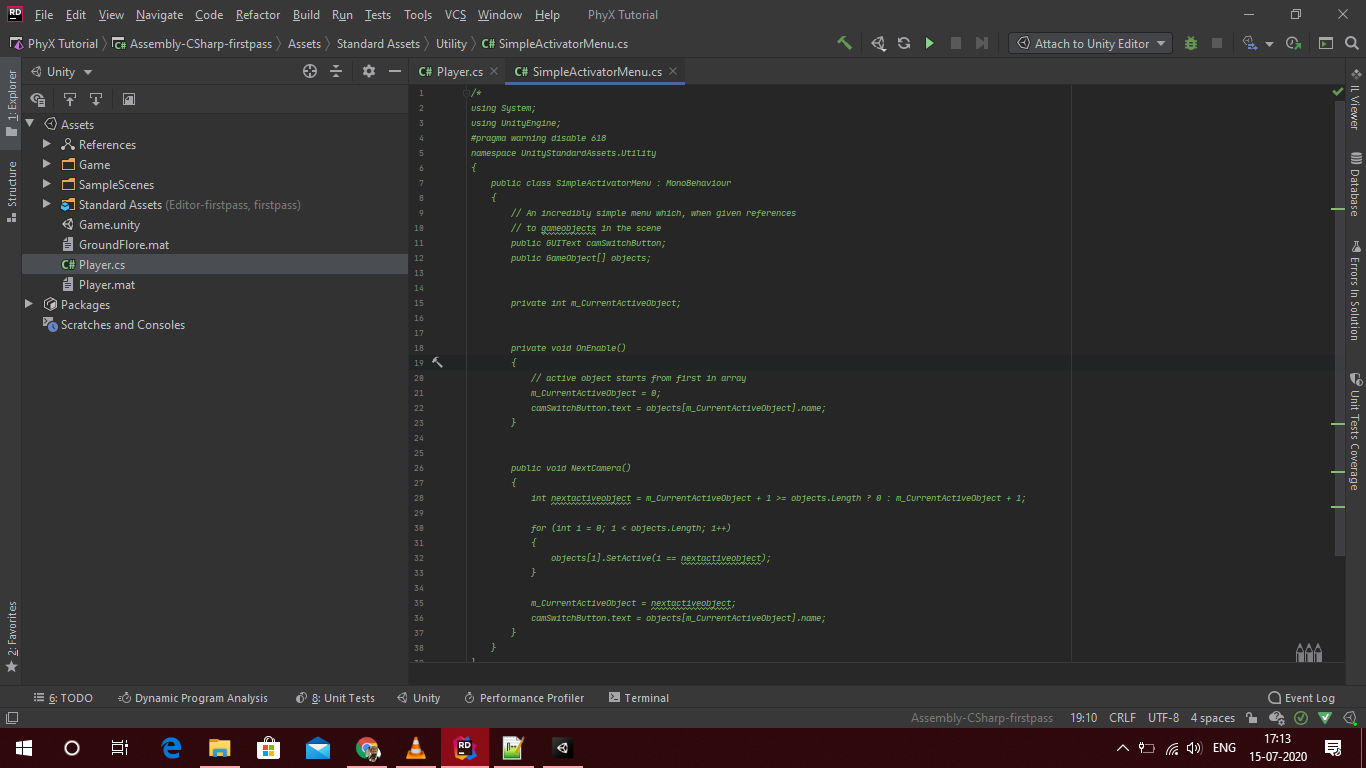
I am using a asset on the unity store that was depreciated a couple of years ago. It worked under unity 2019.2 but now gives errors in the console. I get the following error in unity 2019.3
error CS0619: ‘GUIText’ is obsolete: ‘GUIText has been removed. Use UI.Text instead.’
I changed 2 lines of code (see picture) but the other 2 lines stll gives errors.
As it is not my asset, I do not fully understand it. Any help on the conversion would be cool. It’s the equilivant of pixeloffset.
I’m having the exact same problem. Mine is linked to a script that comes with the Standard Assets package from Unity that I am using for a course. I did the same fix, changing GUIText to UnityEngine.UI.Text, but it greatly altered the alignment of my camera and I’m worried it will cause problems down the road if I leave it that way. Did you find any other fix?
The UI system added in Unity 4.6 which includes UI.Text works fundamentally different than the now removed GUIText. Normally you’d do your resizing in the inspector now instead of everything having to be hard coded in your scripts. Though it is still possible to do in scripts, the old system you had to do everything in scripts. Now usually you don’t.
Setting position and size of a UI.Text now is done via height/width and achor positions relative to its canvas, or just by adjusting the GameObject’s scale, so there is no direct translation of the above code without a lot more context.
If none of that makes any sense, take the time to follow some UI tutorials. As you’ll need to understand concepts like canvas, anchors, etc, to make any progress, and none of that was in the old UI system.
If you want to continue using code which relies on the old removed UI system, just stick to a version of Unity which supports it. (2018.4.x LTS is probably the best choice?) Otherwise scrap this code and create or otherwise acquire something to do the job using the current system.
On the Standard Assets, there is no updated Standard Assets package updated for 2019.3. Some things will still work, but it was last updated for a version of Unity a couple years old. I’d suggest just removing anything which throws compile errors and not trying to fix them. If they all just needed simple fixes, Unity would just do it themselves.
For the “GUIText”, just change it to “GUI”,
Ex: [RequireComponent(typeof (GUI))] in ForcedReset.cs.
In SimpleActivationMenu.cs, change the type of camSwitchButton to AlphaButtonClickMask. Ex: private AlphaButtonClickMask camSwitchButton;
Use try to use the quickfix function in your visual studio. The code will run with a few warnings.
/PS: I’m new to this. Hope it helps.
Assets\Standard Assets\Utility\SimpleActivatorMenu.cs(12,16): error CS0246: The type or namespace name ‘UI’ could not be found (are you missing a using directive or an assembly reference?)