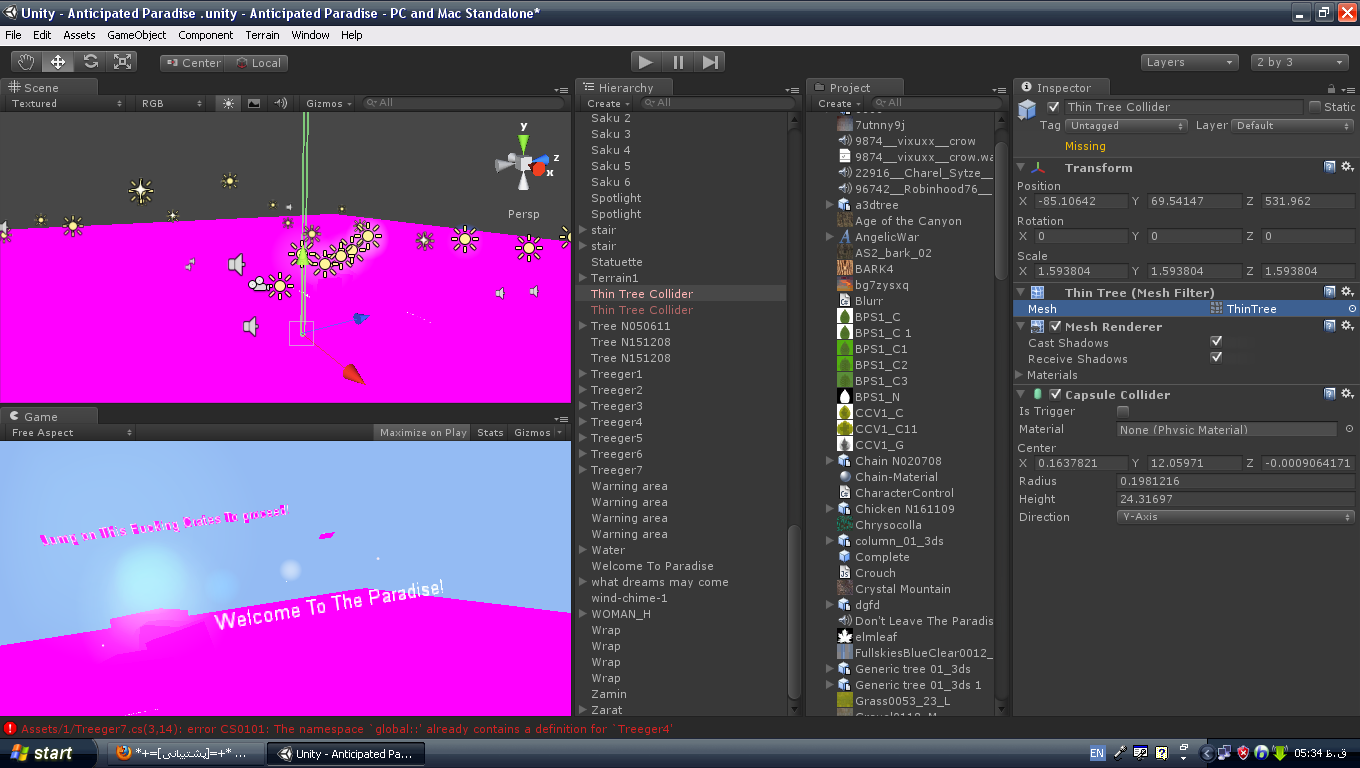
… so I removed untity 3.4 and installed 2.6 instead… then when it fixed I removed unity 2.6 and I reinstalled 3.4 again… but when I opened the project again… it was like this!!: http://mobin127.persiangig.com/12.PNG
I put my life on this game… is it gone? every assets are in place in project menu! what should I do?
Are you sure you did not delete any material or textures?
No, it's not that- unity 2.6 does not know how to handle unity 3.4's metadata, so the connections would have been lost when MobinS imported the project into the old version.
If something in your scene is pink it is the graphics card’s way of telling you it doesn’t know which shader to apply your object. In other words your objects are missing their materials.
Click on a mesh that is pink, and you’ll see the material property will be set to none or missing. You’ll need to remap the materials in your project to your pink objects, or simply drag the textures back onto your objects again (which will automatically create and assign a material to that object.
Are you sure all your materials are still there? I had a similar problem once and it turned out all my materials had just been removed from the game objects
Change “Material” setting of the terrain to “Built in Legacy Diffuse” - that fixed it for me!
I was using a popular package from the Asset Store, and the imported objects did not display properly - pink or nothing shown. For the Materials, I chose Shader --> Legacy Shaders/Diffuse, and it worked for me! Objects are now displaying correctly. Thanks!
First make a backup of your project then Delete all folder other than Assets in your project folder then run your project it will take time , then you must have to change platform then make a build and run. It will work 100% sure IA …
Sorry for my bad English
i think your game is ok.
if it is showing pink means u have deleted some thing from the project.so it is not getting the reference of the objects so it is displaying pink .
check once if u have deleted anything from the project
Importing an old (2.x project ?) into 3.x editor, things might get corrupted and missing. Most of the time is the missing material you see above.
Try to export assets to packages in 2.x editor and then import them in 3.x, it sometimes helps. From what I aware, there are no universal solution either.
No, I think the problem is the other way round- importing an older project into a newer editor isn't a problem, but importing a newer project into an older editor will naturally cause forwards compatiblity problems! I'm afraid you'll have to manually reassign all of your textures in the editor. Going back to 2.6 probably wiped them.
This worked great for me - thanks so much for the suggestion. I'd give you the thumbs up on your post too, but I've only just joined the forum so I can't, sorry...
I too see the same problem. But the main difference is, I see this only once in the beginning. As soon as I visit any other scene and come back to this scene, I see no problem. Texture/Materials are good as always. In this case, anyone any idea what can be the problem?
If anyone else is having this issue (as I was 3 beers and two cups of coffee ago…) … If you have ANY missing materials in 5.0, any at all… If you didn’t put a material on a flee’s toe… It will make the entire build go purple/pink/magenta.
A quick fix is to go to each “object” in the scene and see if it’s blue in the hierarchy. If not, check it.
This happened to me. In my case I had NONE of the default shaders in place. Go to Edit → Project Settings → Graphics and check for the Always Included Shaders list below. I added a snapshot. Make sure you have all of the shaders listed below. Hope this helps you or anyone who is going through this


Are you sure you did not delete any material or textures?
– LegionIsTakenNo, it's not that- unity 2.6 does not know how to handle unity 3.4's metadata, so the connections would have been lost when MobinS imported the project into the old version.
– syclamothWell, that's why Unity warns you that data might be lost and you have to click OK to continue ;)
– Bunny83