I opened the final example from the “Chapter 8” folder. It asked me something: “Do you want build from 5.0.0f4 to 5.3.2f1?”. I clicked “Build”. It build successfully.
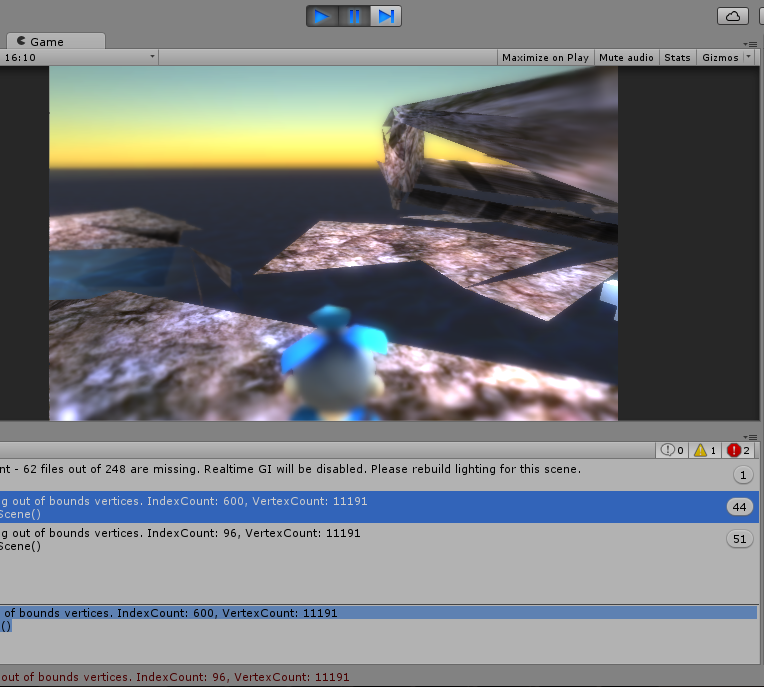
But when I run this example I see this messages in Console:
Warning:
And errors:
You can see how look the problem in the game in the attached picture:
I gave link on the official page of the book where you can download the source code for free (after simple registration) and you can try open the project from the “Chapter 8” folder. Maybe someone met with the same problem and solved it.
Unity has not changed, as this is a requirement for Direct X and OpenGL. The fault is in the code.
The error means that if you have 11191 vertices, then your indices for your faces have to be within 0 and 11190. with 600 faces, that would probably mean the last face you put in was outside that bounds.
What is it trying to create? I will bet that you have a number wrong that is either adding or multiplying in a way you dont need to.
Hi Ivan, try the following solution and see if that solves the issue:
In the project window located at the bottom of your Unity program, open up “Meshes” folder and find terrain.fbx. Right click on the terrain.fbx and select “Reimport”. That probably will fix the error “Failed setting triangles. Some indices are referencing out of bounds vertices. IndexCount: 600, VertexCount: 11191”
To fix the “Lightmap snapshot ‘LightmapSnapshot’ is inconsistent - 62 files out of 248 are missing. Realtime GI will be disabled. Please rebuild lighting for this scene.” warning, try the following steps:
Open up the lighting window by going to Window → Lighting.
Then, you will see a checkbox called “Auto” at the bottom of the window. Untick that checkbox and now you will see the “Build” button has been enabled.
Click on the small arrow at the right side of the Build button and select “Clear Baked Data”.
Click “Build” again to re-build the lighting once you have cleared the old data.I reckon it has to do with the version upgrade which messed up the files a bit.
Thanks farcry1124
Just had the same problem when updating from Unity 5.4 beta 14 to beta 24.
Lightmap building is totally different from one to another.
Reimport (or reimport all) doesn’t clear the lightmap, that’s why problem remains.