Trying to create a font in Font Asset Creator from a .ttf. When I press on Generate Font Atlas button I get this error:
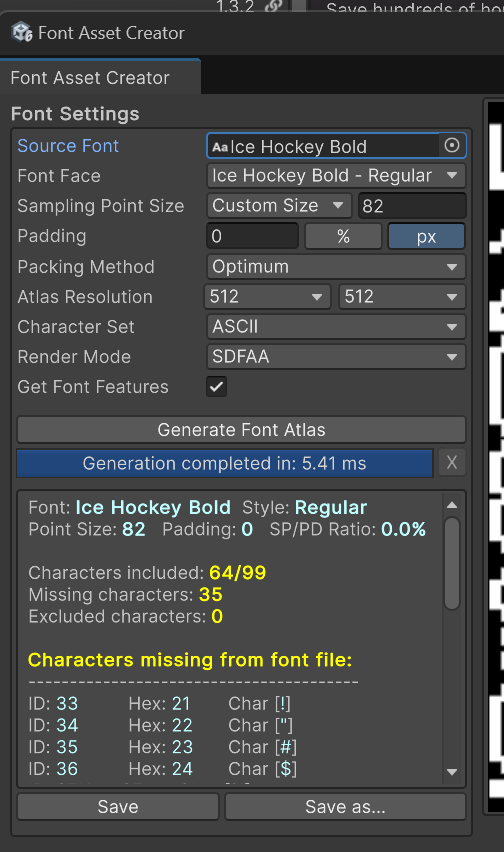
Error Code [Invalid_File_Structure] has occurred trying to load the [Ice Hockey Bold] font file. This typically results from the use of an incompatible or corrupted font file.
UnityEngine.Debug:Log (object,UnityEngine.Object)
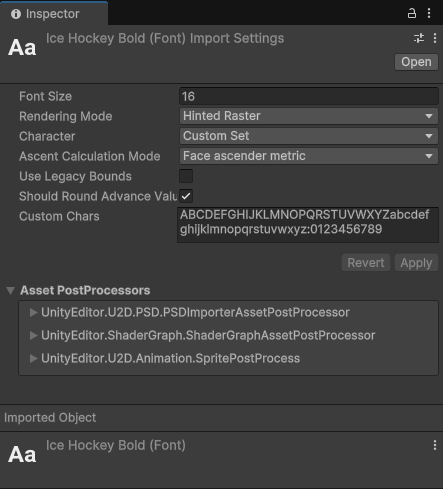
Settings for the original font file in Unity Editor:
Settings in the Font Asset Creator:
Font itself is a correct .ttf and works just fine in other software:
Font itself:
Ice Hockey Bold.zip (3.9 KB)
Then once I try to close the Font Asset Creator window I get a crash:
Crash log:
Crash_2025-03-17_183731020.zip (645.0 KB)
Then after I open Unity Editor again and try to open Font Asset Creator, it immediately crashes again. The solution to stop Font Asset Creator from crashing the editor is to move the font out of the Assets folder and open the Font Asset Creator.
My .ttf font is inside the Assets folder.
@Stephan_B how to import this font file into Text Mesh Pro?
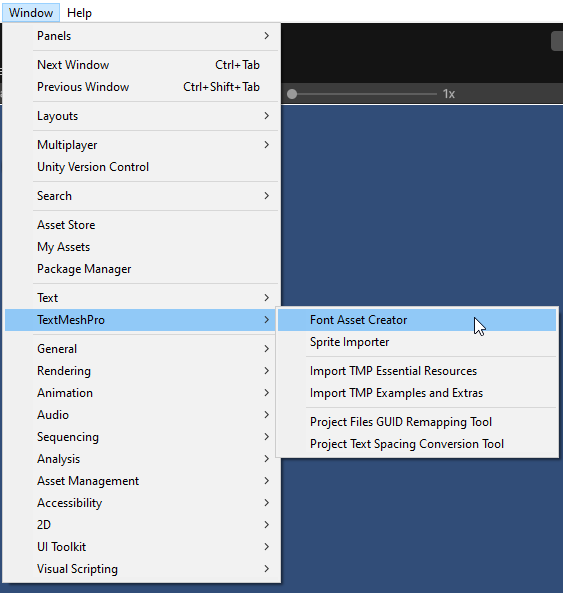
there are 2 menu items with font asset creators, i dont believe they are equal, which did you use
does it crash if you leave the size as 512x512?
Yes, it crashes. Same error when trying to generate the atlas and then it crashes.
can you share the ttf? I can play and see if i can find a way .. 2 heads better than one etc
interestingly, i cant recreate one of your settings, the name of the fontface..
but mine works
Thank you so much. This works to create the font atlas. The problem is coming, I think, from the fact that I didn’t use the default settings for the original font file:
I used these settings at first:
It doesn’t want to create the font atlas and then crashes with these settings.
And the reason I used them is because I am following a tutorial on how to do it:
Well, I’m still not done.
Still, this is very buggy, I’d say I provided correct settings with supported by the font characters and all. Not sure abut the sampling point size and what it is.
I think this also happens only with these problematic settings that I used. Once I use the default settings for the original font and the settings you provided on the screenshot, I do have the Ice Hockey Bold - Regular font face.
OK so, with more info
I think the actual crash comes from that weirdy name and the fact that thats screwing it up
But in your thing you listed a-zA-Z1-0 .. no punctuation, mine then says the font is corrupt.. because youve hidden those extras.. yours is crashing..
this would seem to be part of the core issue