this is not specifically a unity 5 problem, but as this is what I am using I thought it best post here.
Ok. Here is my problem. I have a game that scales to any resolution. Running it on any device and screen resolution (iOS and android) works perfectly. As soon as I build for full screen OS X the graphics are stretched horizontally. If I run in a window of any size, everything is perfect.
How on earth do I get full screen to work by making use of the resolution in the same way a mobile device deployment does? Even ui elements appear stretched.
I have tried all 3 full screen modes and only ‘capture display’ works (by adding borders to the left and right of the screen).
Any help or advice would be wonderful.
Why are you scaling?
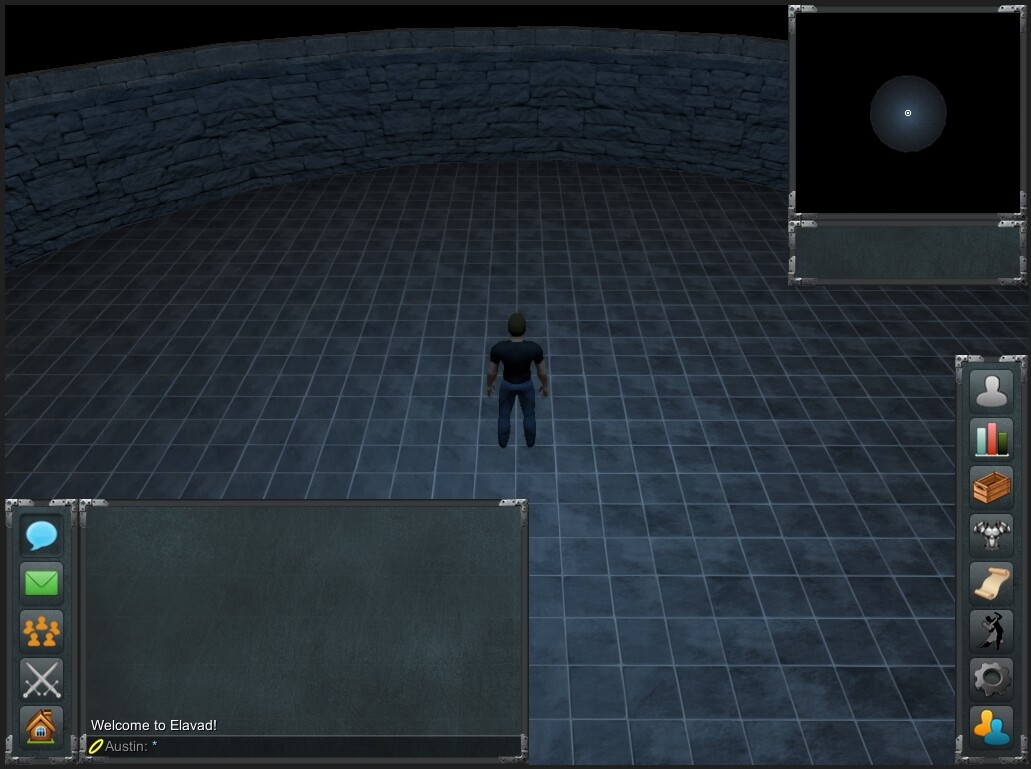
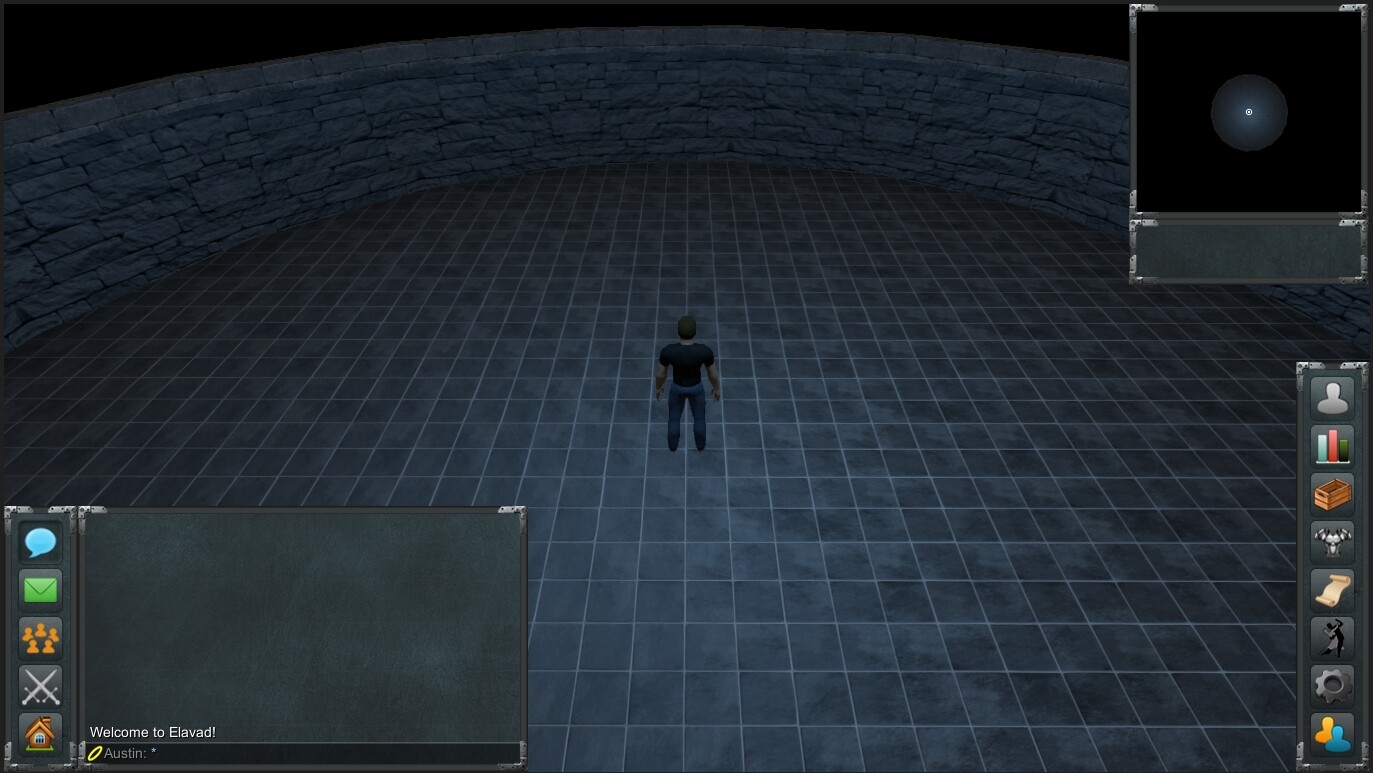
Here’s a couple pictures of my project with different resolutions:
1024x760
1366x768
As you can see… nothing is stretched and is completely able to run on any size resolution (larger than a certain minimum).
How/why are you scaling the game? Are you scaling the GUI? Can you attach the GUI to the edges of the screen/make it appear in the center by using something like…
GUI.DrawTexture(new Rect((Screen.width/2)-(image.width/2), (Screen.height/2)-(image.width/2), image.width, image.height));
If you’re using the new UI system from 4.6+ I believe it shouldn’t stretch poorly and also has snapping to the right/left side of the screen etc.
Sorry. Perhaps I misworded that. I am not manually scaling, I meant that it scales fine to any resolution when deployed to anything other than OS X full screen (MacBook retina).
The only thing I control depending on resolution is the amount of the game map visible. This may be enlarged or reduced to make better use of the playing area. As I say, this works perfect across all tested mobile resolutions. No stretching.
Also. Any sized window on desktop is fine. Just when I make it full screen. It appears to take the exact windowed image and stretch that to fill the full screen resolution. I have no idea if this is just a Mac thing or not?
Just further to this, even though I have set the game to launch full screen using native resolution (2880x1800) what is happening is a 1024x768 window is created and then stretched to fill the full screen? Even though it is displayed filling the screen, the resolution from Screen.Width return 1024 (rather than 2880).
What an earth am I doing wrong?
“Fullscreen mode defaults to the default resolution for the standalone as specified in the ‘Player’ project settings”
Maybe this answer will help: webplayer fullscreen aspect ratio wrong - Questions & Answers - Unity Discussions
Thanks for the reply.
Ok, pretty much tried all the stuff in the linked post (though building for OS X rather than web player). All to no avail. Still don’t understand why it is so hard to just render to the physical resolution of the display rather than the stretching I experience or the incorrectly reported resolution.
No matter what I do I still get a reported resolution of 1024 rather than the expected 2880?
In the end, I wondered if there was a problem with the prefs file, so moved it out of the project and relaunched. I ticked both “default if full screen” and “default is native resolution” (and disabled the resolution dialog). It launched in a 1024x768 window? What on earth?
Ok, enabled the resolution dialog. Selected the highest resolution there (1680x1050), un-ticked ‘windowed’ and launched. Ok, fullscreen at 1680x1050. Fine, not what I wanted, but at least it is full screen again.
Returning to prefs, turned off the resolution dialog, now it runs in a window at 1680x1050? Good god.
All I want to do is have it run full screen at the desktop resolution (2880x1800 in this case, but whatever the resolution on the system is).
This would be a simple matter in either Xcode or VS on windows as a native application.
" I have set the game to launch full screen using native resolution (2880x1800) what is happening is a 1024x768 window is created and then stretched to fill the full screen? Even though it is displayed filling the screen, the resolution from Screen.Width return 1024 (rather than 2880)."
The OS X window manager has an “issue” with OpenGL applications when entering fullscreen from windowed. OS X scales and stretches windows as part of the OS. I’ve had often seen weird behaviour in OS X.
Use the following settings:
Set Default if Full Screen TRUE
Set Default is Native Resolution TRUE
Set Capture Single Screen TRUE
Set Display Resolution Dialog “Disabled”
Set Resizable Window FALSE
Set Mac Fullscreen Mode “Capture Display”
A simple solution does exist for this. Below is a script for you to set auto set the Native Resolution when the above settings are configured.
using UnityEngine;
using System.Collections;
using System;


/// <summary>
///
/// Class: OSXnativefullscreen
///
/// Descriptive Name: OS X Full Screen Native Resolution Script.
/// Author: Broten Technologies Corporation, Jan 12, 2015.
///
/// Information: This script should be placed in a empty scene file loaded before the first game screen. It will set the Resolution to last resolution returned from Screen.resolutions and set fullscreen mode to true.
/// Use for ensuring you get automatically the highest game res on a system. Use with care as some users might not want this resolution.
///
///     In Project Settings > Player
///
///     Set Default if Full Screen TRUE
///     Set Default is Native Resolution TRUE
///     Set Capture Single Screen TRUE
///     Set Display Resolution Dialog "Disabled"
///     Set Resizable Window FALSE
//      Set Mac Fullscreen Mode "Capture Display"
///
/// </summary>

public class OSXnativefullscreen : MonoBehaviour {
    public string NextScene;
    void Start() {
        #if UNITY_STANDALONE_OSX
        Resolution[] resolutions = Screen.resolutions;
        Array.Reverse(resolutions);
        foreach (Resolution res in resolutions) {
            print(res.width + "x" + res.height);
        }
        Screen.SetResolution(resolutions[0].width, resolutions[0].height, true);
        Debug.Log("Full Screen Resolution set for UNITY_STANDALONE_OSX");
        #endif
        Application.LoadLevel(NextScene);
    }
}
Thanks for the reply. That works a treat.
The only problem I am having now is that the canvas’s/UI’s are all offset down and to the left, rather than being central as they were prior. I am sure it must be something silly my end somewhere?
Setting the canvas to ‘Screen Space - Camera’ appears to fix it
make sure the parent game object of the canvas is at 0,0,0 origin.
What canvas mode are you utilizing?
Camera
Overlay
World
Make sure to set up the UI Scale Mode as well.
Did you set my script into a empty scene first, then load the first scene of the game? I do this so that the Canvas UI is not loaded until after the application goes full screen. Also if you change the screen res via a later script this can cause issues like you mentioned.
I develop using an iMac for exporting to PC, MAC and Console Systems. Give me a shout out if you have any other issues.
Thanks for your replies and help. Sorry I took so long to reply (Birthday yesterday, so had a drink - regret it now  )
)
It is all working perfectly and I now have full screen with no nasty stretching, hurrah.
A couple of little things…
I use Spaces on OS X so that I can have multiple desktops, but when running the game, I can no longer flick back and forth between them. Perhaps Unity interferes with the key combo, or the mode the full screen runs in stops this?
It has now got me thinking, if I can set a windowed resolution to the same aspect ratio as the screen, then I would be able to let unity stretch to fill the screen in it’s usual way, but without any distortion of the graphics? I did try setting the resolution to a lower windowed setting, but this gave me a window much larger than the native resolution?
Main thing, I am very happy to have working full-screen and can fiddle with windowed options later perhaps.