hello noob dev here, just like the title says here are examples
Editor:
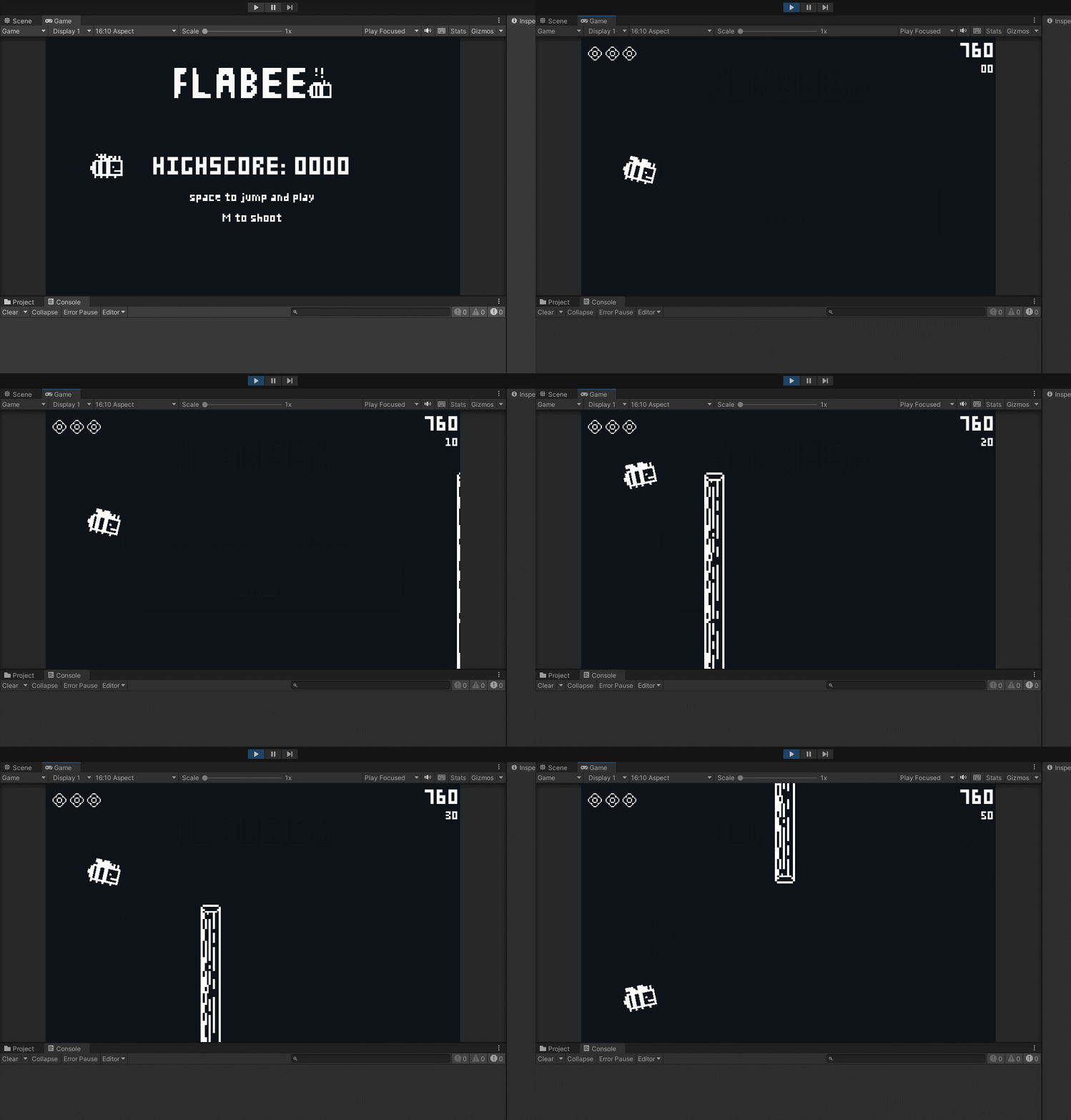
Build:

the aspect ratio in the game tab is NOT set to “free aspect”, the canvas is set to “scale with screen size” and the canvas resolution is 1600x1000 just like the camera so I’m not sure what the problem is? p.s. this game was made in unity 5.6.7 if that’s relevant (the problem was still present even before moving the project to the latest unity version)
thank you for your time
Your game’s aspect ratio is 16:9, not 16:10. In the Player Settings, make sure you aren’t allowing other aspect ratios if you want to avoid this.
1 Like
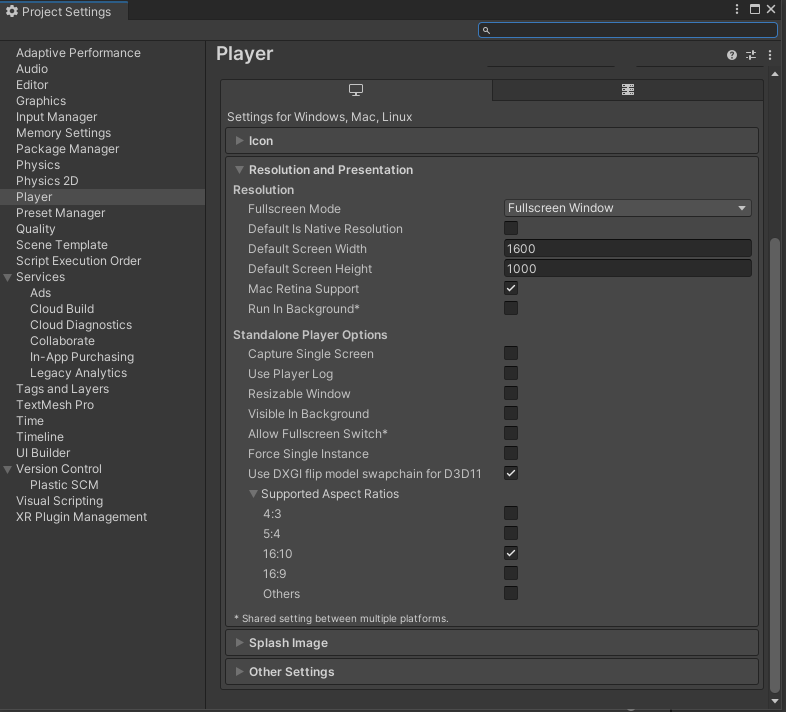
My hunch is that a “fullscreen window” can’t do anything besides taking on the monitor’s native aspect ratio, since the window is then forced into spanning the entire width/height of the screen. In case your display (more precisely: the current desktop resolution) has a 16:9 aspect ratio but the window content is 16:10 you will see borders.
Try windowed or fullscreen. Or set your display resolution to a 16:10 aspect (this will result in slightly stretched/squeezed content).
Btw, 1600x1000 is a really odd resolution. You may not want to force that on users.
2 Likes
Normal aspect ratio for a computer is 16:9
That’s 1920x1080, 1600x900, 1366x768
In the past we had 4:3 and also 5:4.
You’re unlikely to encounter those today.
Examples are: 1280x1024(5:4)
1024x768, 1600x1200 (4:3)
1600x1000 is not really a thing, although wikipedia reports that 16:10 was popular before 2008/.
In your scenario whatever you used as a background is not stretching properly. If you plan to target odd resolution, you’d need to either set correct camera clear color (black in your case), or put a huge ui element or a flat plane in the background that will cover entire view regardless of resolution, perhaps while scaling with it.
1 Like
CodeSmile and neginfinity thank you for the reply! I thought that the game would just open regularly and the “space” that is left from the aspect ratio would automatically just be black.
edit: like the black bars
What people see in areas where you haven’t drawn anything (no sprites, no objects, nothing) is determined by your camera.
It can be skybox, it can be flat color. In some special cases you might not even want camera to erase anything (when camera stacking is used, for example).
https://docs.unity3d.com/Manual/class-Camera.html
You can think that the camera draws that first, filling entire screen, and then anything you had in your scene is rendered on top of the fill.
In your case you set camera clear flag to “Solid Color” and are using default blue color. The black rectangle doesn’t color the whole area, so hence you see the color at the sides. So, either change color to black, or alter the black rectangle so it covers more area or stretches to match the viewport.
that’s the problem, its not adding borders (like I want to) its just stretching both the camera and the canvas. I’ll change the aspect ratio for now thanks for the help : )
EDIT: The automatic letterboxing worked when i set it to free aspect, and set it to “default is native resolution” in player sittings