So the idea came up in another thread to start a thread where we can all share general performance, optimization, and “best practices” tips. I guess the scripting forum kinda is the most appropriate place for this. I have a few ideas in mind so I’ll start:
Disclaimer 1: I am not a genius and I fully expect to be wrong about at least half of what I’m about to write. The goal of this thread is to provide some sort of starting point for a discussion on optimization and performance in Unity and see where the discussions leads us. If I need to, I’ll make corrections as we go.
Disclaimer 2: “It depends”
Disclaimer 3: I am giving these tips in a “keep that in mind for your future projects” kind of way, not in a “from now on you must absolutely do this” kind of way
1. Consider not using Monobehaviours on everything
According to this Unity blog post, the way Monobehaviours call their “magic methods” is very unoptimal. Here’s a simple test that illustrates this:
We will make 10k GameObjects move every frame using two different methods. In the first method, we attach a MonoBehaviour to each GameObject, and this Monobehaviour is what makes them move. In the second method, we have only one MonoBehaviour in the entire scene, and this MonoBehaviour is responsible for creating entity instances that will make their associated object move.
EDIT: Made some improvements to the test to better compare monobehaviours and basic classes
Test 1: Monobehaviours on everything:
Test 1
public class Mover : MonoBehaviour
{
    Transform _transform;

    void Start()
    {
        _transform = gameObject.GetComponent<Transform>();
    }

    void Update()
    {
        _transform.position += Vector3.forward * Time.deltaTime;
    }
}
public class MoverInit : MonoBehaviour
{
    // This is a prefab of an empty Gameobject with a "Mover" script on it
    public GameObject moverPrefab;

    void Awake ()
    {
        for (int i = 0; i < 10000; i++)
        {
            Instantiate(moverPrefab);
        }
    }
}
Test 2: Oject manager (only one Monobehaviour in the entire scene):
Test 2
public class Entity
{
    public Transform associatedTransform;

    public void OnUpdate()
    {
        associatedTransform.position += Vector3.forward * Time.deltaTime;
    }
}
public class BasicManager : MonoBehaviour
{
    private Entity[] entities = new Entity[10000];

    void Start()
    {
        for (int i = 0; i < entities.Length; i++)
        {
            Entity newEntity = new Entity();
            GameObject newGO = new GameObject("newobject");
            newEntity.associatedTransform = newGO.GetComponent<Transform>();
            entities[i] = newEntity;
        }
    }

    void Update()
    {
        for (int i = 0; i < entities.Length; i++)
        {
            entities[i].OnUpdate();
        }
    }
}
Here are the results:
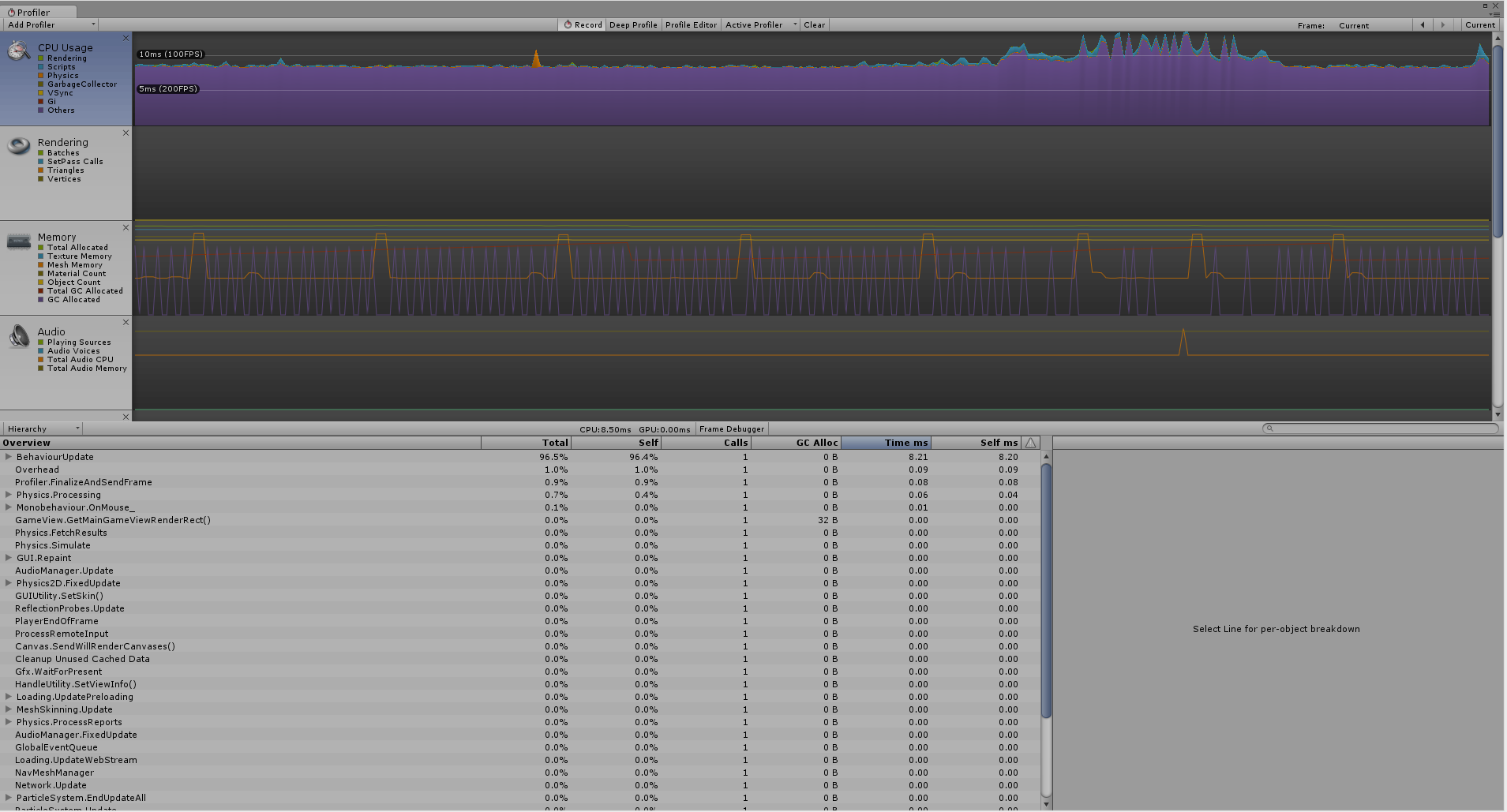
Monobehaviours on everything:

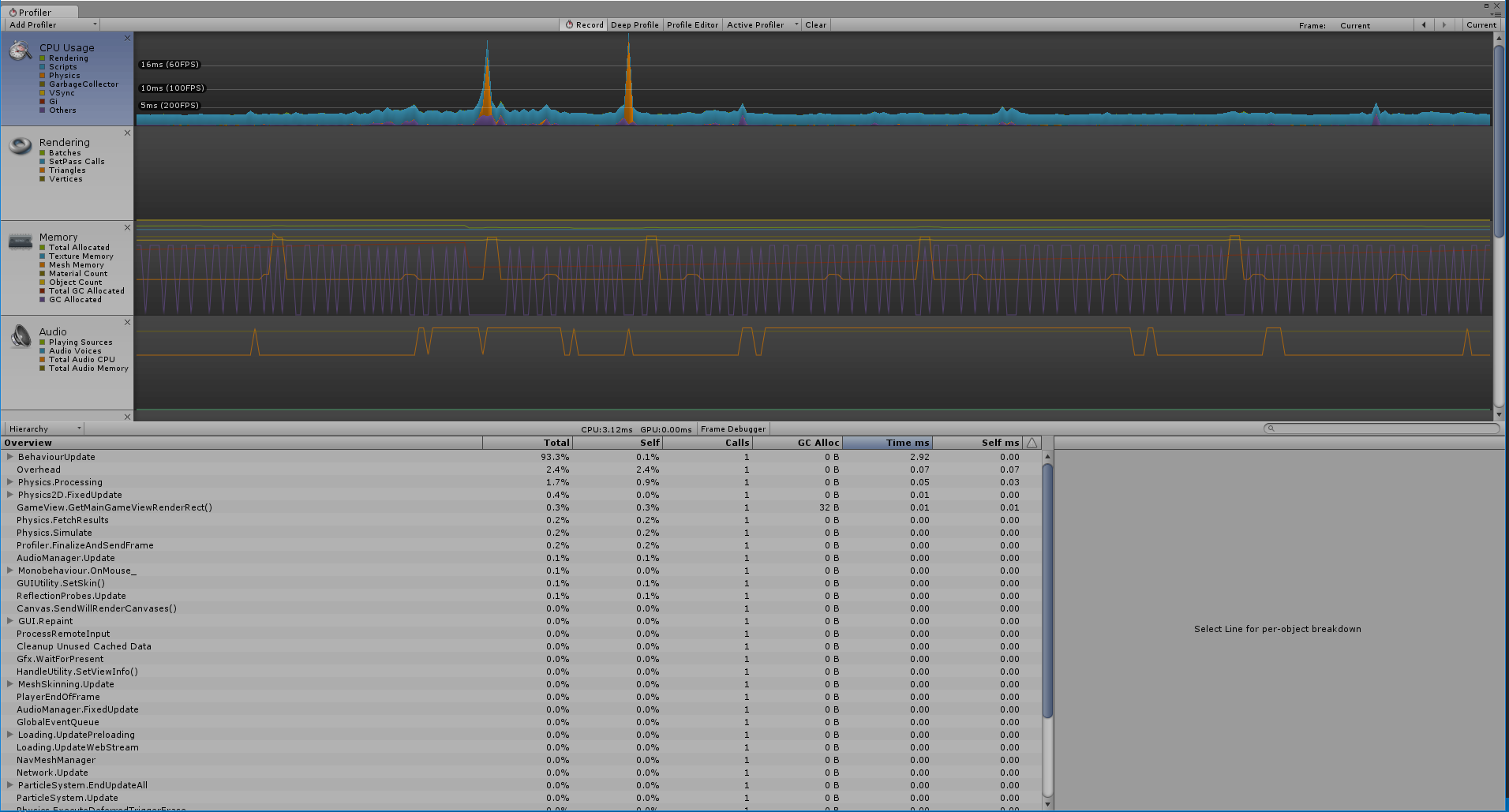
Oject manager:
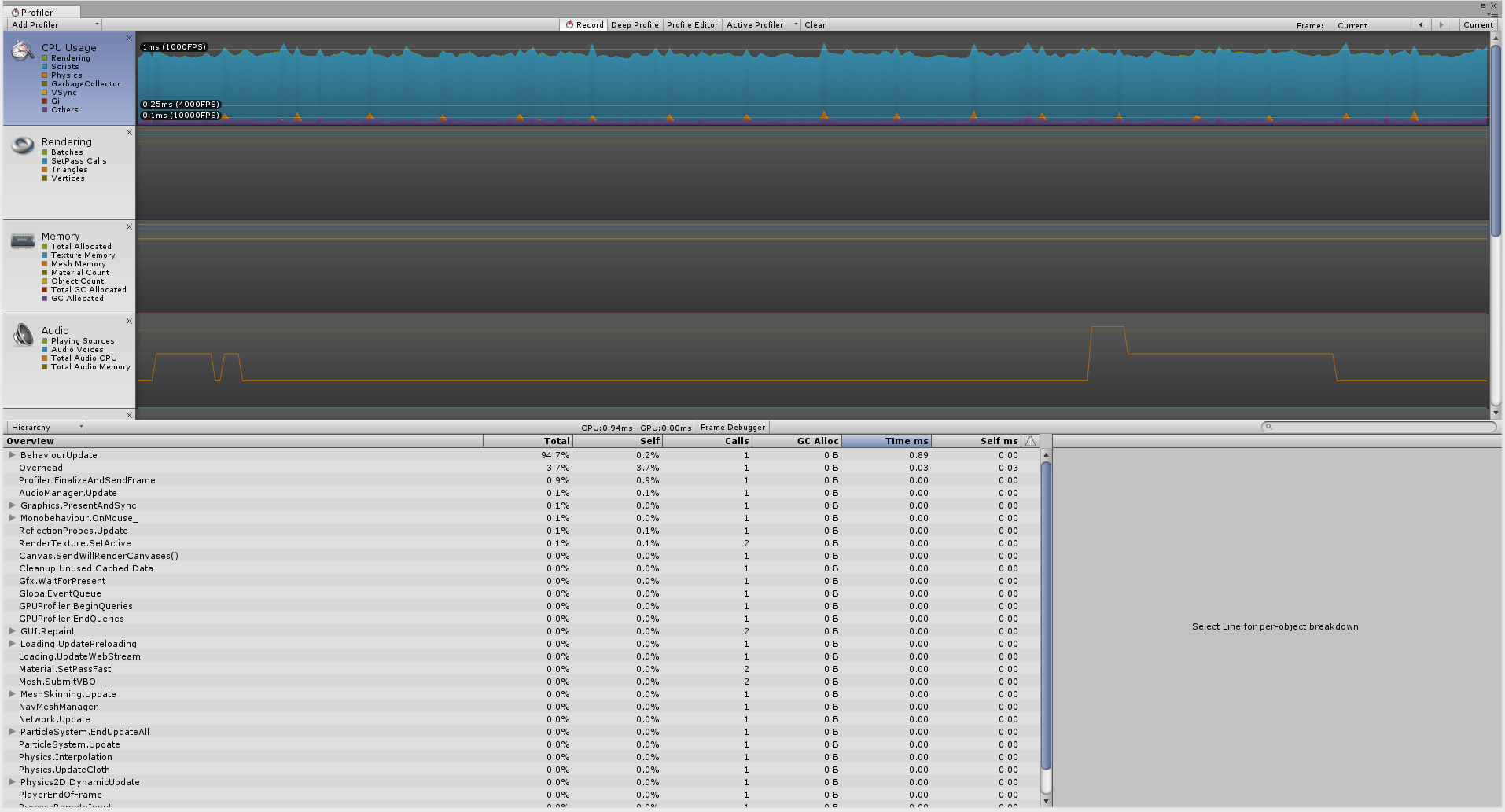
Here’s some results in terms of average ms per frame:
- Having a MonoBehaviour on every object: 3.15 ms per frame
- Having each object represented by a basic class with a reference to its Transform: 0.9 ms per frame
As you can see, the difference between the two is pretty incredible. Now, that doesn’t mean making an entire game without Monobehaviours will necessarily triple your framerate, because there’s a lot more going on than just scripts on empty GameObjects running in a real game, but it’ll most likely make a good difference.
In theory, it should be possible to make an entire game using only one MonoBehaviour that calls Update() for everything else. All your game entities would be standard C# classes instantiated and updated by the Main MonoBehaviour that have a link to their model (a ScriptableObject asset), and their view (their GameObject in the scene). This would give you a pretty solid MVC architecture! Though it should be noted that I haven’t gotten the chance to put this in practice yet.
2. Arrays and Lists
-
Never use foreach to iterate over a List. It is much slower than for(int i = 0; …).
-
foreach and for(…) are almost the same for Arrays, though.
-
Whenever you have a collection of things with a specific size (or a size that doesn’t change very often, like inventory slots, players in an online game, etc…), use Arrays instead of Lists. Arrays are always More-Performant™
-
Unity has a handy ArrayUtility class for doing Contains() or Find() operations on Arrays
More on that here:
c# - Should I use a list or an array? - Software Engineering Stack Exchange
.net - Performance of Arrays vs. Lists - Stack Overflow
3. Static objects
Many optimizations are made for objects that we know won’t need to move. For all of those objects, don’t forget to check the “Static” box in the top right corner. Taking the time to do this for all objects that will never move can make a big difference
4. Never use concave mesh colliders
Concave mesh collider collisions are ridiculously expensive and should never be used in any context whatsoever. Instead, always use convex decomposition. I highly suggest you implement your own convex decomposition solution for Unity, but if you really reeeaaaaalllllllly don’t want to, there’s some solutions on the asset store.
5. Data-oriented design
This is kind of a huge subject and I won’t take the time to explain here in detail, so instead I’ll point you to this great talk on the subject:
https://www.youtube.com/watch?v=rX0ItVEVjHc
Data oriented programming, simply put, is programming in a computer-friendly way instead of a human-friendly way. There is a lot to learn about how computers process data and how you can arrange your code to make it easier and faster for the computer to process. I don’t think it’s realistic to make your entire game 100% data-oriented, but there may be key parts of your systems that would no doubt benefit a lot from it.
More examples/explanation here: What is data oriented design? - Stack Overflow
6. Be careful with the asset store
The Unity community really likes its asset store, but it can sometimes be more of a curse than a blessing. What often happens when you start building a project with all sorts of packages from the asset store is that your project eventually starts crumbling under its own lack of architectural cohesion, and quickly becomes a nightmare to manage. Not only that, but you can never be assured that whatever you get from the asset store is made in an efficient way. Not even with highly popular packages. Actually, generic, all-purpose systems have a high risk of not being very efficient (or well-adapted) by nature.
In the long run, you will benefit immensely from taking the time to do things by yourself. Especially simple gameplay systems like inventory systems, weapon systems and such. You will become a better programmer, you will understand your code and be able to change it easily, and you will have a system that is better suited for your project’s specific needs.
Speaking of generic, all-purpose systems… just because Unity provides users with pre-made, out-of-the-box systems doesn’t mean they are ideally suited for any and every game ever. Take Unity’s built-in navmesh system for example. Is it a good idea to use it for your new MMO crafting game with procedural destructible planets and wildlife? Probably not. Nothing’s preventing you from making your own navmesh system instead. You can even replace the entire physics engine if your project requires it. There is a lot you can do even without source code access (though the lack of source code access is still a colossal handicap. Don’t get me wrong here!)
7. There is a tiny price to pay for every inheritance level
Here’s a test output of calling various class functions 100k times:

As you can see, the deeper your inheritance goes, the costlier it gets. The price is very small, though (keep in mind this is 100000 calls and a 2.5ms difference). Basically, it’s about 0.000005ms per override level per function call. That is really not a whole lot of milliseconds.
I gotta admit I’m putting this tip here for information purposes only, because in practice, I really don’t think it’s worth complexifying your architecture for a performance gain as tiny as this. But if you really end up having to make 100k calls to a function that is overriden 8 times one day, do consider composition instead of inheritance
8. Quick tips
- Avoid using Linq at runtime as much as possible. It’s really slow
- Never ever use Reflection at runtime
- Never use Unity’s SendMessage() system. Not only is it much more costly than direct calls, but ending up using SendMessage() is very often a sign that your code architecture is kinda flawed and could be improved.
- Please avoid using any sort of “Find()” method to get references to other objects in your scene. This approach is super popular among Unity users (blame the early learning resources for that), and also super not safe, elegant or efficient. Instead, come up with a plan to link all of your objects together through managers instantiating entities and keeping references to all of them. For instance, you can have a GameManager that instantiates the Player and Enemies at the start of the game, and keeps references to all of them at the moment of instantiation. Later, if an Enemy needs a reference to the Player, it calls its GameManager (which it kept a reference to when it got instantiated), and asks the GameManager for the Player’s reference.
- Always cache your transform/rigidbody/renderer/etc components on Awake() or Start() in order to use them later on Update()