In my game I am using the Google Play Games Services to implement online leaderboards for players to use where they can submit their player scores after finishing a level.
When I test the game on my phone and at the end of a level submit my score to the leaderboard, the callback is returning as successful, but this is where my issue appears.
When I use the default google UI to look at the leaderboards
public void ShowDefaultLeaderboard()
{
PlayGamesPlatform.Instance.ShowLeaderboardUI();
}
the scores do indeed appear, as shown in the UI images:


and also showing up in my logcat as such:

But when I tap on my name in the leaderboards, this also appears:
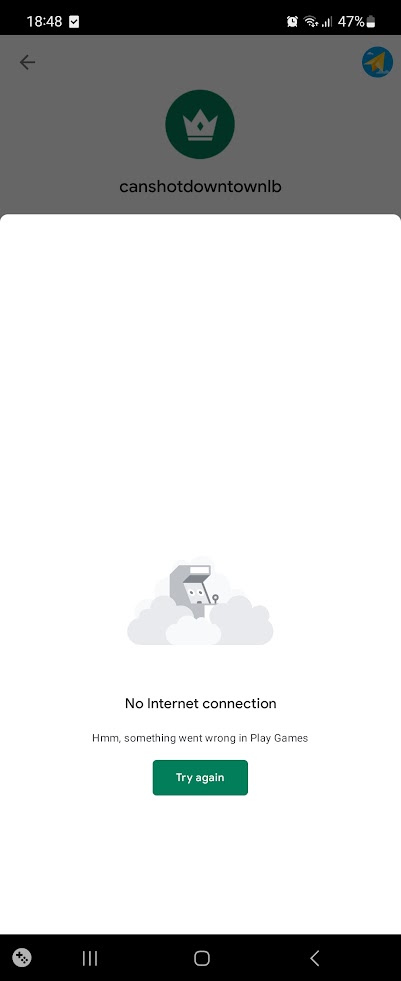
My main problem is that when I try to open my custom UI and use the PlayGamesPlatform.Instance.LoadScores() method to retrieve leaderboard data to put into my own UI, it is giving me this error in my logcat:

And when I look in the leaderboard section of my Google Play Games console, there are no entries, only dashes that appear.

This is my LeaderboardManager script that i’ve made and i’ve had several people look over it and confirm that everything looks good and should be working, so I feel it’s more of a problem outside of my script rather than an issue with my script, but in case anyone wants to have a look at it as well, here it is:
using System.Collections;
using System.Collections.Generic;
using UnityEngine;
using GooglePlayGames;
using GooglePlayGames.BasicApi;
using UnityEngine.SocialPlatforms;
using UnityEngine.SceneManagement;
using TMPro;
public class LeaderboardManager : MonoBehaviour
{
public static LeaderboardManager Instance;
private string leaderboardID = "level1leaderboardID";
private LeaderboardStart leaderboardStart = LeaderboardStart.TopScores;
private int scoresToDisplay = 100;
private LeaderboardCollection leaderboardType = LeaderboardCollection.Public;
private LeaderboardTimeSpan leaderboardTimeSpan = LeaderboardTimeSpan.AllTime;
[SerializeField] private LeaderboardEntryCard template;
[SerializeField] private Transform container;
[SerializeField] private GameObject uploadResult;
[SerializeField] private GameObject uploadButton;
[SerializeField] private TMP_Dropdown dropMenu;
private void Awake()
{
if(Instance == null)
{
Instance = this;
DontDestroyOnLoad(gameObject);
}
else
{
Destroy(gameObject);
}
}
public void ShowDefaultLeaderboard()
{
PlayGamesPlatform.Instance.ShowLeaderboardUI();
}
public void RefreshLeaderboard()
{
LoadLeaderboard();
}
private void LoadLeaderboard()
{
PlayGamesPlatform.Instance.LoadScores(leaderboardID,
leaderboardStart,
scoresToDisplay,
leaderboardType,
leaderboardTimeSpan,
(LeaderboardScoreData data) => {
//Making list of userIDs
List<string> userIDs = new List<string>();
//Mapping userIDs to scores
Dictionary<string, IScore> userScores = new Dictionary<string, IScore>();
for (int i = 0; i < data.Scores.Length; i++)
{
IScore score = data.Scores*;*
*userIDs.Add(score.userID);*
*userScores[score.userID] = score;*
*}*
*//Mapping userIDs to usernames*
*Dictionary<string, string> userNames = new Dictionary<string, string>();*
*Social.LoadUsers(userIDs.ToArray(), (users) =>*
*{*
*for (int i = 0; i < users.Length; i++)*
*{*
<em>userNames[users_.id] = users*.userName;*_</em>
<em><em><em>Debug.Log($"User {users_.id}: {users*.userName}");*_</em></em></em>
<em><em><em>_*}*_</em></em></em>
<em><em><em>_*//Looping through the data so that scores and users align correctly, then instantiating the entry cards*_</em></em></em>
<em><em><em>_*for (int i = 0; i < data.Scores.Length; i++)*_</em></em></em>
<em><em><em>_*{*_</em></em></em>
<em><em><em><em>_IScore score = data.Scores*;*_</em></em></em></em>
<em><em><em><em>_*string userName = userNames[score.userID];*_</em></em></em></em>
<em><em><em><em>_*int rank = score.rank;*_</em></em></em></em>
<em><em><em><em>_*var card = Instantiate(template, container);*_</em></em></em></em>
<em><em><em><em>_*card.gameObject.SetActive(true);*_</em></em></em></em>
<em><em><em><em>_*card.SetEntry(rank, userName, score.value);*_</em></em></em></em>
<em><em><em><em>_*}*_</em></em></em></em>
<em><em><em><em>_*});*_</em></em></em></em>
<em><em><em><em>_*});*_</em></em></em></em>
<em><em><em><em>_*}*_</em></em></em></em>
<em><em><em><em>_*private string GetLeaderboardCode()*_</em></em></em></em>
<em><em><em><em>_*{*_</em></em></em></em>
<em><em><em><em>_*int currentScene = SceneManager.GetActiveScene().buildIndex;*_</em></em></em></em>
<em><em><em><em>_*if (currentScene == 2)*_</em></em></em></em>
<em><em><em><em>_*{*_</em></em></em></em>
<em><em><em><em>_*return "level1leaderboardID";*_</em></em></em></em>
<em><em><em><em>_*}*_</em></em></em></em>
<em><em><em><em>_*else if(currentScene == 3)*_</em></em></em></em>
<em><em><em><em>_*{*_</em></em></em></em>
<em><em><em><em>_*return "level2leaderboardID";*_</em></em></em></em>
<em><em><em><em>_*}*_</em></em></em></em>
<em><em><em><em>_*else if(currentScene == 4)*_</em></em></em></em>
<em><em><em><em>_*{*_</em></em></em></em>
<em><em><em><em>_*return "level3leaderboardID";*_</em></em></em></em>
<em><em><em><em>_*}*_</em></em></em></em>
<em><em><em><em>_*else*_</em></em></em></em>
<em><em><em><em>_*{*_</em></em></em></em>
<em><em><em><em>_*return null;*_</em></em></em></em>
<em><em><em><em>_*}*_</em></em></em></em>
<em><em><em><em>_*}*_</em></em></em></em>
<em><em><em><em>_*public void PostScoreToLeaderboard()*_</em></em></em></em>
<em><em><em><em>_*{*_</em></em></em></em>
<em><em><em><em>_*long leaderboardScore = long.Parse(GameManager.Instance.highscoreText.text);*_</em></em></em></em>
<em><em><em><em>_*Social.ReportScore(leaderboardScore, GetLeaderboardCode(), (bool success) =>*_</em></em></em></em>
<em><em><em><em>_*{*_</em></em></em></em>
<em><em><em><em>_*if (success)*_</em></em></em></em>
<em><em><em><em>_*{*_</em></em></em></em>
<em><em><em><em>_*uploadButton.SetActive(false);*_</em></em></em></em>
<em><em><em><em>_*StartCoroutine(UploadResult("Successfully uploaded!"));*_</em></em></em></em>
<em><em><em><em>_*}*_</em></em></em></em>
<em><em><em><em>_*else*_</em></em></em></em>
<em><em><em><em>_*{*_</em></em></em></em>
<em><em><em><em>_*StartCoroutine(UploadResult("Failed to upload score."));*_</em></em></em></em>
<em><em><em><em>_*}*_</em></em></em></em>
<em><em><em><em>_*});*_</em></em></em></em>
<em><em><em><em>_*}*_</em></em></em></em>
<em><em><em><em>_*private IEnumerator UploadResult(string result)*_</em></em></em></em>
<em><em><em><em>_*{*_</em></em></em></em>
<em><em><em><em>_*uploadResult.SetActive(true);*_</em></em></em></em>
<em><em><em><em>_*uploadResult.GetComponentInChildren<TextMeshProUGUI>().text = $"{result}";*_</em></em></em></em>
<em><em><em><em>_*yield return new WaitForSecondsRealtime(2f);*_</em></em></em></em>
<em><em><em><em>_*uploadResult.SetActive(false);*_</em></em></em></em>
<em><em><em><em>_*}*_</em></em></em></em>
<em><em><em><em>_*public void SetLeaderboard()*_</em></em></em></em>
<em><em><em><em>_*{*_</em></em></em></em>
<em><em><em><em>_*int selectedOption = dropMenu.value;*_</em></em></em></em>
<em><em><em><em>_*switch (selectedOption)*_</em></em></em></em>
<em><em><em><em>_*{*_</em></em></em></em>
<em><em><em><em>_*case 0:*_</em></em></em></em>
<em><em><em><em>_*leaderboardID = "level1leaderboardID";*_</em></em></em></em>
<em><em><em><em>_*break;*_</em></em></em></em>
<em><em><em><em>_*case 1:*_</em></em></em></em>
<em><em><em><em>_*leaderboardID = "level2leaderboardID";*_</em></em></em></em>
<em><em><em><em>_*break;*_</em></em></em></em>
<em><em><em><em>_*case 2:*_</em></em></em></em>
<em><em><em><em>_*leaderboardID = "level3leaderboardID";*_</em></em></em></em>
<em><em><em><em>_*break;*_</em></em></em></em>
<em><em><em><em>_*}*_</em></em></em></em>
<em><em><em><em>_*LoadLeaderboard();*_</em></em></em></em>
<em><em><em><em>_*}*_</em></em></em></em>
<em><em><em><em>_*}*_</em></em></em></em>
<em><em><em><em>_*```*_</em></em></em></em>
<em><em><em><em>_*I've also checked that both of my SHA-1 keys are matched up correctly in my Google Cloud Platform and in the configuration section of my Play Games Services and they do match. Everything is also published on both the cloud platform and play console side in terms of OAuth consent screen, OAuth2.0 credentials and PGS credentials are published.*_</em></em></em></em>
<em><em><em><em>_*I'm kind of stuck on what to do at this point, so any help or suggestions would be highly appreciated.*_</em></em></em></em>
<em><em><em><em>_*I'm currently testing my game by uploading to a closed testing track for new features in the console.*_</em></em></em></em>
<em><em><em><em>_*I've also tried simply building and running to my phone straight from the Unity editor.*_</em></em></em></em>
<em><em><em><em>_*I've tried posting this question on Stackoverflow, Google Play Console community help section, asking in several discord groups and now posting here, i'm praying someone here can point me in the right direction as i'm afraid of just dumping this project because of the leaderboards not working.*_</em></em></em></em>
<em><em><em><em>_*Edit 1:*_</em></em></em></em>
<em><em><em><em>_*I also posted this on the Google Play Console Help community forum and one of the people there was guessing, but they said it might be a caching issue? Asking are the scores getting cached locally and never being actually submitted to the leaderboard.*_</em></em></em></em>
<em><em><em><em>_*I'll need to do some more testing to figure this out, see if I can see scores from other people, but that would make sense since the scores aren't appearing in the Google Play Console leaderboards. But if that is the case I have no idea how to get around such an issue.*_</em></em></em></em>
<em><em><em><em>_*Edit 2:*_</em></em></em></em>
<em><em><em><em>_*Okay, so I have removed my email from the Play Game Services testers list, but kept it on the Closed testing email list so I still have access to downloading my game. I just tried uploading a score to the leaderboard from my closed testing build of my game and (even though the callback said successful) the score is now not appearing in both the Play Console's Play Game Services leaderboard section (represented with a - for leaderboard scores) as well as not appearing in the in-game leaderboard UI.*_</em></em></em></em>
<em><em><em><em>_*I'm wondering if uploaded scores are prevented from being stored in the published leaderboards when I upload scores in closed testing builds of my game?*_</em></em></em></em>
<em><em><em><em>_*This does tell me that scores, to some capacity, are being stored on the Google servers because when the email I was using to test Play Game Services was on the testers list, the score at least appeared on the in-game leaderboard UI. But now it appears on neither.*_</em></em></em></em>
<em><em><em><em><em>_*Feel like i'm at least narrowing the problem source to some extent.*_</em></em></em></em></em>
<em><em><em><em><em>_*I don't really have anyone I can talk to about this either and youtube videos are either incomplete, from 5-6 years ago or assume i'm some giga level code wizard that can implement the complete GPGS package within the duration of a YouTube short.*_</em></em></em></em></em>
<em><em><em><em>_*Edit 3:*_</em></em></em></em>
<em><em><em><em>_*So after a bit more testing, I put my mum into my closed testing track as well as on the Play Games Service testers list and I checked to see if I could see my own score on her device and can confirm I could see it when I opened the Google leaderboard UI.*_</em></em></em></em>
<em><em><em><em>_*So to some extent the score is being uploaded to the leaderboard, but for some reason it isn't showing in the Play Consoles leaderboard as the Scores value is still a - for my leaderboards.*_</em></em></em></em>
<em><em><em><em>_*Is this normal behaviour for games on the closed testing track? Just not been uploaded to the console and registering values and entries and stuff?*_</em></em></em></em>
<em><em><em><em>_*If I publish my game to the store will the leaderboard Scores values start to register properly so I can then start to draw that data for my own UI implementation?*_</em></em></em></em>
<em><em><em><em>_*I'm so confused.*_</em></em></em></em>
Edit 4:
So i've borrowed my mums device with her gmail account and I can confirm that I can see my score that I uploaded with my own device on the in-game leaderboard.
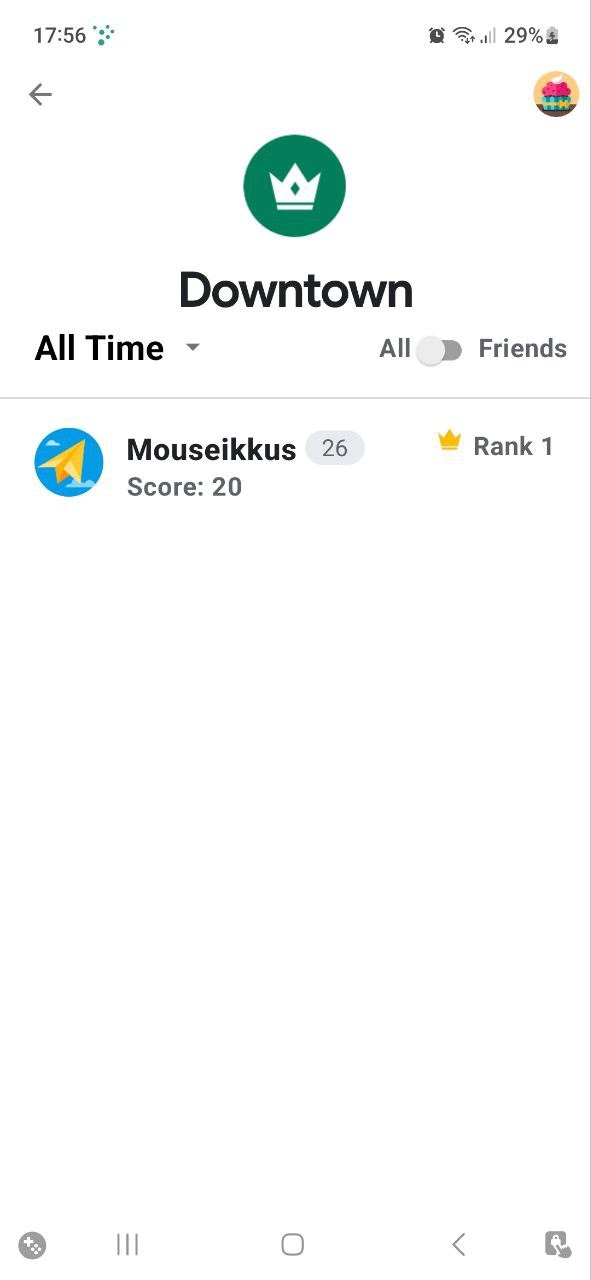
But even when I tap the score to open, what I would assume is, my player profile. It still gives me an error saying there is No internet connection and tapping the try again button just does nothing.
But at least the score is showing on the UI at the bare minimum, i'm just not sure why the data isn't showing up in the Play Games Service Leaderboards section in the play console.
Edit 5:
Okay so I woke up today and went to my Google Play Console leaderboards section again and saw that the score on my Downtown leaderboard had changed from a - to a 1, but after opening the game on my phone and tested to see if I could get the data to put in my own UI, it still wasn't returning anything giving me an android logcat warning saying that Max results must be between 1 and 30 and after checking the default UI for the leaderboards, my result now wasn't appearing there either, saying there are no public high scores for this game.
I would say at this point it's now gotten worse, i've since e-mailed google technical support in the hopes that someone there can help me with this, praying for success.
<em><em><em><em>_*Anyway, continuing testing...*_</em></em></em></em>