I am developing a run game for both iOS and Android using Unity. I was originally working with Unity 2021.3.19f1, but I upgraded to Unity 6000.0.40f1 to address issues related to Android API level 35 and iOS Application.OpenURL.
However, after upgrading to Unity 6, I noticed that when the Build Platform is set to iOS, graphics performance has significantly degraded, causing noticeable lag.
This issue did not occur in the previous Unity version, so I suspect there might be some setting that needs to be adjusted.
Does anyone know what might be causing this issue? Any insights would be greatly appreciated!
I have also attached a screenshot of Project Settings > Player > Other Settings for reference.

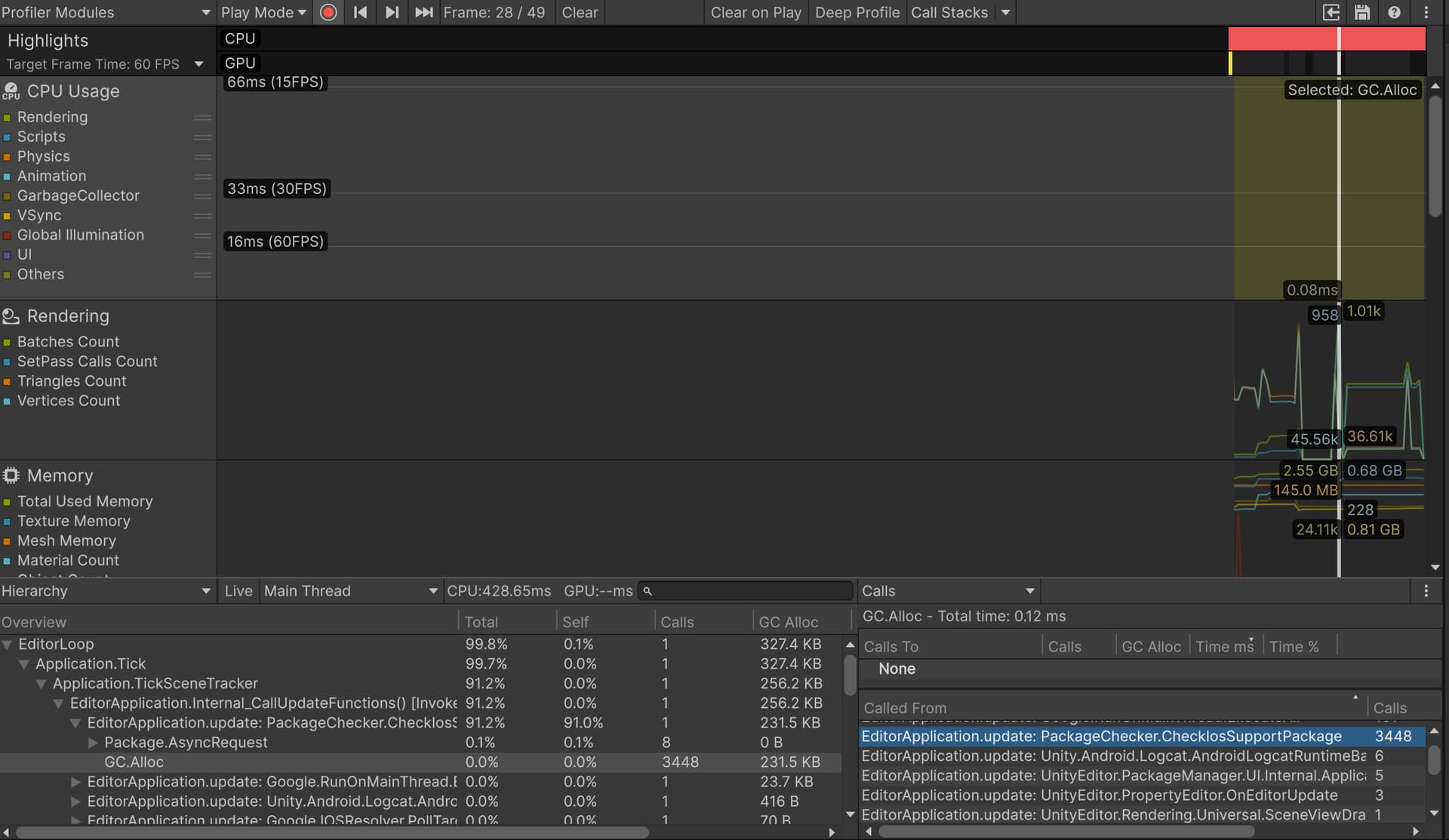
I investigated the issue using the Profiler and found that EditorApplication.update: PackageChecker.ChecklosSupportPackage seems to be causing GC.Alloc. I tried the following, but the issue remains unresolved:
- Checked the package list in Package Manager
→ No relevant packages were found. - Searched for unnecessary packages in
manifest.json
→ Searched for keywords like “Package” and “Check,” but found nothing relevant. - Checked
Editor.log
→ I’m using a Mac, but there is noEditor.logfile in theLogsfolder.
For mac logs are in ~/Library/Logs/Unity/Editor.log
I did a search in the codebase for PackageChecker and CheckIosSupportPackage and got 0 hits. I am not sure this is us?
1 Like
Hi, thanks for the reply.
I checked the entire project again and searched for “CheckIosSupportPackage.”
I found that the PackageChecker script was included in the Ad-Virtua advertising unit. This script registers CheckIosSupportPackage to EditorApplication.update, which was causing the GC.Alloc issue.
After deleting the package, the lag stopped.
If anyone is experiencing a similar issue, checking third-party packages might help.
1 Like