Hi,
Just wanted to show how you can paint non-billboard grass on Unity 2018.3 & HDRP 4.6.0-preview:
You create new terrain, and in Paint details, create new Grass texture, disable its billboard checkbox.
then
- Create new Lit shader graph
- Name it to: WavingDoublePass
- open shader, rename the path to: Hidden/TerrainEngine/Details
- use these settings as shown in picture:
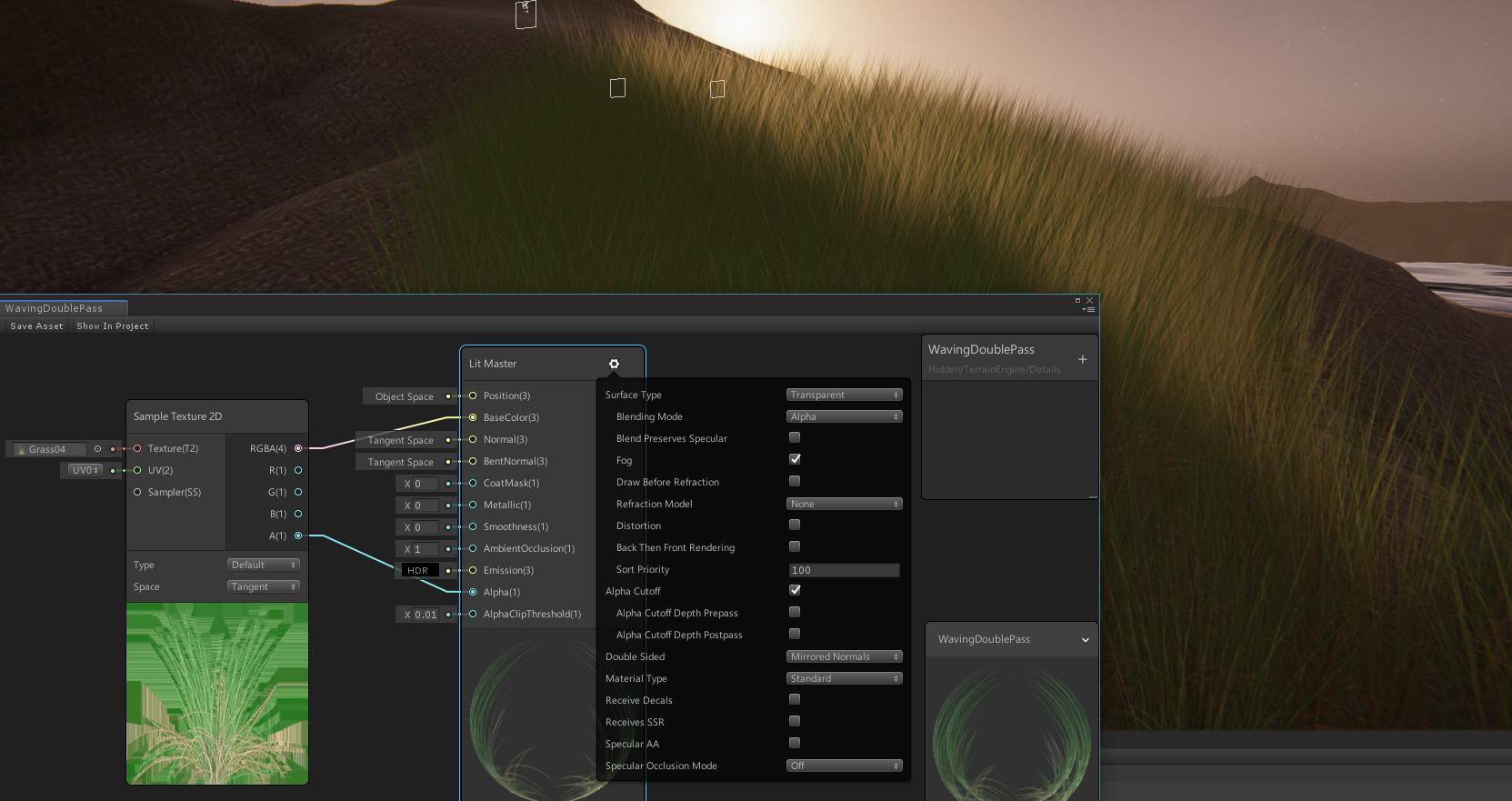
Note that it is far from perfect, and the performance is pretty bad (at least on my setup).
But hopefully this helps some people getting closer to working grass setup 