I have this shader (which works really well) that I got from this tutorial:

The only problem I have with it is that it also distorts things in front of the black hole (Like the particle system I have around it)
Here’s a picture:
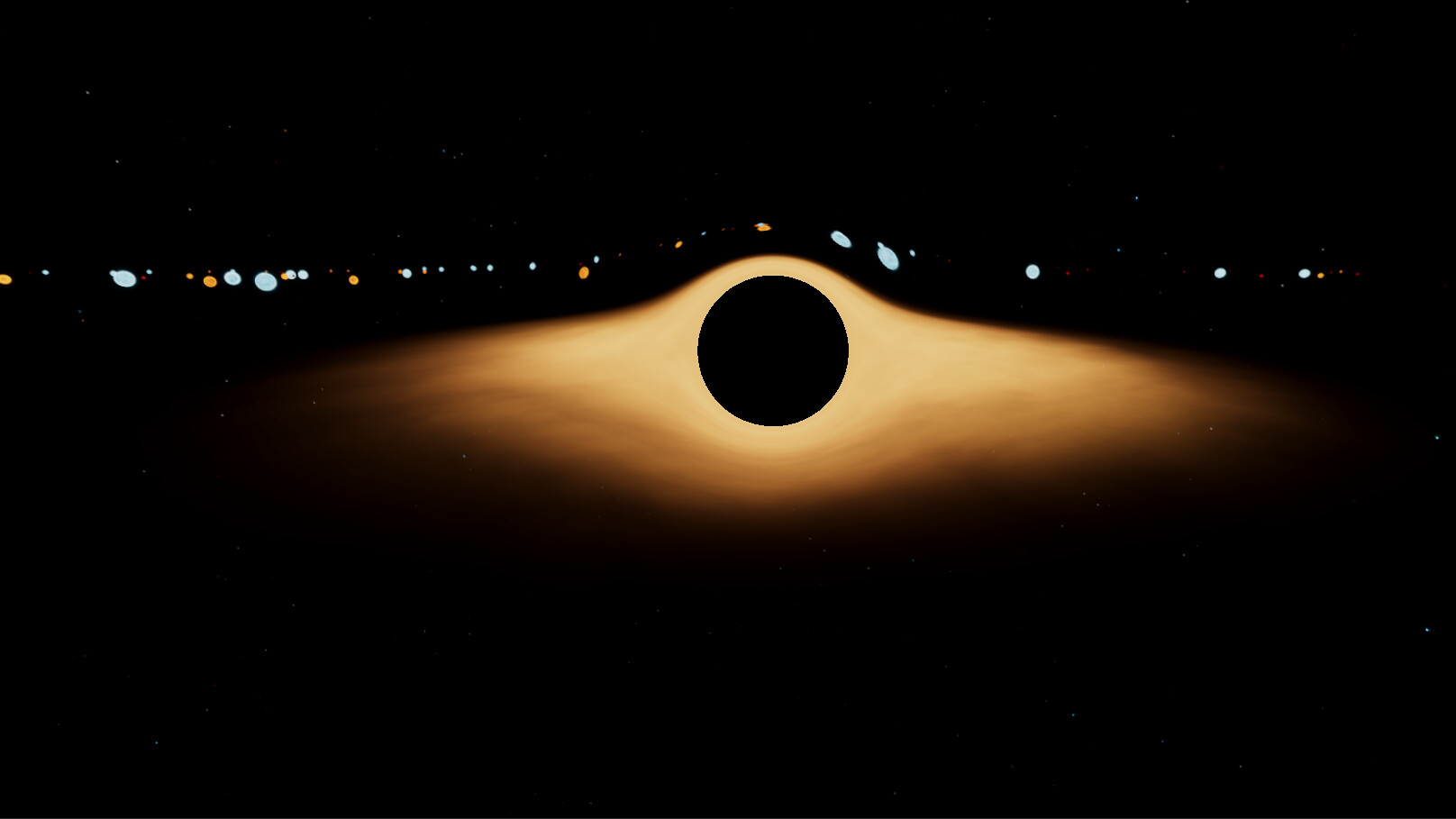
Another example of a star that is between the camera and the black hole:

What I would like to have is only what is behind the black hole to be distorted and leave the particle system unaffected in front of it, so the particles that pass in front of the black hole don’t dip down like they are, rather they just continue straight and cut the black part in half, if that makes sense. I don’t have much experience with shaders at all outside of this tutorial, so some guidance would be greatly appreciated!
Here’s the script and the shader I’m using for this effect:
The Script:
using System.Collections;
using System.Collections.Generic;
using UnityEngine;

[RequireComponent(typeof(Camera))]
public class BlackHoleEffect : MonoBehaviour {

    //public settings
    public Shader shader;
    public Transform blackHole;
    public float ratio;
    public float radius;

    //private settings
    Camera cam;
    Material _material;

    Material material
    {
        get {
            if (_material == null)
            {
                _material = new Material(shader);
                _material.hideFlags = HideFlags.HideAndDontSave;
            }
            return _material;
        }
    }

    void OnEnable()
    {
        cam = GetComponent<Camera>();
        ratio = 1f / cam.aspect;
    }

    void OnDisable()
    {
        if (_material)
        {
            DestroyImmediate(_material);
        }
    }

    Vector3 wtsp;
    Vector2 pos;

    void OnRenderImage(RenderTexture source, RenderTexture destination)
    {
        if (shader && material && blackHole)
        {
            wtsp = cam.WorldToScreenPoint(blackHole.position);

            if (wtsp.z > 0)
            {
                pos = new Vector2(wtsp.x / cam.pixelWidth, (wtsp.y / cam.pixelHeight));
                _material.SetVector("_Position", pos);
                _material.SetFloat("_Ratio", ratio);
                _material.SetFloat("_Rad", radius);
                _material.SetFloat("_Distance", Vector3.Distance(blackHole.position, transform.position));

                Graphics.Blit(source, destination, material);
            }
        }
    }
}
The Shader:
Shader "Hidden/BlackHoleShader"
{
    Properties
    {
        _MainTex ("Texture", 2D) = "white" {}
    }
    SubShader
    {
        // No culling or depth
        Cull Off ZWrite Off ZTest Always

        Pass
        {
            CGPROGRAM
            #pragma vertex vert
            #pragma fragment frag
            #pragma fragmentoption ARB_precision_hint_fastest

            #include "UnityCG.cginc"

            uniform sampler2D _MainTex;
            uniform float2 _Position;
            uniform float _Rad;
            uniform float _Ratio;
            uniform float _Distance;

            struct v2f {
                float4 pos : POSITION;
                float2 uv : TEXCOORD0;
            };

            v2f vert(appdata_img v){
                v2f o;
                o.pos = mul(UNITY_MATRIX_MVP, v.vertex);
                o.uv = v.texcoord;
                return o;
            }

            fixed4 frag(v2f i) : COLOR{
                float2 offset = i.uv - _Position;
                float2 ratio = { _Ratio, 1 };
                float rad = length(offset / ratio);
                float deformation = 1 / pow(rad * pow(_Distance, 0.5), 2) * _Rad * 0.1;

                offset = offset * (1 - deformation);
                offset += _Position;

                half4 res = tex2D(_MainTex, offset);

                if (rad * _Distance < _Rad) {
                    res = half4( 0, 0, 0, 1 );
                }

                return res;

            }

            ENDCG
        }
    }
}