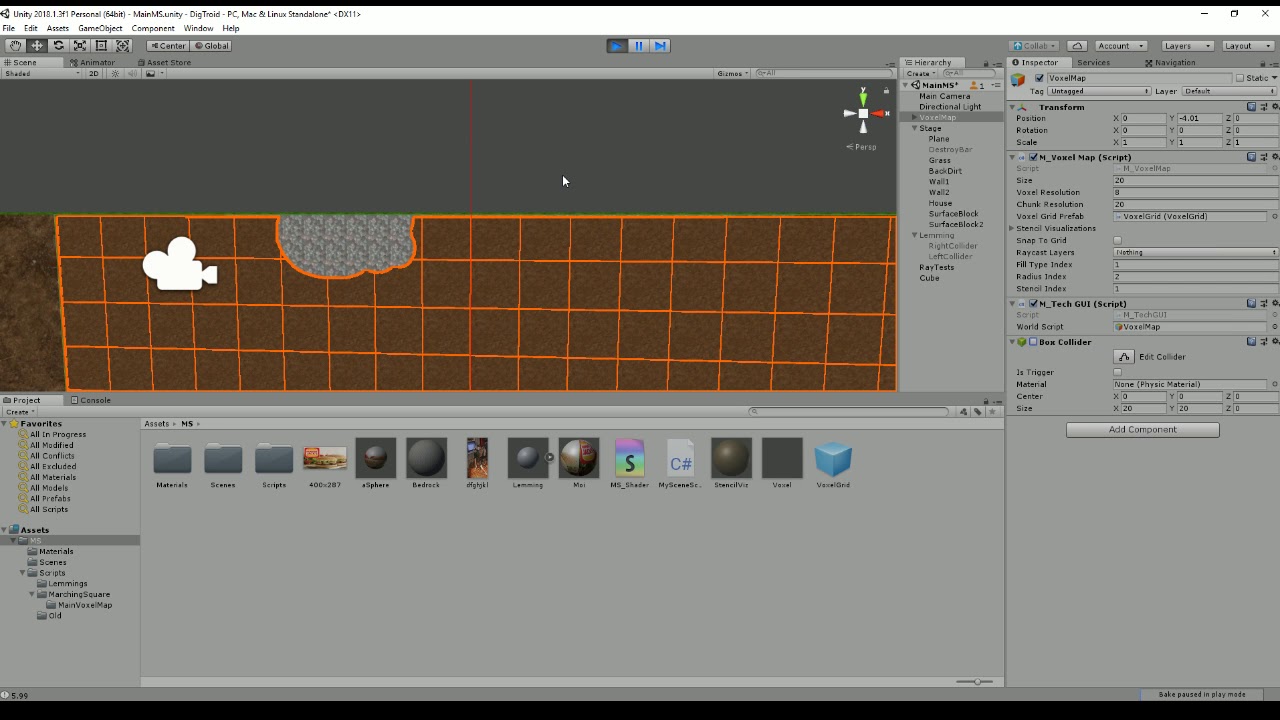
I’ve built this application which generates dynamic meshes. The problem is that I wish to control stage collision data using raycasts but Mesh colliders do not want to be detected from the side and the whole map is mesh Colliders. They have no issue if they are hit face on.
I need to be able to ray cast perpendicular X and Y and gather hit.point data.
I found this as a possible solution, but I don’t understand how to deploy it:
Figured out the back face setting under physics settings… Not quite what i need. Certainly hits the back but it still doesn’t wanna communicate with a perpendicular edge.
The collider works initially because there is a big box collider around the editable stage(Voxel Map) which is being used by a drawing function to edit. I disable that and the next thing it should hit is the collision mesh(Mesh collider) on the actual mesh.
It turns red signifying that nothing is detected. I then move the object casting the ray out a bit so it may hit the faces of the mesh collider from and angle. It turns blue.
The problem is that it doesn’t want to hit an edge of a mesh collider perpendicular.
So, with backface culling on, anything else than a completely perpendicular ray should be hitting the meshes. A perpendicular ray doesn’t hit the mesh because it’s not intersecting the mesh - both are infinitely thin, and the ray is parallel to the surface.
Is this an issue in your actual game? Do you have free-standing meshes that you’re hitting from the side? With something like mouselook, lining things up like that will be very hard!
Nah, the games pretty well completely in 2D so Z is not being used at all. I have been using some basic rigid body stuff in order to get the character to run along the terrain which works fairly fine, but I’d like some more control rather than leaving it up the the physics engine. I’ve written full dynamic stage collision systems before but that was using 3D collision meshes and not stage made out of paper.
As long as I can figure out where the character is and where the character is going. Then gravy.
If your interested, here’s the application before I was trying to turn it into a dynamic terrain platformer, the outcome of a tutorial series from Catlike coding on the topic of Marching Squares:
My way forward at the moment is to further progress this into 3D terrain with depth which seems completely unnecessary just to catch a Vector point in space.
Hi, follow up post. I went the route of converting the mesh into depth. Still got it positioned over the plane of the edge, all this just so it can hit a face normal =P
At any rate, finally able to catch the stages collision data.