It’s supposed to be a bird that rotates around the player. However it’s rotating the image itself. Is there a way to keep it from rotating itself? I want the animation to stay upright, instead of spinning as it rotates around the player.
Here is current script:
using System.Collections;
using System.Collections.Generic;
using UnityEngine;

public class EnemySeagull : MonoBehaviour
{
    public float moveSpeed;
    public float orbitDistance;
    public float rangeToAnnoyPlayer;
    private Transform target;
    private bool isInRange;
    private Vector3 zAxis = new Vector3(0,0,1);

    // Start is called before the first frame update
    void Start()
    {
        isInRange = false;
        target = PlayerController.instance.transform;
    }

    // Update is called once per frame
    void Update()
    {
        if (!isInRange)
        {
            if (Vector2.Distance(transform.position, PlayerController.instance.transform.position) < rangeToAnnoyPlayer)
            {
                isInRange = true;
            }
        }


        if (isInRange)
        {
            transform.position = target.position + (transform.position - target.position).normalized * orbitDistance;

            transform.RotateAround(PlayerController.instance.transform.position, zAxis, 120 * Time.deltaTime);

            this.transform.Translate(0, -1 * Time.deltaTime, 0, Space.World);


        }
        else
        {

            transform.position = Vector3.MoveTowards(transform.position, target.position, 3 * Time.deltaTime);
        }


        Debug.Log("isInRange = " + isInRange);

    }


}
That will still cause the sprite to rotate itself, it’s closer to effect jleven described but not quite. Unless you apply opposite rotation to the sprite.
If I understood what’s asked correctly the request was actually about movement in circle instead of rotation so simplest solution would be not rotating at all, but instead doing the usual position = vec2(cos(angle), sin(angle))
Circling back on this - I might need some more direction on this. Not a great coder unfortunately - can you link me to some more info on how to use the vector with angles?
While circular motion might be more what you need, you could also go with rotation (for example also using Unity - Scripting API: Transform.RotateAround) and then manually setting the rotation of your object to always point upwards if thats desired.
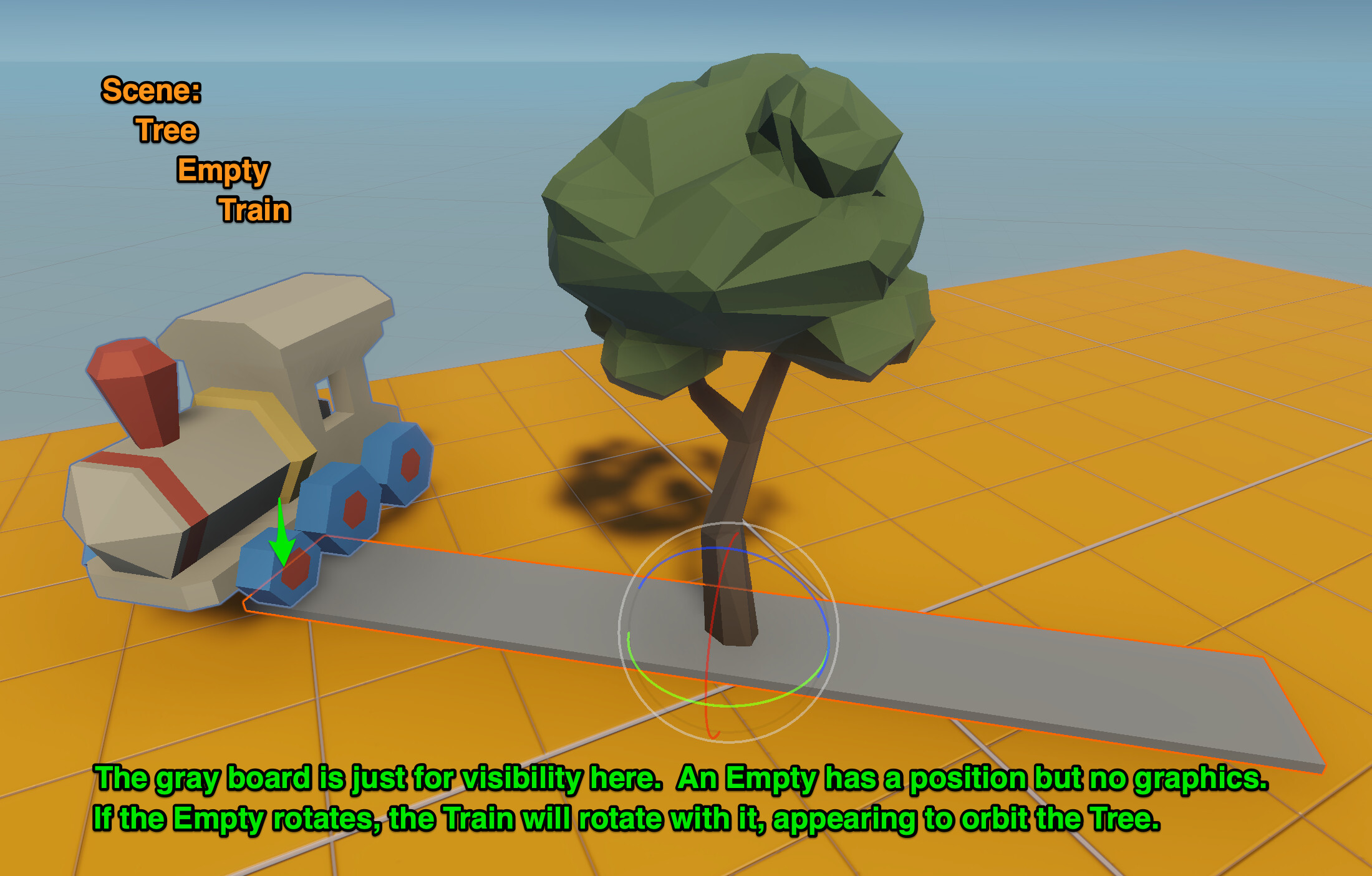
Make an Empty. Put it “inside” the Tree in the hierarchy. Set its LOCAL position to 0,0,0.
Make a Train. Put it “inside” the Empty in the hierarchy. Set its LOCAL postion to 0,0,0.
Then drag the train a little offside.
Then rotate the Empty by script or manually to see the effect.
YES!! Thanks Halley… and as for this VERY valid concern raised by Karliss:
… if you want to ensure the bird sprite does not “go flat” and orbit like a chit of paper around your head, you can always set its rotation back to Quaternion.identity in LateUpdate()