Not lookat but to rotate on Z axis only. The problem is that the spaceship is rotating on X and Z axis also some on Y and the spaceship is steering up.
And i want it to rotate only on the Z axis.
The script is attached to the spaceship. The script name is LookAtCamera but it’s LookAtTarget but that is never mind i will change the name later.
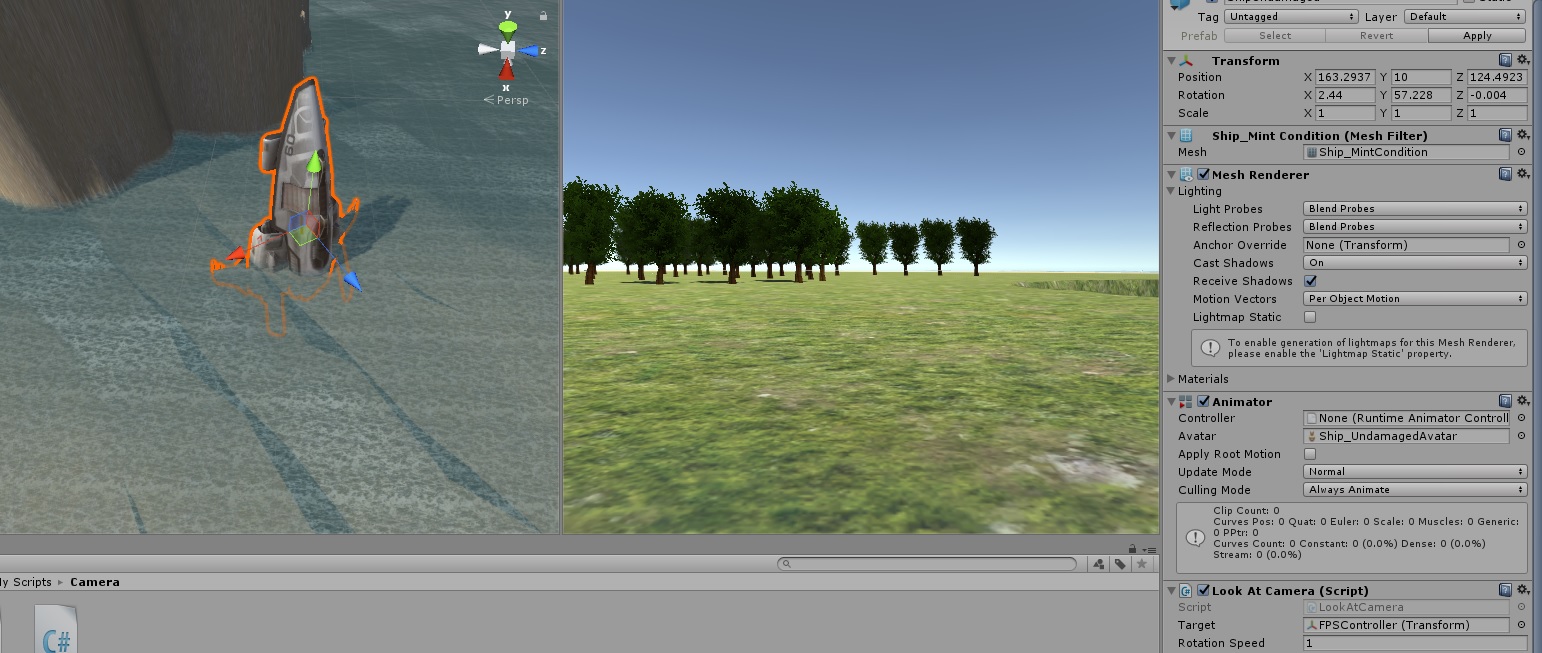
This is a screenshot of the spaceship on it’s original position and rotation state:

And this is a screenshot of the spaceship after the rotation. The target is a FPSController object i have down on the terrain. But instead rotating to it’s direction on the Z the spaceship is steering up. I don’t want to use LookAt i want to rotate the spaceship on Z to face the direction of the target it should move to.
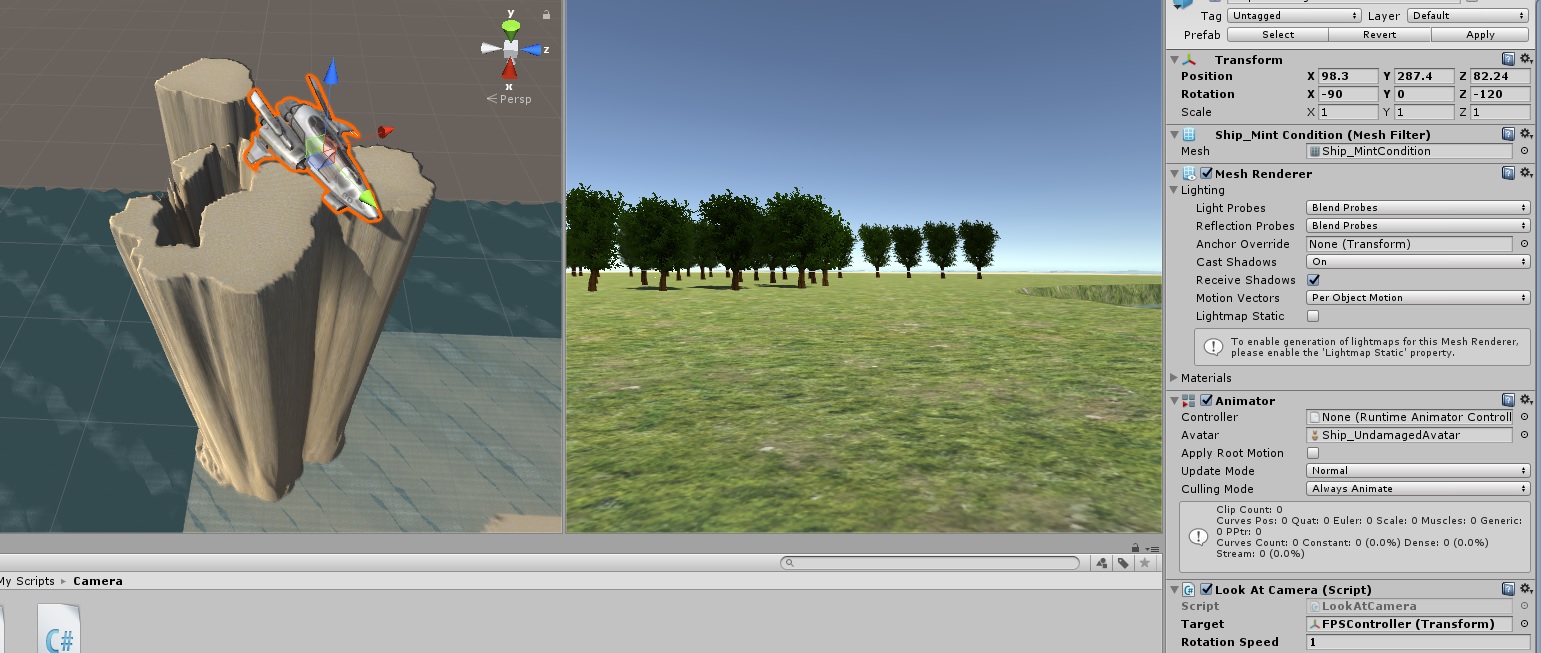
And this is a screenshot of how i want the spaceship to be rotating to the target this is what i mean on the Z (i think on the Z) but this is what i mean rotating the spaceship to face the target direction not lookat: I changed on my own the spaceship rotation on Z to -120 this is what i want the script to do to rotate on the Z facing the target direction:
The script that is attached to the spaceship:
using System.Collections;
using System.Collections.Generic;
using UnityEngine;

public class LookAtCamera : MonoBehaviour {

    //values that will be set in the Inspector
    public Transform target;
    public float RotationSpeed;

    //values for internal use
    private Quaternion _lookRotation;
    private Vector3 _direction;

    // Update is called once per frame
    void Update()
    {
        //find the vector pointing from our position to the target
        if (target)
            _direction = (target.position - transform.position).normalized;

        //create the rotation we need to be in to look at the target
        _lookRotation = Quaternion.LookRotation(_direction);

        //rotate us over time according to speed until we are in the required rotation
        transform.rotation = Quaternion.Slerp(transform.rotation, _lookRotation, Time.deltaTime * RotationSpeed);
    }
}