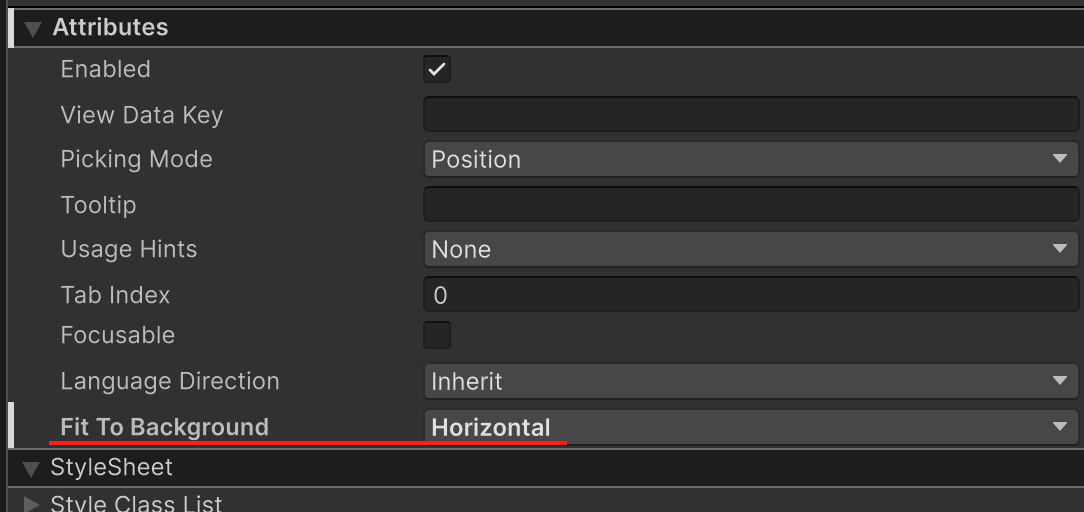
I have a VisualElement “hand_panel” and inside it several VisualElements “card”.
Images
.card {
    background-image: url("img.png");
    -unity-background-scale-mode: scale-to-fit;
    flex-grow: 1;
}

.hand_panel {
    flex-grow: 4;
    flex-direction: row;
}
I expect to be able to shrink the width of the VisualElement to the width of the image.
I would like to get this result:
Images of the expected result
I do this with a fixed width, but the adaptability of the UI is lost.
Can I do this without scripting?
Or if anyone has made a custom element to solve this problem, can you share?
Thanks.
All right. Uh-huh. I wrote a custom element that helped solve the problem. I still hope it could have been done without scripting. If it wasn’t, here’s what can be improved in the script:
- How do I know if the fitToBackground field has changed? To resize the VisualElement instantly.
- After RegisterCallback should I unsubscribe somewhere?
- Now the fitToBackground field is in VisualElementFit attributes, can I somehow move it to USS?
[UxmlElement]
    public partial class VisualElementFit : VisualElement
    {
        private enum FitToBackground
        {
            None = 0,
            Vertical = 1,
            Horizontal = 2
        }

        [UxmlAttribute] private FitToBackground fitToBackground;

        public VisualElementFit()
        {
            RegisterCallback<GeometryChangedEvent>(GeometryChanged);
        }

        private void GeometryChanged(GeometryChangedEvent geometryChangedEvent)
        {
            if (fitToBackground == FitToBackground.None)
            {
                return;
            }

            var backgroundImageTexture = resolvedStyle.backgroundImage.texture;
            if (!backgroundImageTexture)
            {
                return;
            }

            var ratio =
backgroundImageTexture.width / (float)backgroundImageTexture.height;
            var newWidth = geometryChangedEvent.newRect.height * ratio;
            if ((int)geometryChangedEvent.newRect.width == (int)newWidth)
            {
                return;
            }

            style.width = newWidth;
        }
    }