Hey there, Im currently trying to have my character (inside of a 3D world) rotate into the direction its curently moving in. I have tried to follow multiple tutorials, but it wont work.
Everytime my character either glitches through the ground or teleports around the world for no reason (see the video link down below).
Therefore I´m trying my luck on the Unity Forums now.
Im using the New Input System and have the movement script attached to an Empty Game Object, with the Player Model as a child of that empty game object. Below you can find the code along with a picture of the scene (idk if the information about the game object / the picture is helpful, but I´ve included them just to be sure).
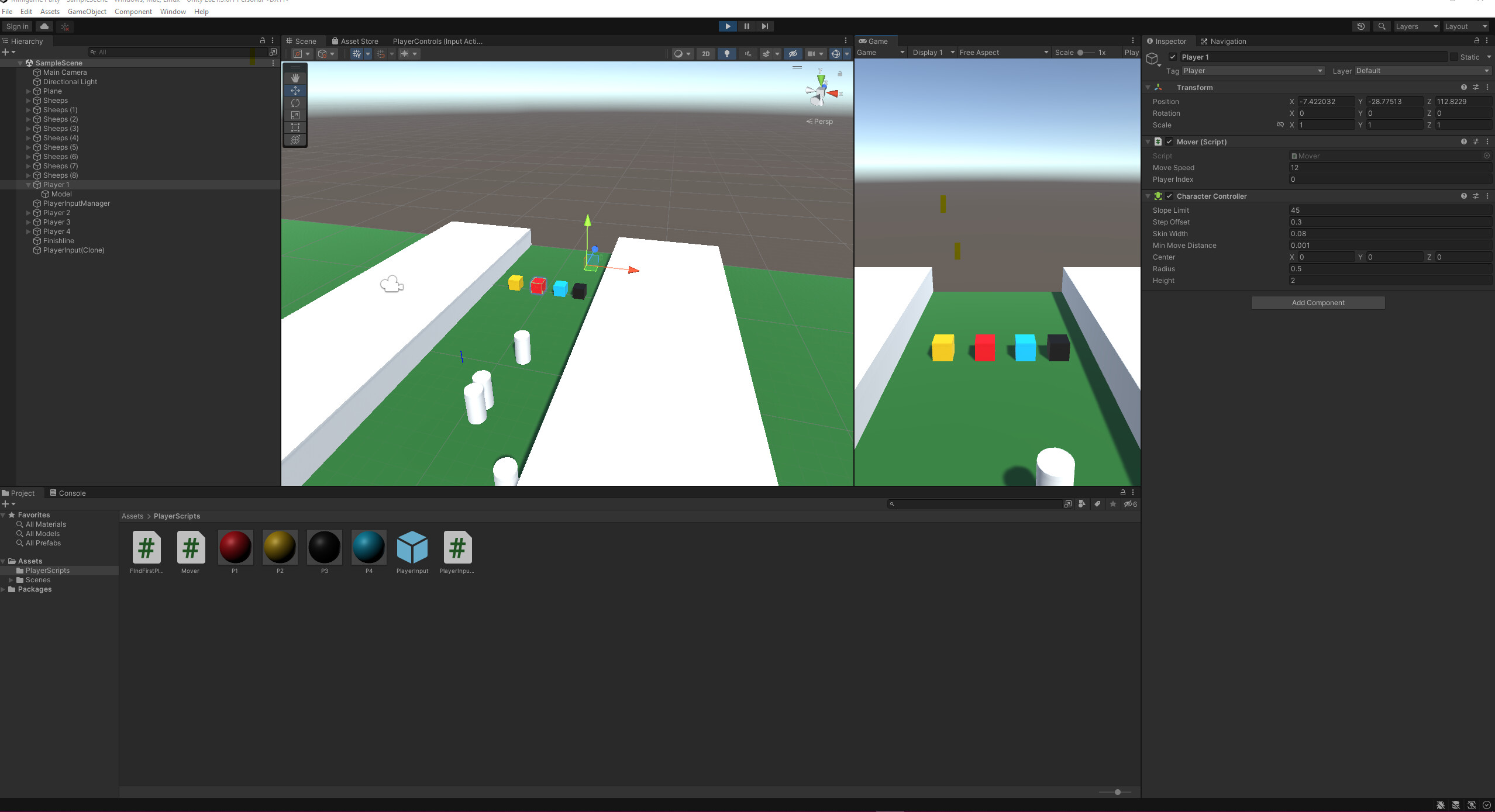
Here´s also a video of one time i tried implementing rotation (its a discord link though)
Aaaand here´s the code (without any form of rotation, only movement). I´d appreaciate if anyone could help me in implementing a way for my character to rotate in the direction its moving in 
using System;
using System.Collections;
using System.Collections.Generic;
using UnityEngine;

public class Mover : MonoBehaviour
{
    [SerializeField]
    private float MoveSpeed = 3f;

    [SerializeField]
    private int playerIndex = 0;

    private CharacterController controller;

    private Vector3 moveDirection = Vector3.zero;
    private Vector2 inputVector = Vector2.zero;

    private void Awake()
    {
        controller = GetComponent<CharacterController>();
    }

    public int GetPlayerIndex()
    {
        return playerIndex;
    }

    internal Mover FirstOrDefault(Func<object, bool> value)
    {
        throw new NotImplementedException();
    }

    public void SetInputVector(Vector2 direction)
    {
        inputVector = direction;
    }

    void Update()
    {
        moveDirection = new Vector3(inputVector.x, 0, inputVector.y);
        moveDirection = transform.TransformDirection(moveDirection);
        moveDirection *= MoveSpeed;

        controller.Move(moveDirection * Time.deltaTime);
    }
}