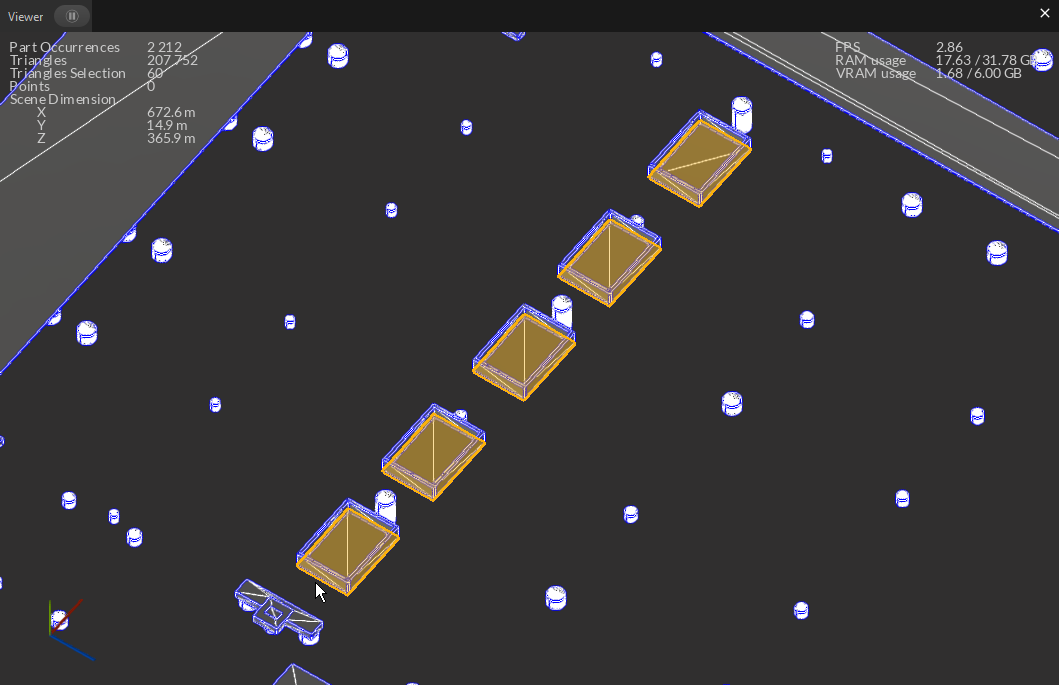
I’m working with a Revit model where shortcuts were taken. For a series of pits, instead of separate solids, they modeled a large slab and cut out what’s not needed.
I would like to “split” these already separate meshes into their own mesh object/instance. I believe I already know how to do this manually, however, I’m working on an automated workflow. I would need to find instances of this edge case in a large CAD model.
Is there a way to detect these types of meshes (separate meshes that the parent CAD program groups together)?
Hi @Bmco thank you for reaching out on Unity Pixyz forums! Hum do you have some metadata you could use to automatically identify those pits? Like a name, a custom property, a metadata, a material, … ? That would the best approach.
Whether they’re modeled correctly or not, the Metadata would be the same. I think what I’ll do is incrementally pass cardinal planes through the overall bounds and see if there are places where no triangles intersect the plane. Then I can create triangle groups that way. That should work for my cases I’ve seen.
Hi Bmco,
Maybe you can try to select your possible occurrences that have this behavior with their metadata. Then do a algo.explodeConnectedMeshes(occurrences) on them, and analyze the result of this function. For example, maybe counting the number of sub meshes generated would be enough (>1).
Or maybe using algo.selectSimilar(…) and detect if childs of the exploded part are similar or not.
If selectSimilar is to heavy, maybe computing the Bounding Box would be enough to determine if all the sub meshes are based on the same shape ?
Ok, that sounds promising. I will try it and report back.
When I read “Metadata”, that makes me think of (in my case) the Revit parameter fields that comes through the conversion. But it sounds like you might be referring to additional PiXYZ API object properties as well. Is that correct?
Metadata aren’t a “Pixyz only” concept. It is a pretty standard family of data and information contained into a CAD or 3D model, that enrich the mesh itself. It usually is attached to different nodes in the product structure and bring useful additional information.