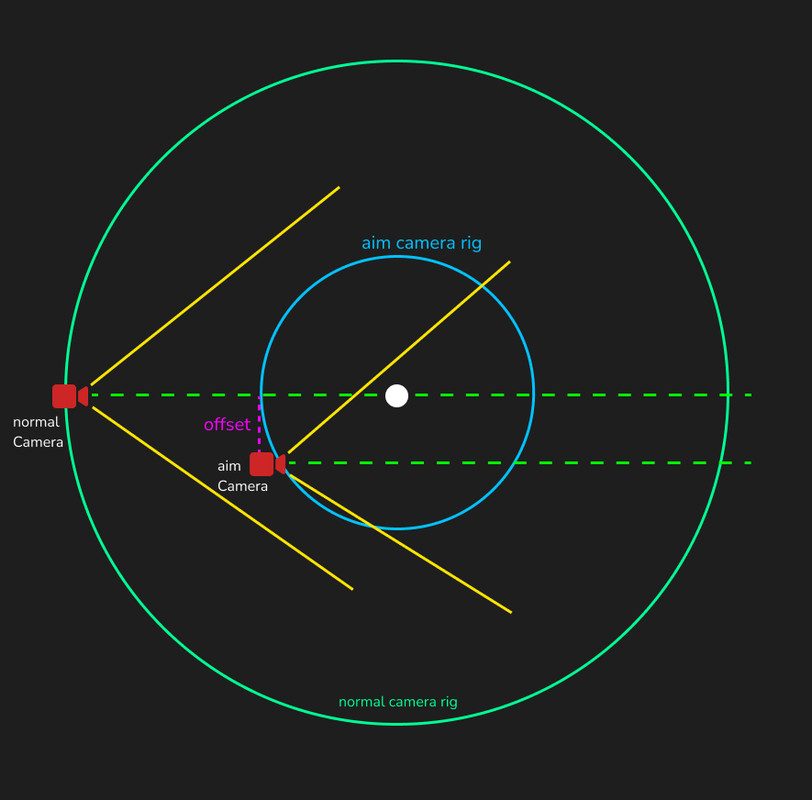
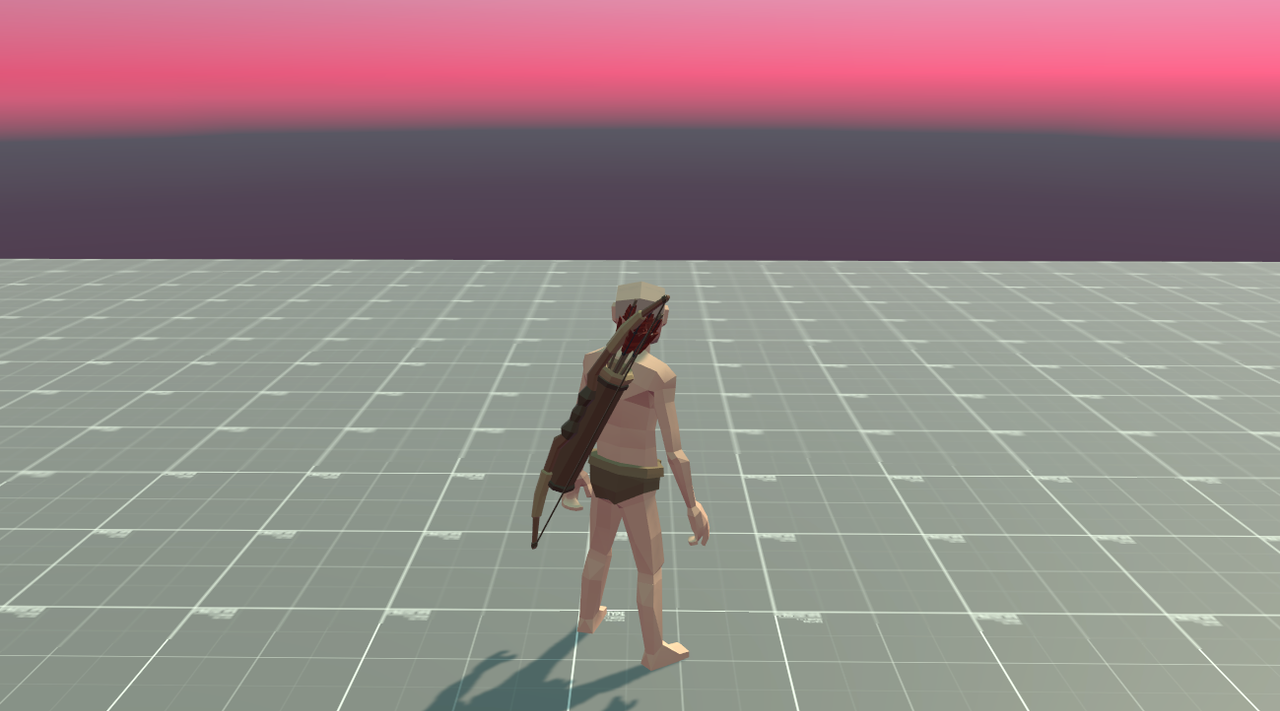
For some reason the inherit position property of virtual cameras doesnt seem to work as expected for me. I am trying to switch between virtual cameras while maintaining the “real” looking angle to my character.
What is happening on switch is realy weird. The bottom frustrum of the previous camera seems to be the “rail” for where the new position will be after transition.
Is this expected behaviour? if yes, how can i achieve that after transition, the lookAngle (green lines) will stay the same as previous camera?
Here is an example of the current situation. 3 Cameras. No manual camera movement. Just switching from one to another creates these offsets. My goal is that these 3 lines are aligned (same angle).
It would help if you could show the inspectors for the vcams in question.
From your image, it looks as though you have set the Aim of the vcams to look at the head of the character. That is what they are doing. Why would you expect them to do something else?
Yes they are indeed aiming all the same point (crossing of the green lines) no issues so far. The thing is that they each look at their own angle towards the head, which is resulting in a major tilting in view angle.
To provide some context:
I am basically trying to aim and with that zoom on rightclick, but without the camera shifting its viewangle on transition.
Imagine just one green line, where the cameras would be railed on while aiming at the head.
If you tell the camera to look at a point, then move the camera, the angle will necessarily change. There is no way for it not to - unless you move the camera exactly along its z axis.
Let’s back up a bit more. Can you give me some more context? Why are you trying to move the camera this way? (I still don’t understand exactly what you’re trying to do). Is this a third-person camera, and you are clicking on some object for the purpose of aiming at it, perhaps to shoot a projectile at it?
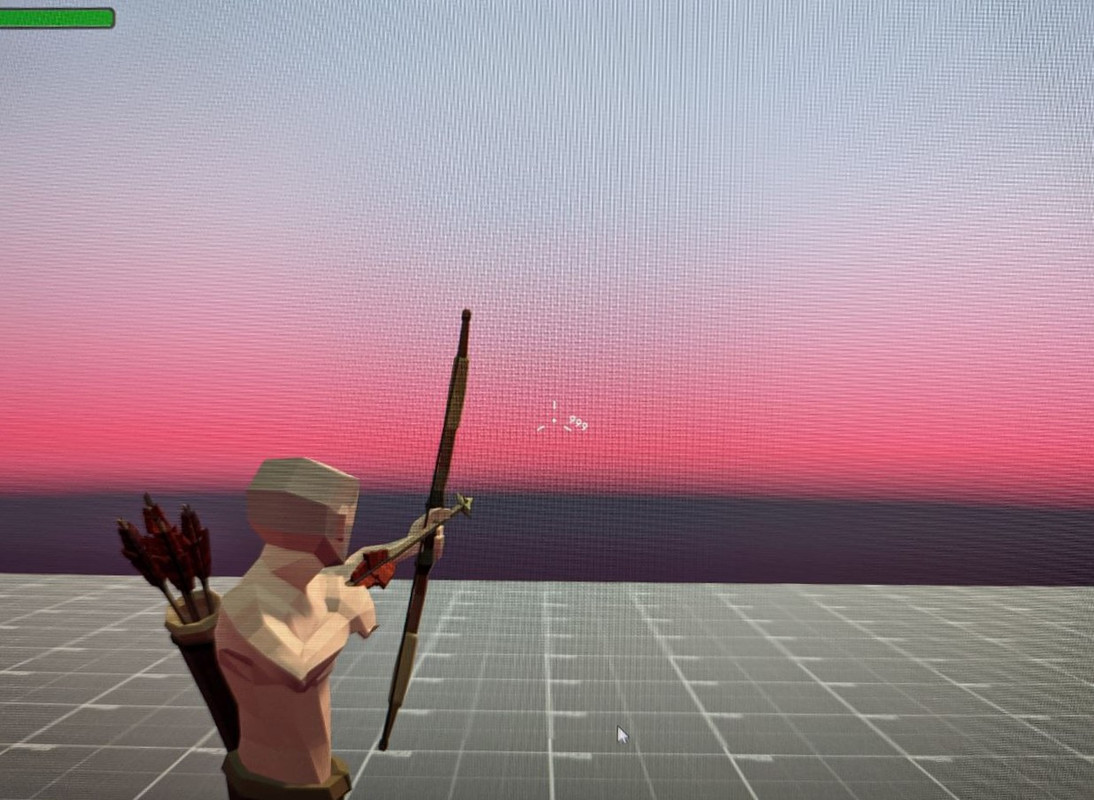
I have a third-person camera on my character controller, which should just be able to aim with a bow on holding right mouse button. Examples below. Idealy i want that the camera:
offsets itself to right (for not shooting through head)
zooms in (in exatly the same angle as i tried to explain above)
Note that the normal cameras rig is formed like a cup for zooming out when looking down (known rpg behaviour).
So i think with this form i cant reduce the aim and normal camera to one. The aim camera need almost a spherical rig.
Thanks for the description. Doing it with 2 FreeLooks is not a good idea. There are better ways to get the effect you’re looking for.
Please see the 3rdPersonWithAimMode scene in the Cinemachine Samples (install them with package manager). This shows one way to do it.
Even better, look at the AimingRig sample scene. This doesn’t show aiming mode, but it does show a 3rdPerson camera setup that is vastly superior to FreeLook for this kind of camera. To make a lock-to-target version, you would have a second vcam with the same setup but different rig distances.
Here is a tutorial showing how to do a 3rdPerson camera with this rig:
What your picture omits is that you want the camera to move to the side, which will necessarily imply that either the rotation will change or the thing you’re aiming at will shift onscreen. No way around that.
I would urge you to consider using the 3rdPersonFollow approach detailed in the video. Once you have that, I can help you add an aiming mode if you like.
100% true. Currently i am using a shift. Just to complete the missing part of the drawing above, here another view from Y-down:
Now with that, if nothing changed for your advice, that i should not use “Freelook”, ill gladly look for reworking my camera system. Just needed to make sure you got the idea.
You should not use FreeLook for this, you will find it very difficult to control. The 3rdPersonFollow/3rdPersonAim combo is made precisely for this kind of usecase.