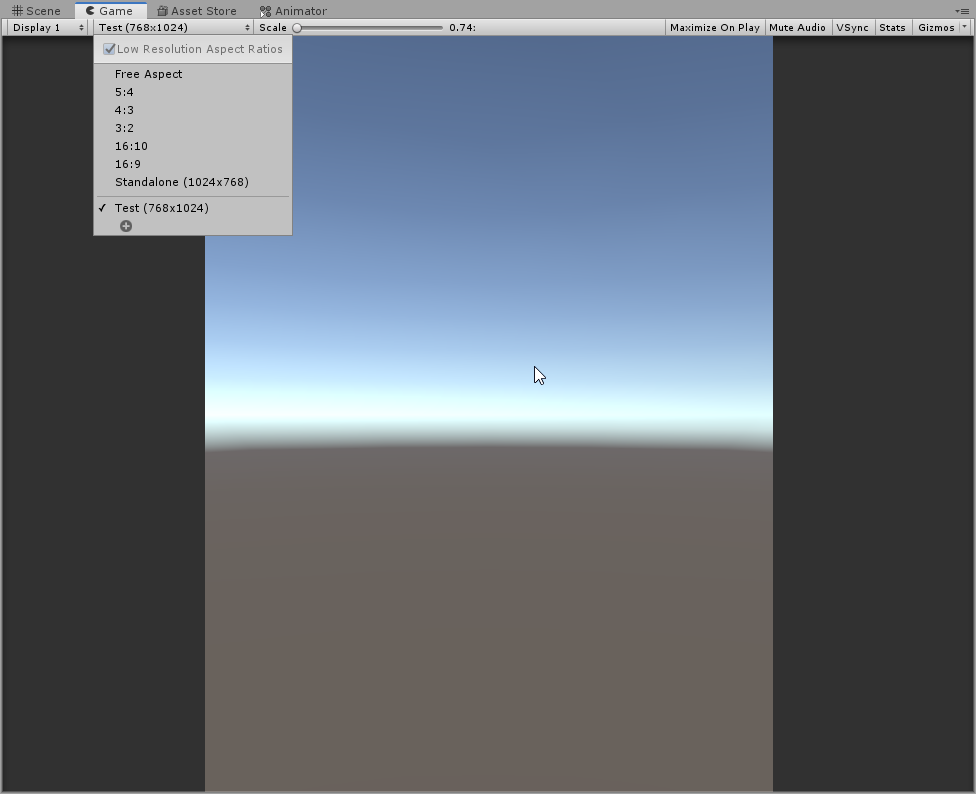
I want my game to be played on phones in the vertical view. Currently the game is displayed within Unity in a horizontal 16:9 view, and thus I don’t know how to arrange the elements within the scene yet. Also, I want to have the game play on full-screen even on taller ratios as some phones have, so how can you adjust the compatibility so the player character stays the same but enemies that are generated above the screen view still do that (plus something like adjusting their speed to the taller ratio while keeping their size relative to screen width the same)?
And if I want to make I game where the game is held vertically, I should put (for example) 1080*1920? This changes how it is rendered? And how would I make it adjustable to both that resolution and for example 1080 * 2340 like my phone?
It changes resolution and aspect ratio of the game camera that you use while playing the game in the editor. So you can playtest at a different aspect ratios.
To make it adjustable, you’ll need to avoid resolution-dependent logic. For example, you can determine size of view area through scripts, and a cheap option would be to add black bars for unsupported resolutions.
What I look for is having the game full screen wherever it is played, with the adjustment being the upper end of the camera view being higher, the enemies being generated further away from the lower end of the screen (so they’re still entering the screen from outside of it), and the enemy movement speed downwards being accordingly faster so it takes the same time to cross the length of the screen.
The character and enemy sizes should remain the same relative to the screen width.
If you want to get phone size(s) in the game view, it is easy, just select in File → Build Settings → under Platform either iOS or Android and than the button “switch platforms”
Afterwards you have in the game view all kinds of phone resolution portrait OR landscape you can choose form