What’s the way to constraint position and rotation for entities?
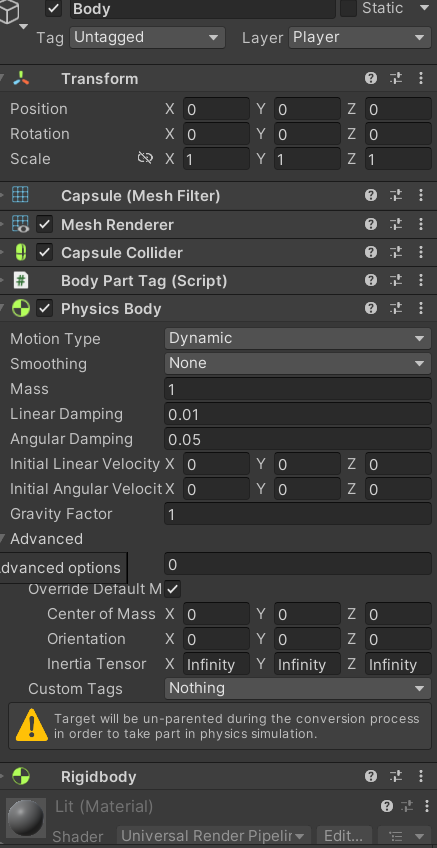
I’ve added Physics Body and set every axis of Inertia Tensor to infinity but it’s still rotating.
I want to make my “character” to move and rotate in 2D perspective

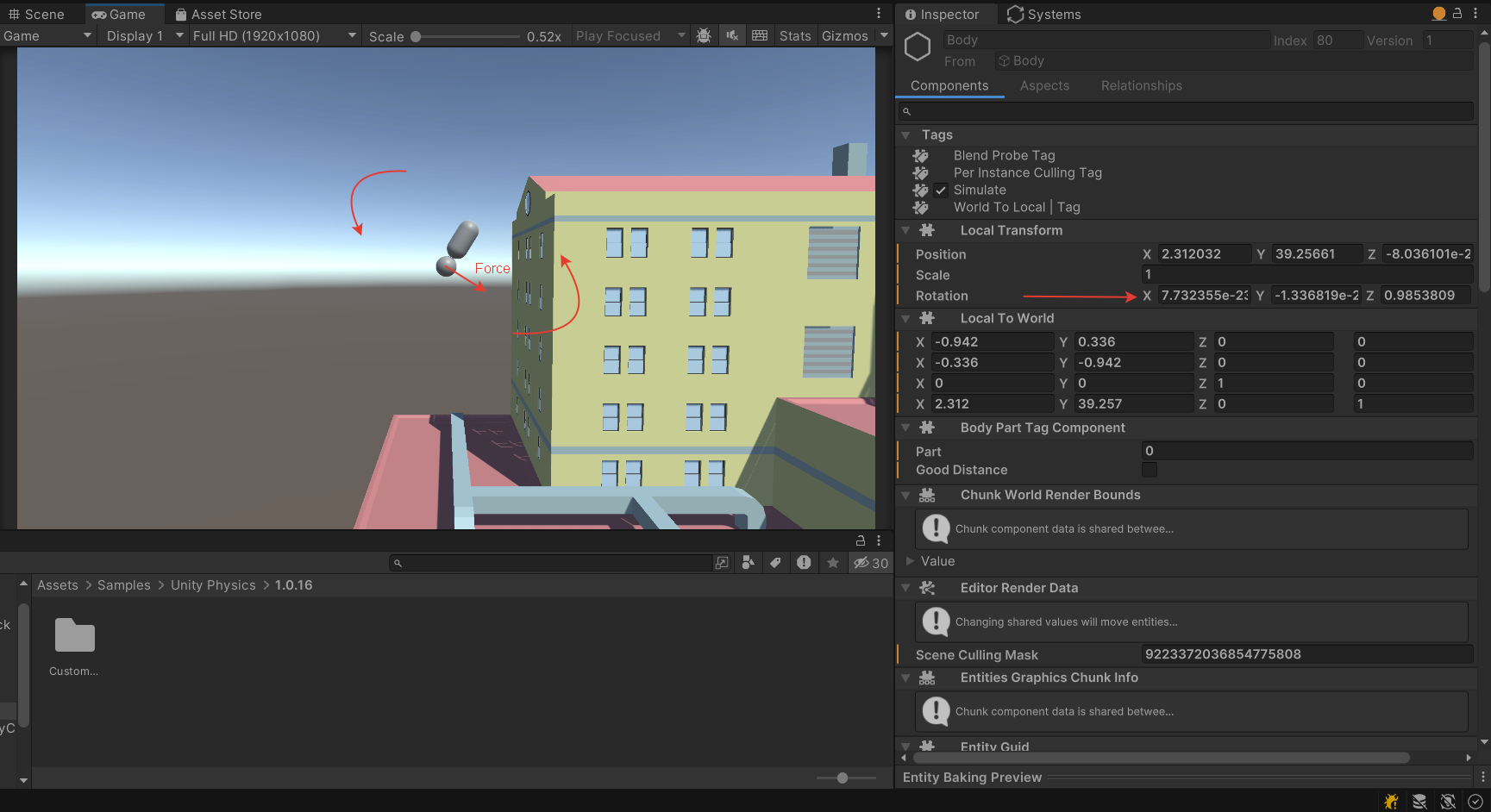
May be because I apply linear Impulse in this System?
using JetBrains.Annotations;
using System.Collections;
using System.Collections.Generic;
using System.Runtime.CompilerServices;
using Unity.Burst;
using Unity.Collections;
using Unity.Entities;
using Unity.Jobs;
using Unity.Mathematics;
using Unity.Physics;
using Unity.Physics.Extensions;
using Unity.Transforms;
using UnityEngine;
using UnityEngine.InputSystem;

[UpdateBefore(typeof(TransformSystemGroup))]
public partial struct FartManMovementSystem : ISystem
{
    public void OnUpdate(ref SystemState state)
    {
        EntityQueryBuilder builder = new EntityQueryBuilder(Allocator.Temp).WithAll<PhysicsWorldSingleton>();
        EntityQuery singletonQuery = World.DefaultGameObjectInjectionWorld.EntityManager.CreateEntityQuery(builder);
        PhysicsWorldSingleton physicsWorldSingleton = singletonQuery.GetSingleton<PhysicsWorldSingleton>();

        FartManMoveInputComponent playerInput = SystemAPI.GetSingleton<FartManMoveInputComponent>();
        JobHandle handle = new FartDistanceJob { playerInput = playerInput, physicsWorld = physicsWorldSingleton }.Schedule(state.Dependency);
        handle = new FartManMoveJob { playerInput = playerInput }.Schedule(handle);
        state.Dependency = handle;
        handle.Complete();
        SystemAPI.SetSingleton(new FartManMoveInputComponent
        {
            fartPower = 0,
            fartPowerMuliplyer = SystemAPI.GetSingleton<FartManMoveInputComponent>().fartPowerMuliplyer,
            rotationVector = 0,
            rotationPower = SystemAPI.GetSingleton<FartManMoveInputComponent>().rotationPower
        });
    }
}
public partial struct FartManMoveJob : IJobEntity
{
    public FartManMoveInputComponent playerInput;
    [BurstCompile]
    public void Execute(BodyPartTagComponent bodyPart, ref PhysicsVelocity velocity, PhysicsMass mass, ref LocalTransform transform)
    {

        //body impulse
        if (bodyPart.part == 0 && playerInput.fartPower > 0 && bodyPart.goodDistance)
            velocity.ApplyLinearImpulse(mass, transform.Up() * playerInput.fartPower);
        //head impulse
        if (bodyPart.part == 1 && playerInput.rotationVector != 0)
            velocity.ApplyLinearImpulse(mass, transform.Right() * playerInput.rotationVector * playerInput.rotationPower);
    }
}
public partial struct FartDistanceJob : IJobEntity
{
    public FartManMoveInputComponent playerInput;
    [Unity.Collections.ReadOnly] public PhysicsWorldSingleton physicsWorld;
    [BurstCompile]
    public void Execute(ref BodyPartTagComponent bodyPart, ref PhysicsVelocity velocity, PhysicsMass mass, LocalTransform transform)
    {
        if (bodyPart.part == 0)
        {
            var collisionWorld = physicsWorld.CollisionWorld;
            RaycastInput input = new RaycastInput()
            {
                Start = transform.Position,
                End = -transform.Up(),
                Filter = new CollisionFilter()
                {
                    BelongsTo = ~0u,
                    CollidesWith = 1 << 6,
                    GroupIndex = 0
                }
            };
            Unity.Physics.RaycastHit hit = new Unity.Physics.RaycastHit();
            bool isHit = collisionWorld.CastRay(input, out hit);
            if (isHit && math.distance(transform.Position, hit.Position) < 5f)
            {
                bodyPart.goodDistance = true;
                Debug.Log("Hit: " + bodyPart.goodDistance);
            }
            else
            {
                bodyPart.goodDistance = false;
                Debug.Log("Hit: " + bodyPart.goodDistance);
            }
        }
    }
}