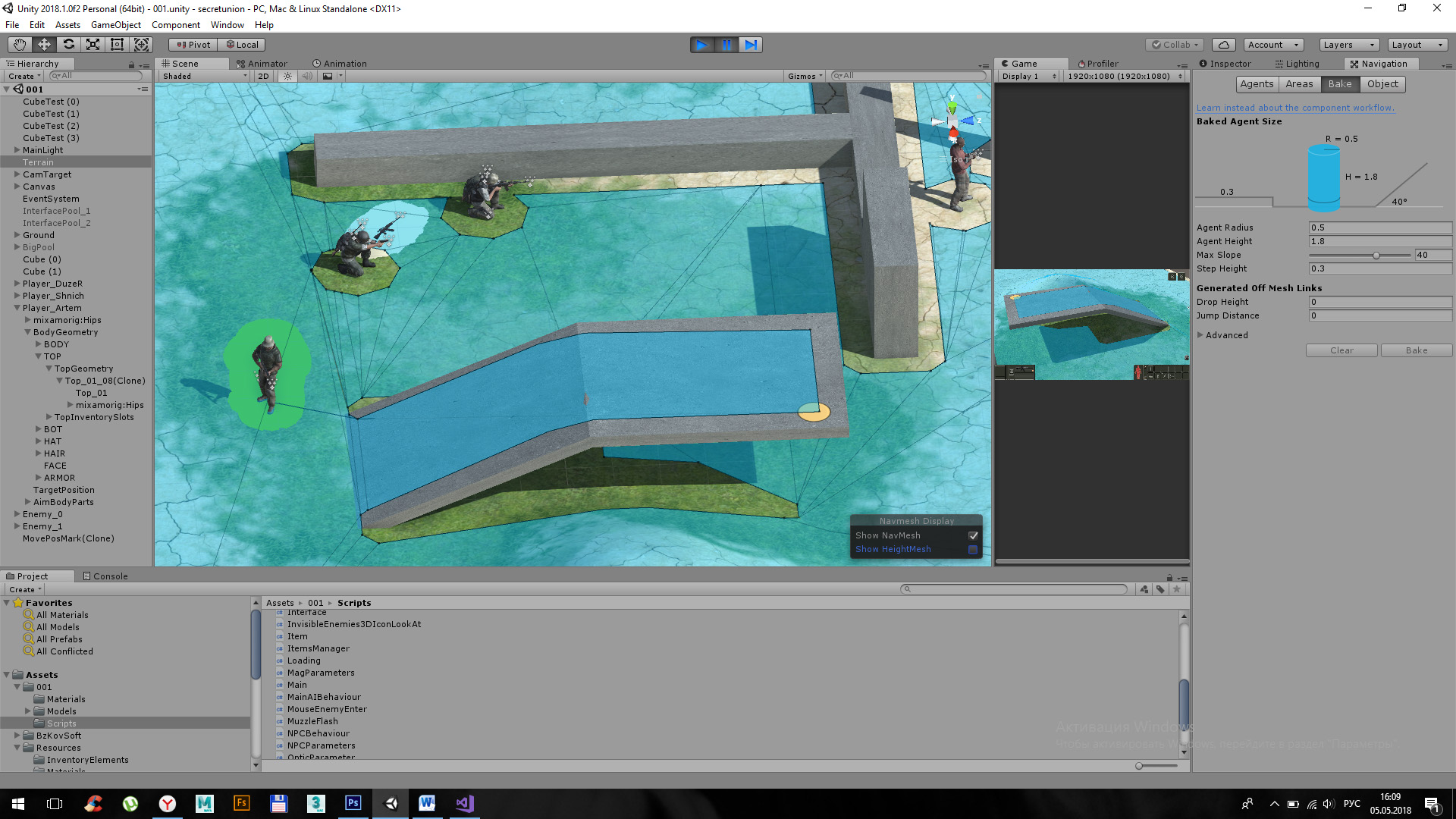
I’m using NavMesh.CalculatePath to get a path and would now like to draw a visualisation of it. The issue is that the calculated path doesn’t always follow the surface of the NavMesh, and often dips quite severely below it, so you can’t see the visualisation.
Is there away to ensure the path follows the NavMesh?
I could of course use raycasts or some other method to find the ground level at each point, but this seems pretty hacky and I’m hoping there’s a nicer way.
I’d be curious to see a screen capture of this behavior, or two screen captures: One that shows the NavMesh surface area, and another that shows the visualization of the corners of the path.
I use a line renderer as a debug visualization of the path my agent will follow. Aside from following off mesh links, I haven’t seen the corners of the path deviate from the surface of the navmesh.
The whole problem is that NavMeshAgent.CalculatePath (…) creates an array of waypoints that does not contain all points … this array does not contain points on inclined surfaces … (see the figure). In this case, the characters (agents) move as they should - along the path 0 - 1 - 1 ‘- 2, but the calculated Path contains only points 0 - 1 - 2.
In the figures: the black curve is Debug.DrawLine for all segments of the calculated Path. As you can see from the figure, there is no dot 1’ in the Path.
How to get intermediate waypoints? This problem does not allow me to draw a path correctly and calculate its length …
PS: version of the unit - 2018.1.0f2
I see what you mean. Good explanation. And I can confirm I get the same behavior as you do, where a direct line between two waypoints can go through the level geometry.
I haven’t thought of any “good” ways to deal with this, but here are a couple of ideas:
When drawing the path with the LineRenderer, increase the y-value of each point, so that instead of the line being directly on the NavMesh, it’s a meter or so off the ground. This will make it seem like the path it coming out of the character’s chest. It won’t fix the problem of the line not being parallel to the geometry, but the line might be high enough off the geometry that it doesn’t cut into it. Anyway, it’s a pretty simple thing to test out to see how it looks.
The only thing I can think of if you really need the line to hug the geometry is to break up the NavMesh, and include more Off Mesh Links between areas. In your ramp, for example, on the part where it bends, if you place a collider there which the players don’t collide with, but which is excluded from the NavMesh’s allowed walkable areas, it will create a hole in the navmesh at that spot. You can “fill” the hole with an off mesh link. But the result will be that your path corners will include two points at that spot, one on each side of the link, instead of going directly from 1 to 2 in your first screenshot. The downsides to this are having to add those invisible obstacles, and having to traverse the offmesh links, which might look silly depending on where you place them.
Sorry I don’t have any better ideas. Good luck, and I’d be interested in hearing whether you come up with a different approach.
I’ve been looking on and off for an answer to this, finally got one, this thread helped me twice, this is the first time I saw an exact recreation of my problem, thanks polous for the very well written description, the second thing was dgoyette’s idea about the height, I took that and implemented a new solution, my line renderer also has only two points, what I did is split that line into X points (15 worked for me but it’s really related to the changes of your mesh), and for each point I found the real height of the mesh at that point using a NavMeshQuery:
NavMeshWorld world = NavMeshWorld.GetDefaultWorld();
NavMeshQuery query = new NavMeshQuery(world, Allocator.Persistent);
NavMeshHit hit;
if (NavMesh.SamplePosition(point, out hit, 10,NavMesh.AllAreas))
{
    point.y = hit.position.y;
}
query.Dispose();
you can see in the “before” and “after” how the line renderer is fixed and follows the mesh perfectly
before:
@Omer_Behar 's code is indeed useful in this case but I’d like to point out though that the world and query objects from that example are not used, nor needed. So the following lines can be removed: