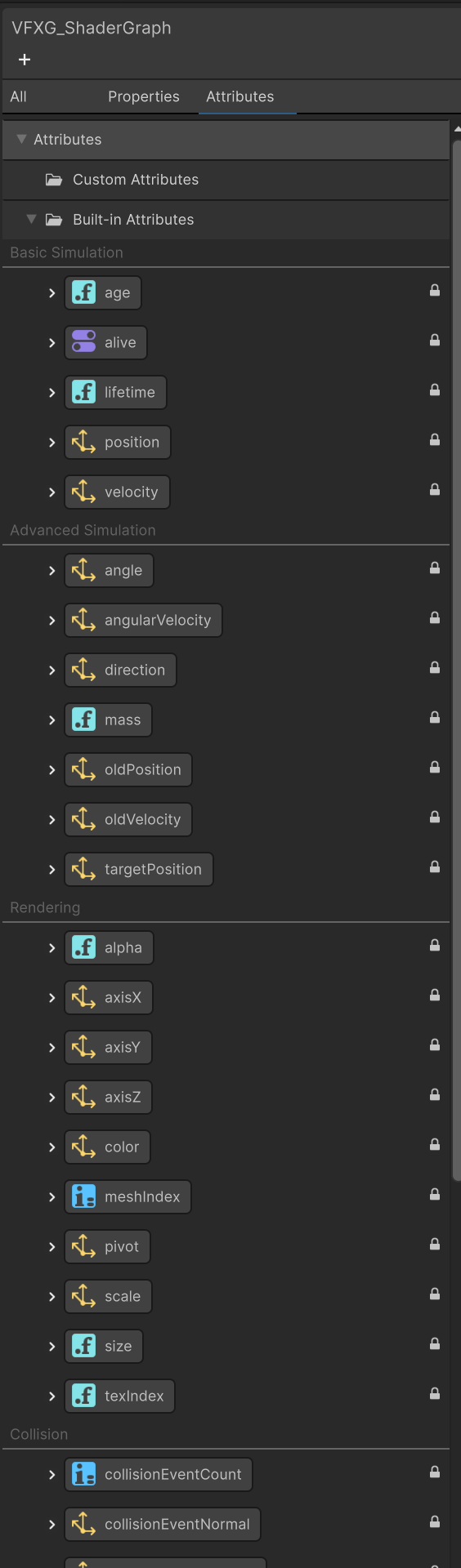
I have a VFX graph with attributes over life time, and I want to access those attributes in my shader graph so that I can replicate the default flipbook behaviour.
How do I access those attributes like “Set Color over lifetime” and random “Set Tex index”?
From memory, you make a blackboard property, set it to exposed, and use it to drive those values. Then you can access it with methods on the VisualEffects class: Unity - Scripting API: VisualEffect
Thank you for your response, I read your comments as soon as you posted it, however, I don’t quite understand what you mean, hence the delay.
Are you suggesting that I need a C# script to exchange the values between the shader and VFX Graph?
After much struggles, I have now fall back to the good o’ ParticleSystem as I can access the custom vertex stream data in the shader directly. I want to believe VFX graph works similarly, but I cannot find the list of shader property names that VFX Graph uses.
Bind the exposed property slot to the particle attributes.
You can either directly set the property value, or use your particle attributes to drive the shader property value. For this you can use a Get attribute node to fetch the needed/wanted attribute and link it to a compatible slot.
Note that the names of your shader properties and particle attributes don’t have to match, as you are directly binding one to the other.
In VFX Graph, to get the particle attribute, you can search for them in the Node search or find them in the Blackboard (Since Unity6). Dragging an item from the blackboard lets you create the associated Get or Set node depending on where you are releasing it.
So to summarize, you don’t need to worry about the CustomVertex stream order, vertex color, or naming of your property/particle attribute.
Just expose the property that you need to drive through VFX, and use the Get Attribute nodes to bind them to the shader properties.


 ) by enabling the “Show in Inspector” toggle.