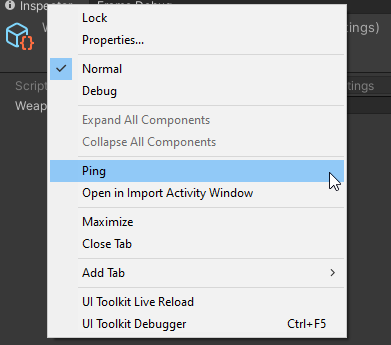
When we click a scriptable object’s Object field (i.e. textures, prefabs, another scriptable object etc.), the Unity Editor will ping the object (show the object in the project view).
but… is there a way to select back the original scriptable object?
This seems like a very trivial question, and yet I couldn’t find any way to select back the original scriptable object. I tried pressing every single button and right clicking everywhere and it just doesn’t work.
My current work around is to create a custom editor script, which when click, will ping the active object
But there has to be a built-in way to do this… right?
        [MenuItem("Tools/Ping Active")]
        private static void PingActive()
        {
            EditorGUIUtility.PingObject(Selection.activeObject);
        }