I am using the Unity Mecanim, and I have two animation clips:
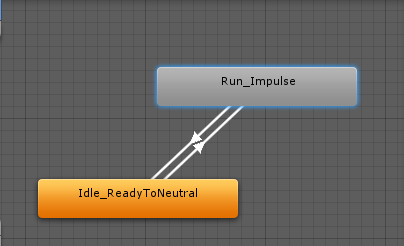
The problem is that when the animation of a clip finish it doesnt start again from the beggining, it doesnt loop, and I cannot find any option for make it loop.

Any help, where to look for the loop options?

Hey bud, In your Update function, (or where ever you are calling your states to animate in the code) you should be using something like.. > Animator.SetBool("animation_name", > flag); Animator.SetBool("Idle_ReadyToNeutral", true); This would ensure each update that your animation was played due to being set to "true". These links below should help you out a little: [Mecanim][1] [MecanimVideoCodingAnimationEvents][2] Take care bud. Gruffy [1]: https://docs.unity3d.com/Documentation/Manual/MecanimAnimationSystem.html [2]: http://www.youtube.com/watch?v=iouUHl4PHXU
– Gruffy