Hi everyone,
I am trying to make a menu inside a canvas. I have set the canvas as “Screen Space - Overlay” to make sure that i will only see the menu. There is my canvas settings in the inspector:
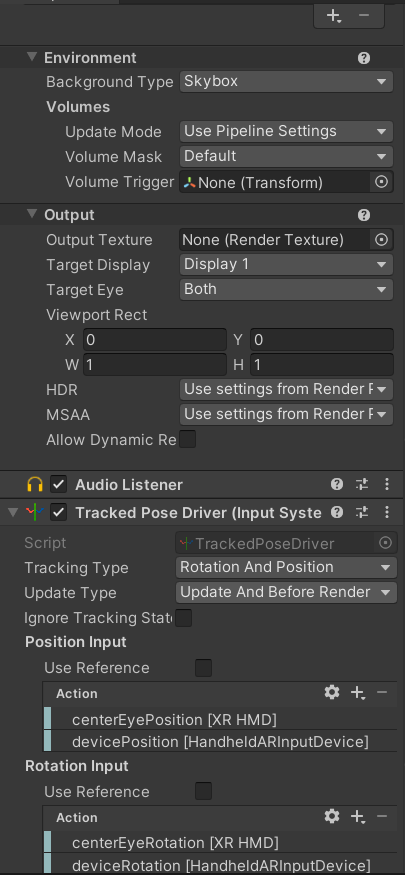
and here is my camera settings in the inspector:
I have connected the Quest and PC with usb cable. Then, opened Oculus Link and in Oculus Link opened Unity Editor and pressed play button to start the playmode. As i pressed the play button i have seen an empty scene without the menu visible. Is it impossible to use “Screen Space - Overlay” as canvas rendering mode for Oculus Quest 2?
Screen space overlay is indeed impossible, since that can’t render stereoscopic.
Use a world space UI and child it to the camera so it rotates with or (or do manual position/rotation to smooth it)
Just switched from Screen space camera and strangely it renders the menu. But, there is a problem. When, i try to use mouse from pc to navigate the menu, instead of detecting hover and click while my cursor is on a button or field, it detects hover and click while my cursor at a completely different position from that field or button in the menu. Here is my current canvas settings in the inspector:
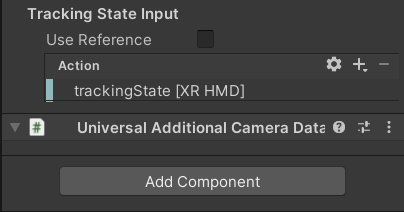
and here is my current main camera settings from the inspector:
Just switched from Open XR plugin provider to Oculus plugin provider. Now, i can click using touch controllers of quest 2.