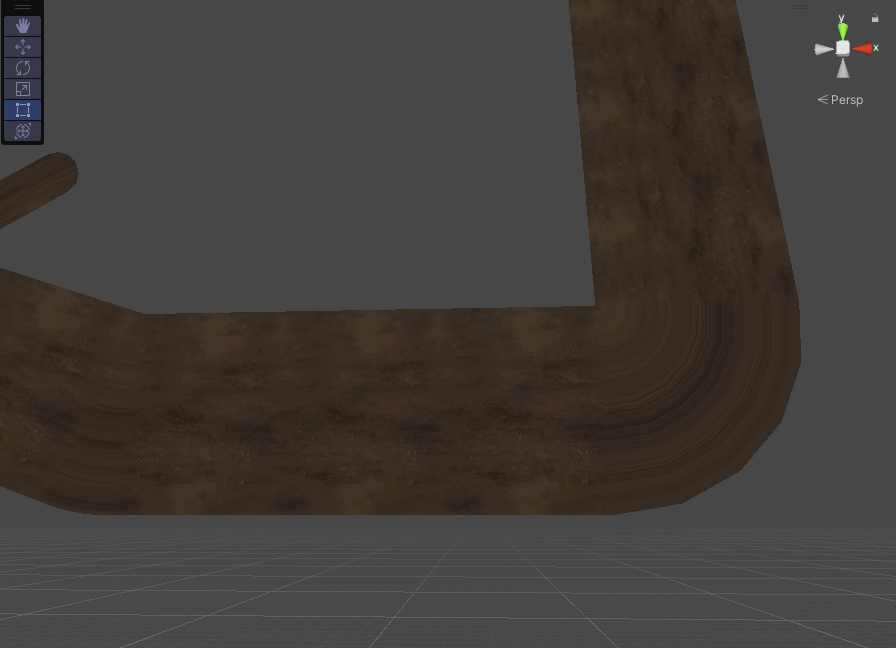
Not pretty. Pretty much forces me to use 0 vertices at the corners. Is there anything I can do about this without switching to a third party line renderer? (If so, please recommend one)
Generally the thinking behind LineRenderer seems to be the lines would be thin and small enough to hide mitering and capping artifacts like you list above.
You might need something like a roadway generator for this sort of thing.
I made a roadway generator in the makeroads folder of my MakeGEO project:
EDIT: wrong repo posted originally: this is the correct one:
The LineRenderer is very limited in its functionality, and seemingly has many bugs and shortcomings in what it does have. Unfortunately. I’m interested in your solution, but I can’t find the folder “makeroads”. It just doesn’t exist it seems.
This makeroads class is excellent. It might serve exactly the needs I have. Thanks for linking it!
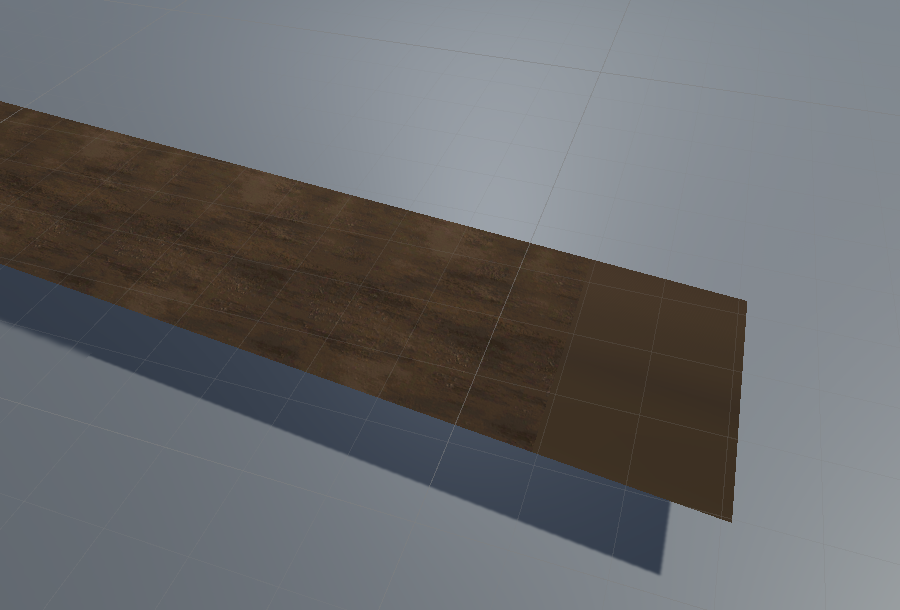
I got this little graphical artefact. The starting two tris are always static. The verts and tris are the same, but uvs are broken I guess? Any idea why?
Also, do you think it is possible to have automatic corner smoothing? Is it hard to implement?