How to make a smooth transition between walking and running animations by pressing the Left Shift key?
At the moment I have an idle, walk and run animation. A smooth transition between idle and walking animation works. But the run animation, which is activated by pressing LShift, is activated sharply, without transition.
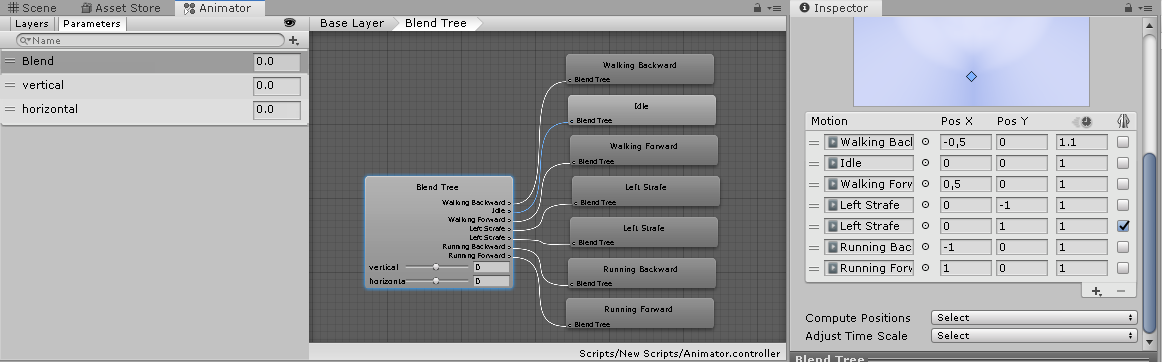
By the way, I use Blend Tree to mix animations.
Can you check my animation script and tell me how to fix it? (Explain it as clearly as possible, because I just started learning Unity):
using System.Collections;
using System.Collections.Generic;
using UnityEngine;

public class AnimatorScript : MonoBehaviour
{
    Animator animator;

    void Start()
    {
        animator = GetComponent<Animator>();
    }

    void Update()
    {
        float v = Input.GetAxis("Vertical");
        if(Input.GetKey(KeyCode.LeftShift))
        {
           v *=1f;
        }
        else
        {
            v *= 0.5f;
        }
        animator.SetFloat("vertical", v);

        float h = Input.GetAxis("Horizontal");
        animator.SetFloat("horizontal", h);


    }
}
And of course, here is a screenshot of my Animator: