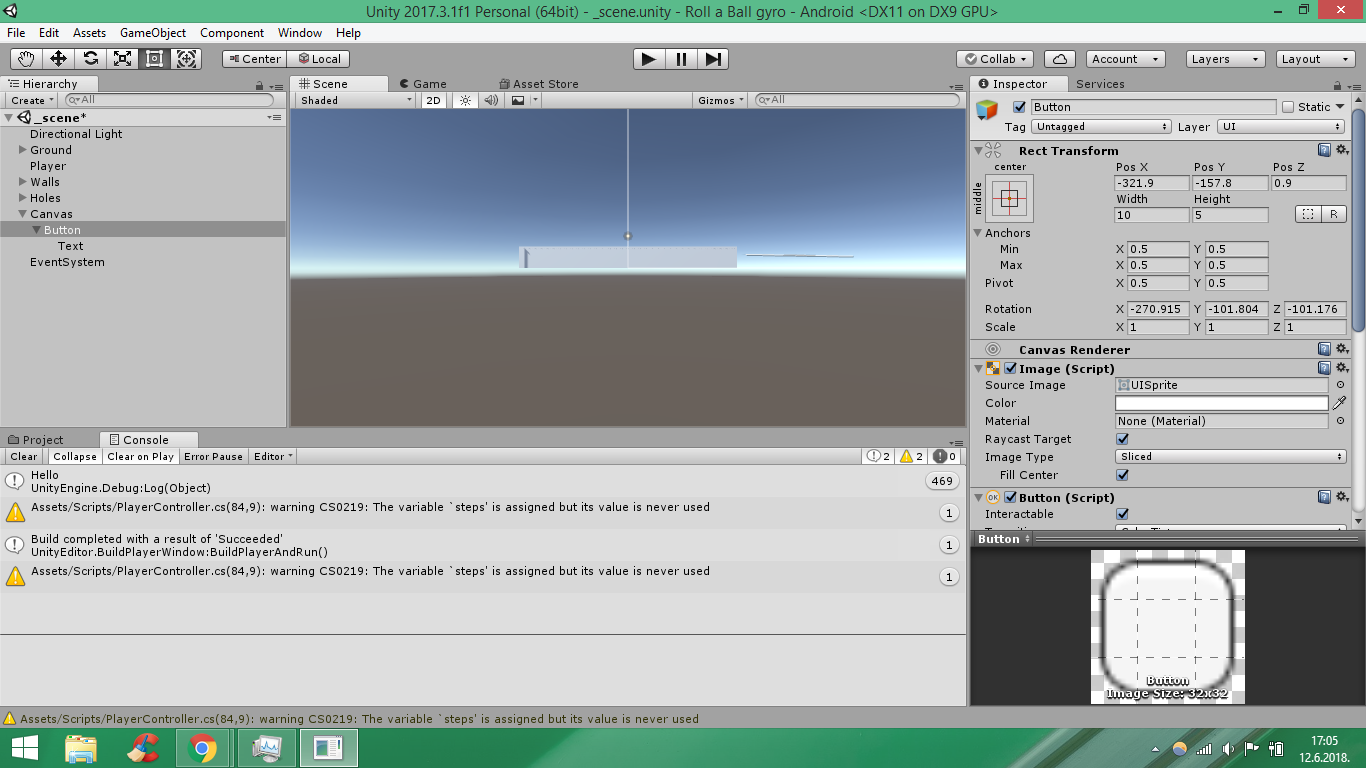
Hello ,my goal is to set a button next to the ground ,and I tried something like this ,
my button and it’s text are looking very blurry because I reduce size to put it next to the ground and when I compile app my button is invisible ,any suggestions ,what should I do to have button next to my ground,please help,thanks in advance and sorry for bad english

its quite probably a canvas issue. is it set to world space?
other than that, it might help to upload a zip of the entire project(is that allowed?) so we know what “a button next to the ground” is supposed to be acting like…
I am new to this forum so I am not sure if is that allowed or not where I can check that,btw I only make a new button object and rotate it and translate it next to ground. I didnt touch canvas at all if this helps…and where can I set it’s world space
click canvas so its active, and look in the inspector, or…
is the player supposed to activate this button when they walk on it? if so, you would need a collider with a trigger instead.
Ok i will research about canvas tnx nop player is the ball I want to made a button that react on touch ,for android
You might want camera space? Are this a button that moves the ball? does the camera move? Does… I don’t know. I give up
I made it thanks for help