Hi, This is a gradient texture.

I want to use a gradient texture as the color here, but their types are different. How can I use this gradient texture here? 
Morning. You’re trying to use a generic block that lets you set an Attribute Value thanks to a Gradient or Animated Curve.
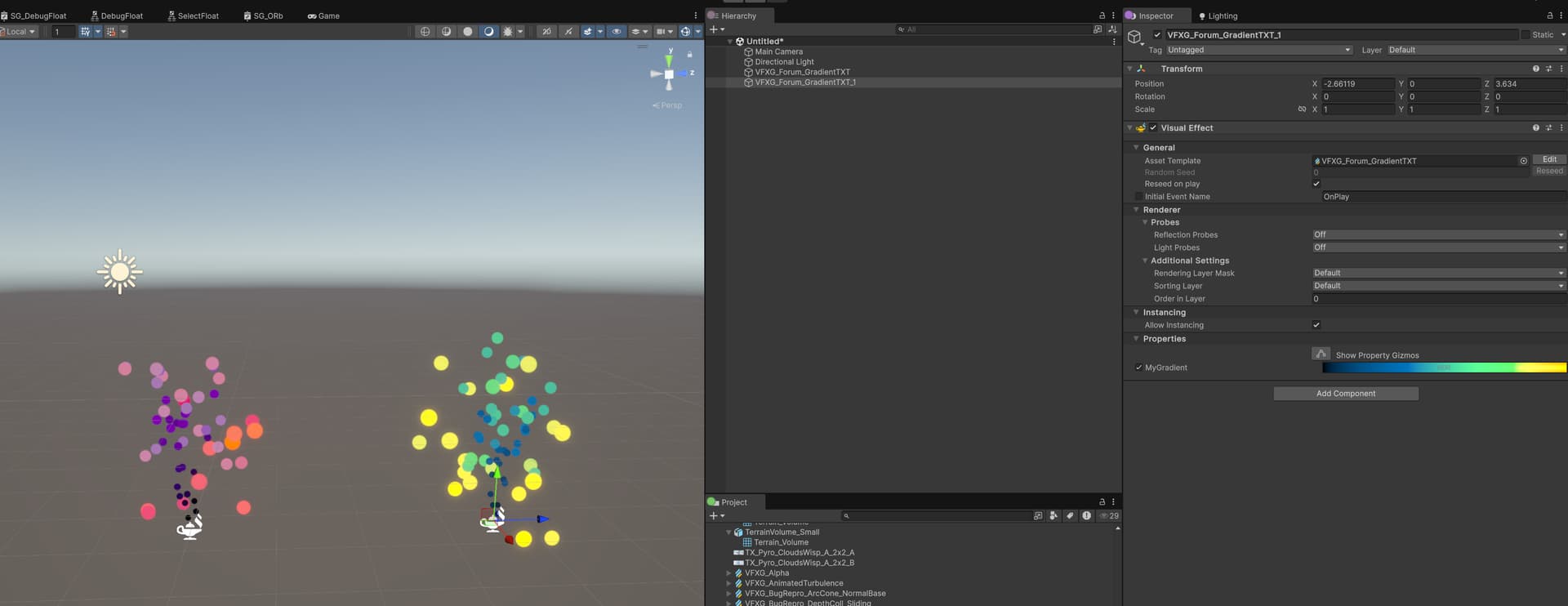
This means that the block allows you to directly set your Gradient or Curves, or you can provide a Gradient property that can be exposed. This “exposed property” allows you to make instance variation while using the same VFX asset:
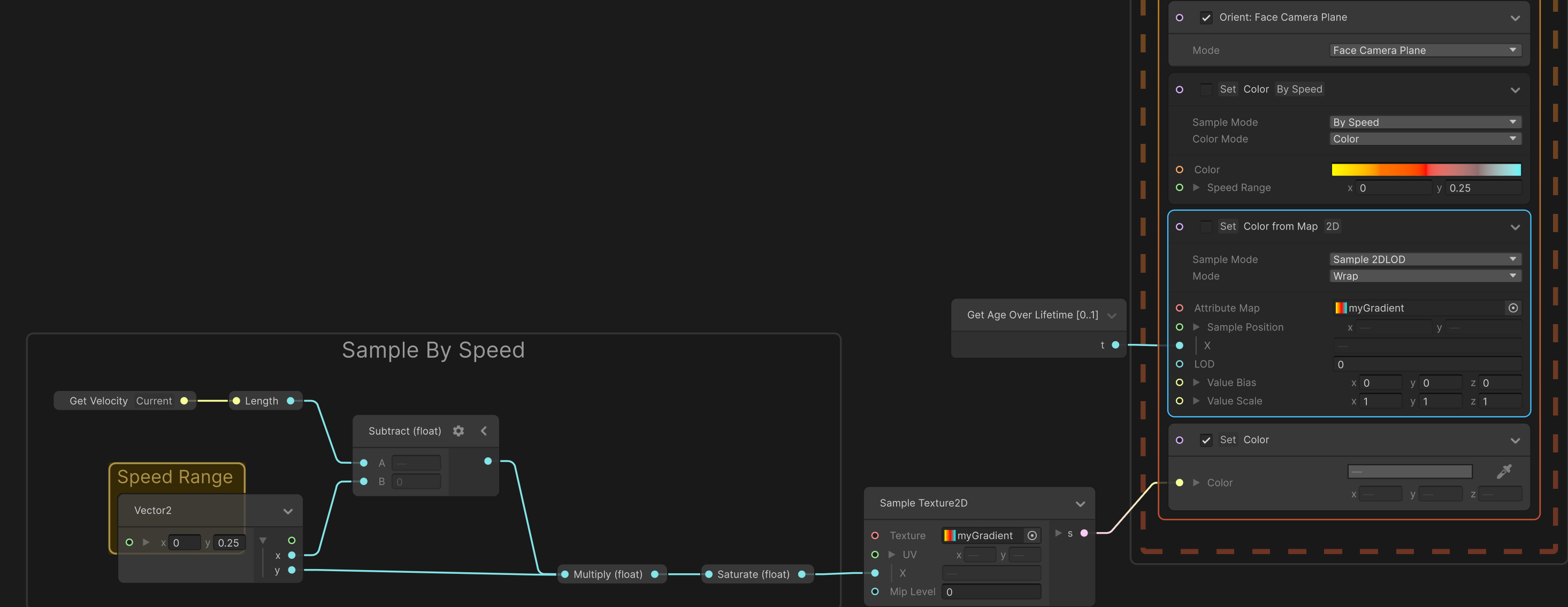
Now, If you want to modify the color attribute values based on a 2D Texture you’ll need to use other blocks like: Set Attribute from Map block.
This allows you to set an attribute value thanks to a Texture2D. In this example, I’m using the block to define the color, the Sample Mode is set to Sample 2DLOD, and the Age over Lifetime 0-1 is used for the X Coordinate of my gradient texture.
The X coordinate should be between 0-1. You can create your own logic to sample your Gradient Texture.
Like remapping the Velocity, or the Position of your particles etc.
And if you want the “full control” over the logic and computation, you can just use a “Set Color” block and use regular operators:
VFX Graph gives you the choice based on your VFX needs. I hope this will help you achieve what you are looking for. Have a great day.
Thank you so much, I learned a lot from you 
Thanks for what you are doing for Unity, cheers! Have a nice day!
Glad to know that my post was helpful. Your message warms my heart.