Hi, i’m struggling to make my sports game work with netcode, it works well in “local couch” mode well but maybe the architecture is not suitable for netcode.
What I’m implementing is that every player in a team is subscribed to a ControlManager script that triggers PlayerInput events, so one PlayerInput component manages the entire team of game objects of that user.
I created a prefab of this ControlManager and dragged it to the network manager “player prefab” field as shown:
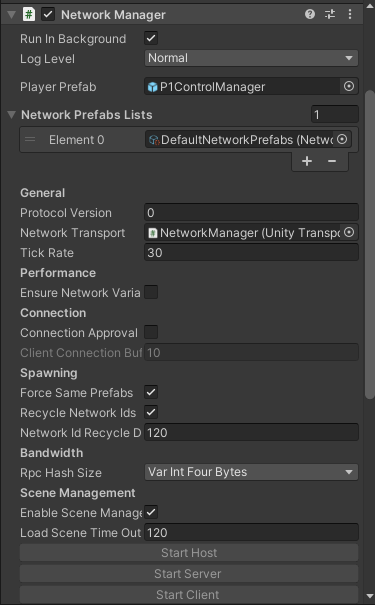
The ControlManager prefab also has this components:

So when a user joins as Host or Client they have a ControlManager spawned without problem,
For each ControlManager spawned i also instantiate the actual team members (game objects that you can move around with the input) each one of this game objects are subscribed to their corresponding ControlManager.
The actual team members prefab has this components attached as i show below, Network object, Network transform and Network Rigidbody.

So the problem is that when i move a team member on the Host side, from the client’s point of view that game object is still in the same place, i don’t understand why because i have the Network transform on that game object, is supposed to sync the Host transform with the Client.
As you can see in the image below the position of the player in the Host it’s not in sync with client


