I apologize if there are mistakes, I use a translator.
My goal is to create a change of clothes for my player.
What do I mean by that? I want it to be like this: I have the skeleton of a player. I also have various parts, head, arms, shirt, pants, knight’s helmet, cowboy helmet, etc. I want these elements to be installed through a script or by dragging and dropping, and they worked correctly with animations in the game.
I have seen a way when all the elements are put into a blender on one model and turned off at once, but this is very inconvenient. I don’t want to look for the right helmet among my head when there are several hundred of them. I just want to drag the desired one and that’s it.
What should I do? I have a 3d model in which there is a skeleton and various elements of clothing, which is drawn by weight.
I exported a skeleton from blender to unity, and also exported a 3d model of clothes, but for some reason, when I added clothes to the skeleton, it turned out to be without skin mesh renderer. And if you assign it yourself, then an error appears related to bones, which many say to be solved through a script, but none of them worked for me.
please tell me what to do and what else to send to describe the problem in more detail
Below is more detailed information

the screenshot shows my character. I took the ready one to be sure that everything is set up correctly. In it you can see that it consists of many parts. What am I doing? I first select only the skeleton and export using betterFBX only the skeleton. After that, I do the same thing, but for the jacket.
As a result, I have 2 separate models in the blender.


yes, there are 2 models, you can say that I made a mistake and made not only a skeleton, but also a mesh of the head, arms and legs, but this is solely so that the skeleton and animation can be visually seen, I did not find another way

I created empty and named it player. After that, I loaded the skeleton into it and the clothes next to it, you can see that the skin mesh renderer did not appear
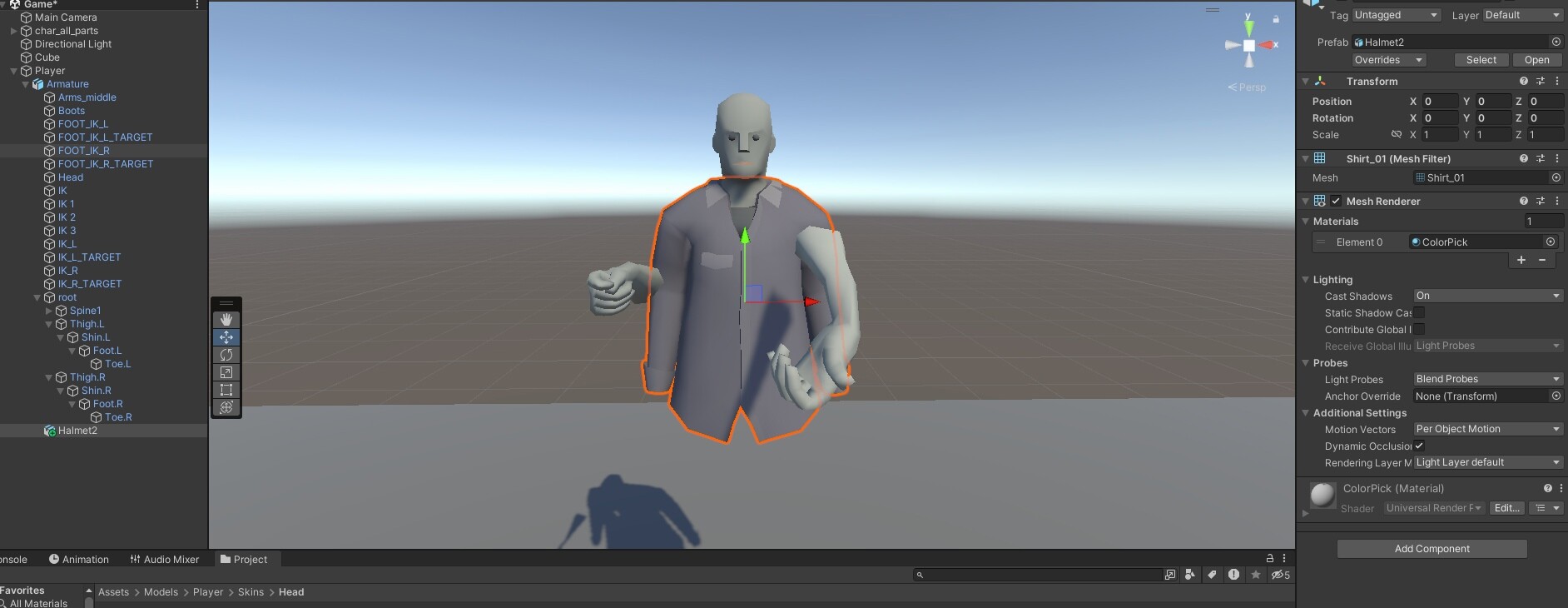
I tried to remove the clothes and make them a child of the skeleton, but nothing has changed.

I decided to add a component with my own hands, but immediately made a mistake

I tried to tie it to different bones, but nothing helped, and the animation was playing, and the clothes were still hanging in the air. Please help me