I have 2 scripts one is to shoot and one is to pick up guns but when I drop the guns I can still shoot. How do I make it not shoot when I drop it? I copied a tutorial online but I see one of the last lines is disable gunscript. I’m not sure why its not working.
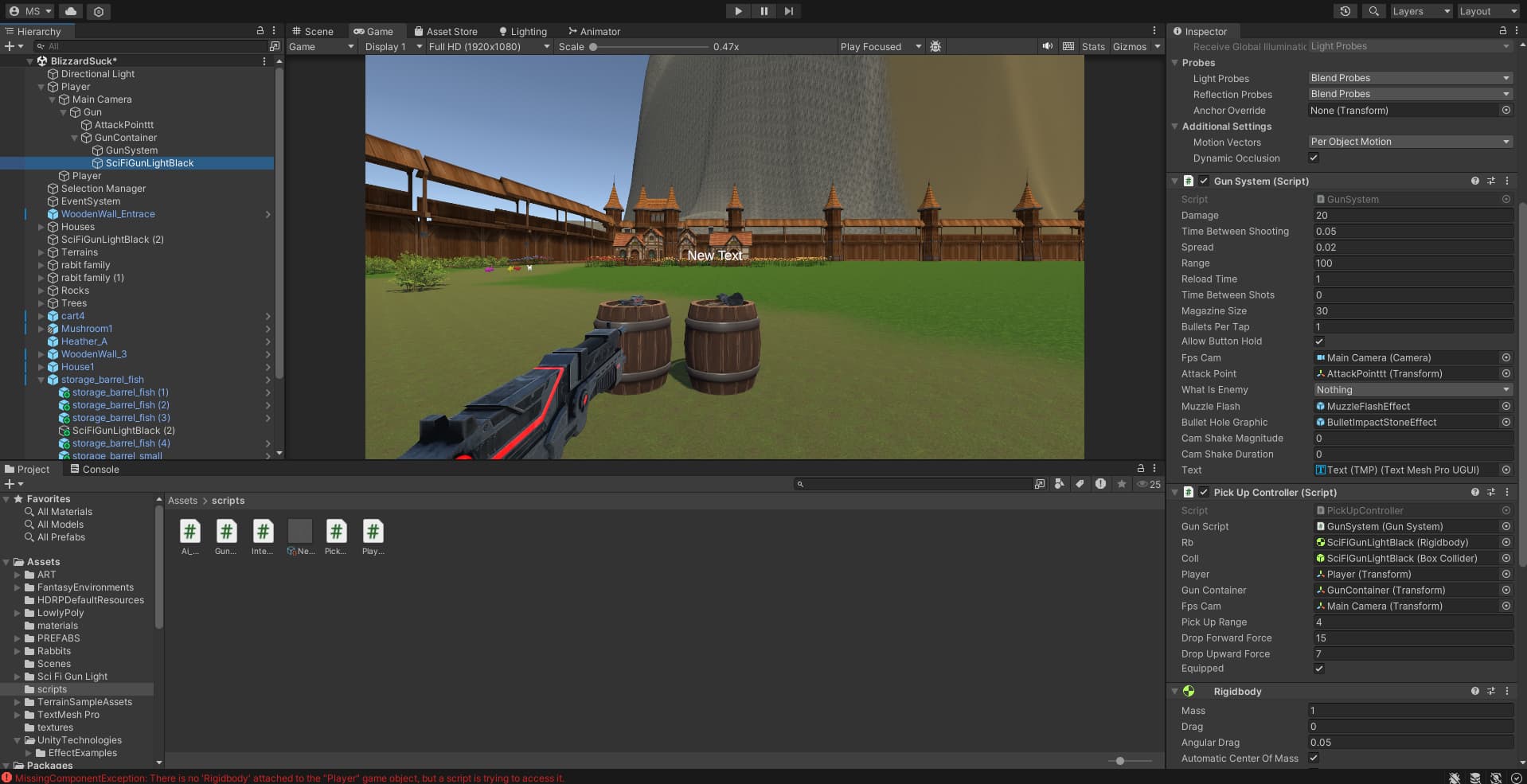
GunSystem.cs
<using UnityEngine;
using TMPro;
public class GunSystem : MonoBehaviour
{
//Gun stats
public int damage;
public float timeBetweenShooting, spread, range, reloadTime, timeBetweenShots;
public int magazineSize, bulletsPerTap;
public bool allowButtonHold;
int bulletsLeft, bulletsShot;
//bools
bool shooting, readyToShoot, reloading;


//Reference
public Camera fpsCam;
public Transform attackPoint;
public RaycastHit rayHit;
public LayerMask whatIsEnemy;


//Graphics
public GameObject muzzleFlash, bulletHoleGraphic;
public float camShakeMagnitude, camShakeDuration;
public TextMeshProUGUI text;


private void Awake()
{
    bulletsLeft = magazineSize;
    readyToShoot = true;
}
private void Update()
{
    MyInput();


    //SetText
    text.SetText(bulletsLeft + " / " + magazineSize);
}
private void MyInput()
{
    if (allowButtonHold) shooting = Input.GetKey(KeyCode.Mouse0);
    else shooting = Input.GetKeyDown(KeyCode.Mouse0);


    if (Input.GetKeyDown(KeyCode.R) && bulletsLeft < magazineSize && !reloading) Reload();


    //Shoot
    if (readyToShoot && shooting && !reloading && bulletsLeft > 0)
    {
        bulletsShot = bulletsPerTap;
        Shoot();
    }
}
private void Shoot()
{
    readyToShoot = false;


    //Spread
    float x = Random.Range(-spread, spread);
    float y = Random.Range(-spread, spread);


    //Calculate Direction with Spread
    Vector3 direction = fpsCam.transform.forward + new Vector3(x, y, 0);


    //RayCast
    GameObject flash = Instantiate(muzzleFlash, attackPoint.position, Quaternion.identity, attackPoint);
    Destroy(flash, 0.1f);

    if (Physics.Raycast(fpsCam.transform.position, direction, out rayHit, range))
    {
        if (((1 << rayHit.collider.gameObject.layer) & whatIsEnemy) != 0)
        {
            Debug.Log(rayHit.collider.name);

            // if (rayHit.collider.CompareTag("Enemy"))
            // rayHit.collider.GetComponent<ShootingAi>().TakeDamage(damage);
        }
        else
        {
            Instantiate(bulletHoleGraphic, rayHit.point, Quaternion.LookRotation(rayHit.normal));
        }
    }


    bulletsLeft--;
    bulletsShot--;


    Invoke("ResetShot", timeBetweenShooting);


    if (bulletsShot > 0 && bulletsLeft > 0)
        Invoke("Shoot", timeBetweenShots);
}
private void ResetShot()
{
    readyToShoot = true;
}
private void Reload()
{
    reloading = true;
    Invoke("ReloadFinished", reloadTime);
}
private void ReloadFinished()
{
    bulletsLeft = magazineSize;
    reloading = false;
}
}>
PickUpController.cs
<using System.Collections;
using System.Collections.Generic;
using UnityEngine;
public class PickUpController : MonoBehaviour
{
public GunSystem gunScript;
public Rigidbody rb;
public BoxCollider coll;
public Transform player, gunContainer, fpsCam;
public float pickUpRange;
public float dropForwardForce, dropUpwardForce;

public bool equipped;
public static bool slotFull;

private void Start()
{
    //Setup
    if (!equipped)
    {
        gunScript.enabled = false;
        rb.isKinematic = false;
        coll.isTrigger = false;
    }
    if (equipped)
    {
        gunScript.enabled = true;
        rb.isKinematic = true;
        coll.isTrigger = true;
        slotFull = true;
    }
}

private void Update()
{

    //Check if player is in range and "E" is pressed
    Vector3 distanceToPlayer = player.position - transform.position;
    if (!equipped && distanceToPlayer.magnitude <= pickUpRange && Input.GetKeyDown(KeyCode.E) && !slotFull) PickUp();

    //Drop if equipped and "Q" is pressed
    if (equipped && Input.GetKeyDown(KeyCode.Q)) Drop();
}

private void PickUp()
{
    equipped = true;
    slotFull = true;

    //Make weapon a child of the camera and move it to default position
    transform.SetParent(gunContainer);
    transform.localPosition = Vector3.zero;
    transform.localRotation = Quaternion.Euler(Vector3.zero);
    transform.localScale = Vector3.one;

    //Make Rigidbody kinematic and BoxCollider a trigger
    rb.isKinematic = true;
    coll.isTrigger = true;

    //Enable script
    gunScript.enabled = true;
}

private void Drop()
{
    equipped = false;
    slotFull = false;

    //Set parent to null
    transform.SetParent(null);

    //Make Rigidbody not kinematic and BoxCollider normal
    rb.isKinematic = false;
    coll.isTrigger = false;

    //Gun carries momentum of player
    rb.velocity = player.GetComponent<Rigidbody>().velocity;

    //AddForce
    rb.AddForce(fpsCam.forward * dropForwardForce, ForceMode.Impulse);
    rb.AddForce(fpsCam.up * dropUpwardForce, ForceMode.Impulse);
    //Add random rotation
    float random = Random.Range(-1f, 1f);
    rb.AddTorque(new Vector3(random, random, random) * 10);

    //Disable script
    gunScript.enabled = false;
}
}>