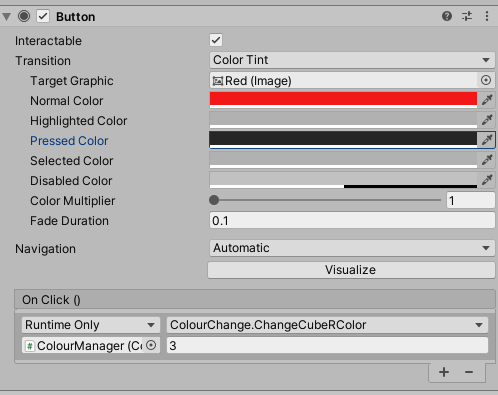
My aim is manipulate invidivual GameObjects by changing their material. So for this case I have created two panel color selectors for my two cubes.
I am able to change the color but the problem is the panel ive created is changing both cubes. I am trying to get my head around c# as well as unity. Therefore I dont know which side my bug is coming from. How would I be able to change the material colour form using the panelR (Right Panel) on cubeR (Right Cube) ??
using System.Collections;
using System.Collections.Generic;
using UnityEngine;
using UnityEngine.UI;

public class ColourChange : MonoBehaviour
{
   public GameObject panel;
   public GameObject cube;
   public GameObject panelR;
   public GameObject cubeR;

   public Color[] colors;

   public int whatColor = 1;

   void Update(){


       for (int i = 0; i < colors.Length; i++){
           if(i == whatColor){
               cube.GetComponent<Renderer>().material.color = colors[i];
           }

       }

       for (int i = 0; i < colors.Length; i++){
           if(i == whatColor){
               cubeR.GetComponent<Renderer>().material.color = colors[i];
           }

       }
 }
   }

   public void ChangePanelState(bool state){
       panel.SetActive(state);
   }

  }

   public void ChangeCubeColor(int index){
       whatColor = index;
   }

   public void ChangeCubeRColor(int index){
       whatColor = index;
   }

   }
}