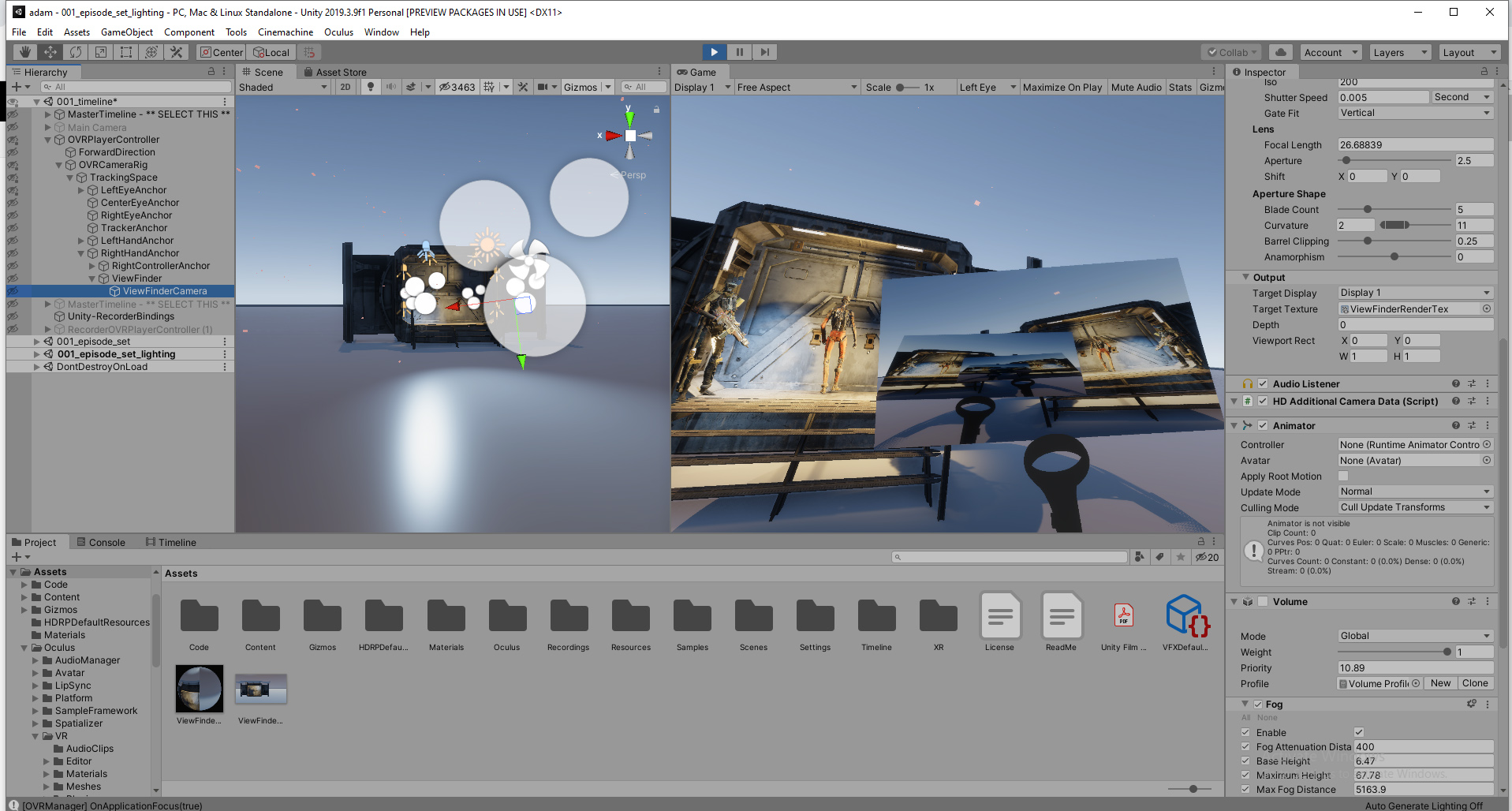
Can someone shed some light on these:
-
Why doesn’t ISO have any effect on a scene in HDRP? - Even the template HDRP construction site scene shows this.
(edit I’ve now found out that the post process override: “Exposure” needs to be imported/set to physical camera, for ISO/shutter to have any effect on the scene). This is a really convoluted way of implementing a “Physical camera”, imo.
-
Does DoF ‘need’ the post processing DOF overide component? Isn’t a physical camera supposed to create depth of field in and off itself depending on aperture/focal length (other things such as distance to subject etc…being considered)? I’ve not had satisfactory results unless the Post processing Dof component is enabled - and even then, results aren’t close to real life cameras, other threads on this forum have shown.
It makes sense to include a “focus” slider in the Physical camera itself - rather than abstracting focus to a post process component.
-
Volumetric fog with spotlights shows crazy “dancing” grain depending on distance to camera. (attached 2 pics)
-
A render texture camera renders the texture upside down with HDRP and VR and with an “infinity mirror” effect (both in single pass instanced stereo or multi pass) See attached pic.
I’d appreciate any insights.
I’m trying my best not to have to switch to UE4 for Virtual Production (filmmaking)
You can set the DoF post effect to use the physical camera settings.
There is also a post effect that allows you to adjust the quality of the volumetric fog. In the render pipeline asset you can also switch to a higher res volumetric rendering.
Hope that helps.
1 Like
Thanks again, @Win3xploder . Yes, I’m setting the DoF post effect to use physical camera and its set to high.
It’s still not (imo) reflective of real world photography norms.
I wish someone from Unity would also weigh in, considering other people on the forum have posted similar observations.
As for what the ISO and shutter settings are doing there is an open guess. It’s definitely not affecting image output.
The camera in UE4 is so well implemented, i’m envious.
Thanks for mentioning the higher rez setting in the render pipeline settings. I’ll check it first thing in the morning.
I don’t recommend you to use the high res volumetric fog, as it performance cost is quite high.
Instead turn on the “Filter” option in your fog override settings in order to blur the fog. You can also tweak the slice distribution if necessary. Keep in mind that those options are hidden by default, so you need click the “More Options” gearwheel at the top right of your fog override to make them visible.
1 Like
Thanks @SebLazyWizard , the combination of slices/filter and depth Extent in the fog settings helped.
There is still some flickering around bright lights but it looks more realistic now (as street lights would have some flicker in foggy weather)
@laurent-h @Adam_Myhill You are the only two I know who might have answers and insights into Unity’s Physical Camera wrt HDRP.
May I suggest the following: Build a proper “Physical Camera” from the perspective of attracting Artists/Creators in the Cinematograhy world?
Recommendations:
As @Onat-H has mentioned in this thread and is not yet fully answered: (Bug) Depth of Field is not taking physical values into account properly.
These are first step towards Unity taking over a wide open Film-Game convergence market that currently UE4 has a monopoly on.