Is there a way to use [MaterialProperty] to override material when there are multi materials in the mesh renderer? I have try to reduce the material to one in mesh renderer and the material override worked.However,When I have multi materials it did not work.
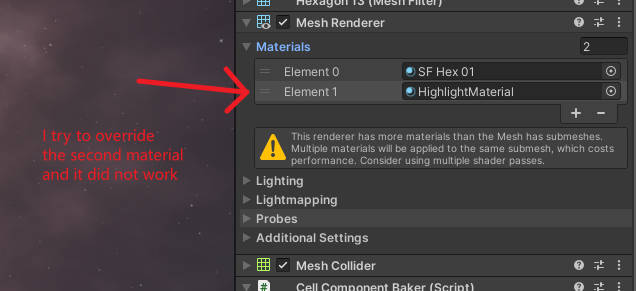
Yes, you can change it, its an array

Hmm, I missed the ecs part of this
Thanks for your reply!
I dont think change material is the way to solve my problem.My target is render an additional highlight material after the origin material.
I found a stupid way to handle it: I create an extra sub GameObject with same mesh to render the highlight material.So I can override the highlight material on this sub GameObject.
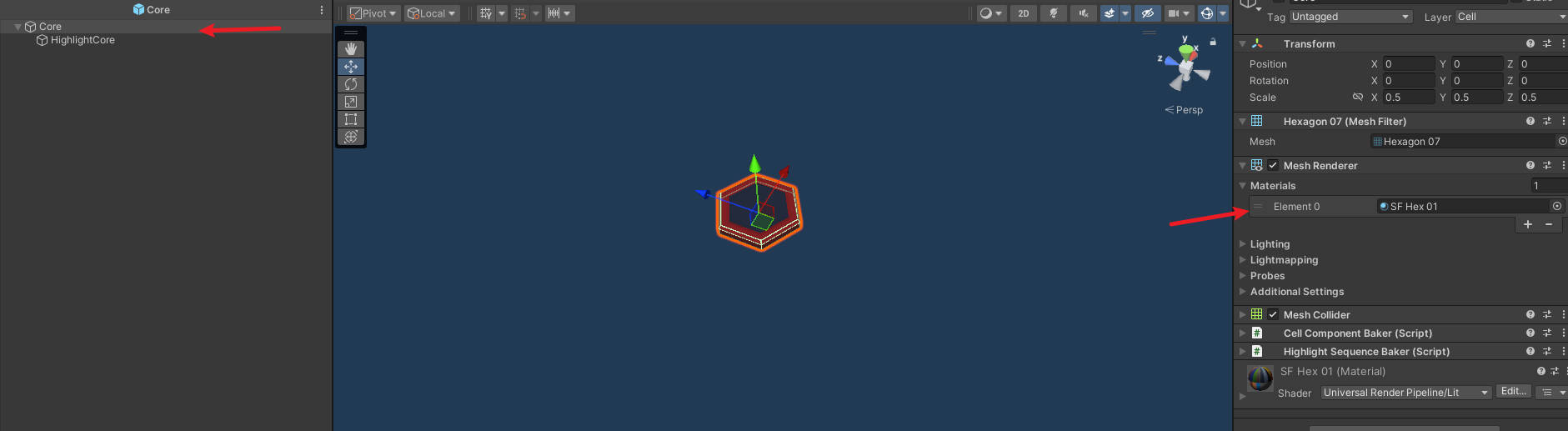

the HighlightCore sub GameObject is handling only highlight material.
May be there is a better way to solve the problem. If you know a better way,please let me know.Thanks again.
Entities Graphics spawns additional entities to render each submesh separately unless ENABLE_MESH_RENDERER_SUBMESH_DATA_SHARING is used. I’m not sure how your use case of having multiple materials and a single submesh is handled, if at all, but I wouldn’t be surprised if it also worked that way. In that case you’d need to add the material property component to the appropriate entity.
Have you considered rendering the highlighted entities (again) with a render pass instead?
Could you maybe go into the details on how to do that? Or what to read to understand what renderpasses are and how to use them for a highlight effect?