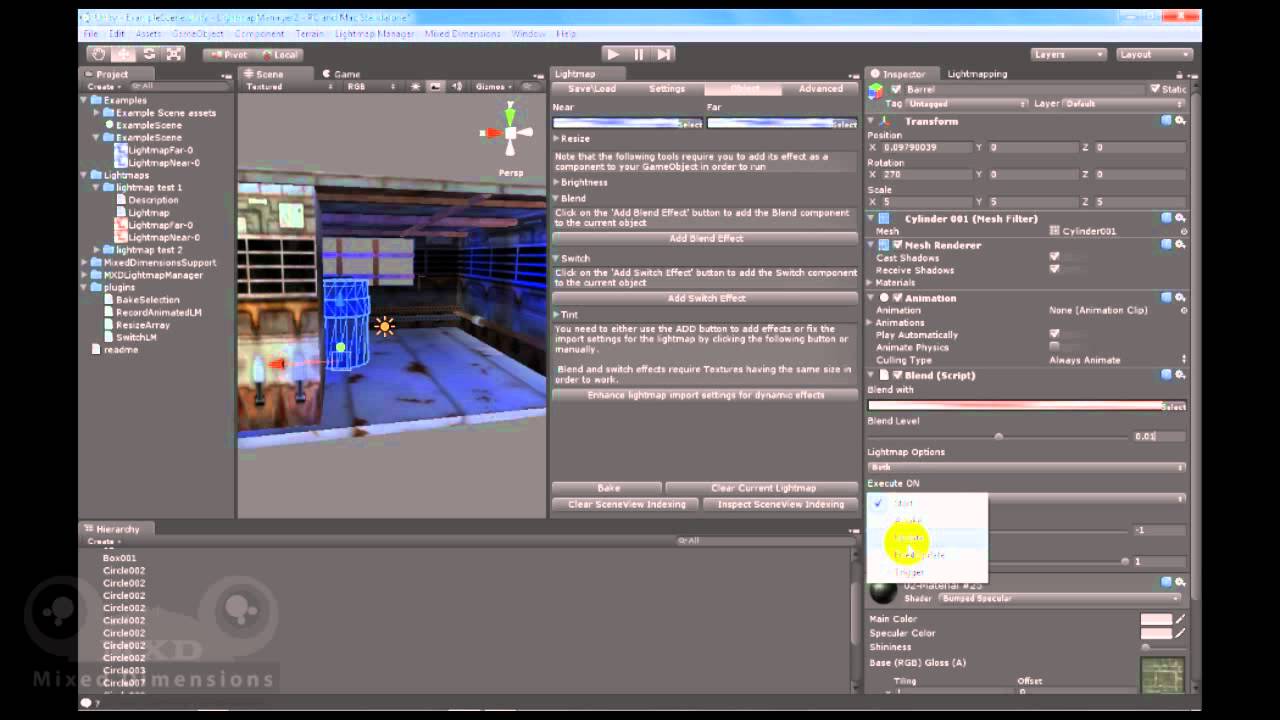
we are so excited to announce our latest tool “Lightmap Manager 2” which is now available at the asset store and delivers a set of advanced features:
1- Animated lightmaps : in which now you can fake motion of light and global illumination through baking lightmaps against a light animation and then playback them on runtime.
2- Per Object(s) saving: now it is possible to save the object with its lightmapping and then retrieve it while maintaining the lightmapping on it or even exporting it as a package to be used in another project.
3- Per Object(s) baking: it is possible to bake an object or a set of objects alone without losing the lightmapping from the rest of the scene but be careful as any unselected object(s) will not be calculated by the lightmapper thus it will not cast shadows on the selected objects.
It will be available really soon but we had to migrate and wait for Unity 3.4 to be released which is now available so we are finalizing it.
Fading is available through the blend feature, blend is available in the free version as well but we will develop it more in future updates.
Thanks and yes the TextureMemory will increase when your scene size increases but you can use the blend feature if your light does not move but change color or is very soft when it comes to shadows.
Well, you can use it with terrains and regarding the resources cost, animated lightmaps is costly when it comes to resource use however we plan to do GI faking in the future and if we find a way to do realtime GI then we will do it but we will start with animated lightmaps for the meanwhile.
How much it will cost to use your system for terrain shadows for whole day/night cycle? It would make sense to use animated lightmap instead of real time shadows for buildings and all not-movable objects. Shadow on terrain is moving VERY slow, so no need for high “framerate”.
You can do animated lightmaps but if you mean to blend from a day lightmap into a night lightmap with the shadow changing its place then you will need to write some code, drop me an email and I will see what case you need and I will help you coding it if needed.
We need to use LM2 on a web based project. Currently we get a bunch of compiler errors when we switch to web player platform.
such as :
Assets/MXDLightmapManager/IndexManager.cs(113,35): error CS0117: System.IO.Directory' does not contain a definition for Delete’
Assets/MXDLightmapManager/IndexManager.cs(172,39): error CS0117: System.IO.Directory' does not contain a definition for Delete’
Assets/MXDLightmapManager/IndexManager.cs(180,34): error CS1061: Type System.IO.FileInfo' does not contain a definition for CopyTo’ and no extension method CopyTo' of type System.IO.FileInfo’ could be found (are you missing a using directive or an assembly reference?)
Assets/MXDLightmapManager/IndexManager.cs(187,34): error CS1061: Type System.IO.FileInfo' does not contain a definition for CopyTo’ and no extension method CopyTo' of type System.IO.FileInfo’ could be found (are you missing a using directive or an assembly reference?)
Assets/MXDLightmapManager/IndexManager.cs(233,43): error CS1061: Type System.IO.DirectoryInfo' does not contain a definition for GetFiles’ and no extension method GetFiles' of type System.IO.DirectoryInfo’ could be found (are you missing a using directive or an assembly reference?)
In theory LM2 rocks. Do you guys have a fix or workaround? So far with out project workflow it’d be a pain to strip out LM2 every time we make a test build.
Looks like this is exactly what we need for our project.
Just to be shure before i buy it.
We need tot switch between about 30 lightmaps and we have to do this trough scripting.
We want to controll ( darken and lighten ) the general illumination in our scene.
We have a pinball simulation and want to bake several lighting conditions into lightmaps and switch these trough scripting.
Coding is done in c#.
Do you think it’s possible ?
I can’t find much examples covering Lightmap Manager 2, some sample code would be nice.