Me and my friends are making a 2D game. The experimental 2D lights were working until we started using normal maps. Now anytime we have a normal map in a scene and enabled for the light to use it. It just starts spamming “Dimensions of color surface does not match dimensions of depth surface” for what feels like every frame. Also this only appears in a build version and does not show up in the editor.
Player.log snipped:
Dimensions of color surface does not match dimensions of depth surface
UnityEngine.Rendering.ScriptableRenderContext:Submit_Internal_Injected(ScriptableRenderContext&)
UnityEngine.Rendering.ScriptableRenderContext:Submit_Internal()
UnityEngine.Rendering.ScriptableRenderContext:Submit() (at C:\buildslave\unity\build\Runtime\Export\RenderPipeline\ScriptableRenderContext.cs:84)
UnityEngine.Rendering.Universal.UniversalRenderPipeline:RenderSingleCamera(ScriptableRenderContext, CameraData, Boolean) (at I:\Game_Making\2Dpeli\Library\PackageCache\com.unity.render-pipelines.universal@7.5.3\Runtime\UniversalRenderPipeline.cs:299)
UnityEngine.Rendering.Universal.UniversalRenderPipeline:RenderCameraStack(ScriptableRenderContext, Camera) (at I:\Game_Making\2Dpeli\Library\PackageCache\com.unity.render-pipelines.universal@7.5.3\Runtime\UniversalRenderPipeline.cs:408)
UnityEngine.Rendering.Universal.UniversalRenderPipeline:Render(ScriptableRenderContext, Camera[ ]) (at I:\Game_Making\2Dpeli\Library\PackageCache\com.unity.render-pipelines.universal@7.5.3\Runtime\UniversalRenderPipeline.cs:199)
UnityEngine.Rendering.RenderPipeline:InternalRender(ScriptableRenderContext, Camera[ ]) (at C:\buildslave\unity\build\Runtime\Export\RenderPipeline\RenderPipeline.cs:34)
UnityEngine.Rendering.RenderPipelineManager:smile:oRenderLoop_Internal(RenderPipelineAsset, IntPtr) (at C:\buildslave\unity\build\Runtime\Export\RenderPipeline\RenderPipelineManager.cs:86)
Screenshot of a quick light debug level. Brick on the left is without a normal map and brick on the right is with a normal map:
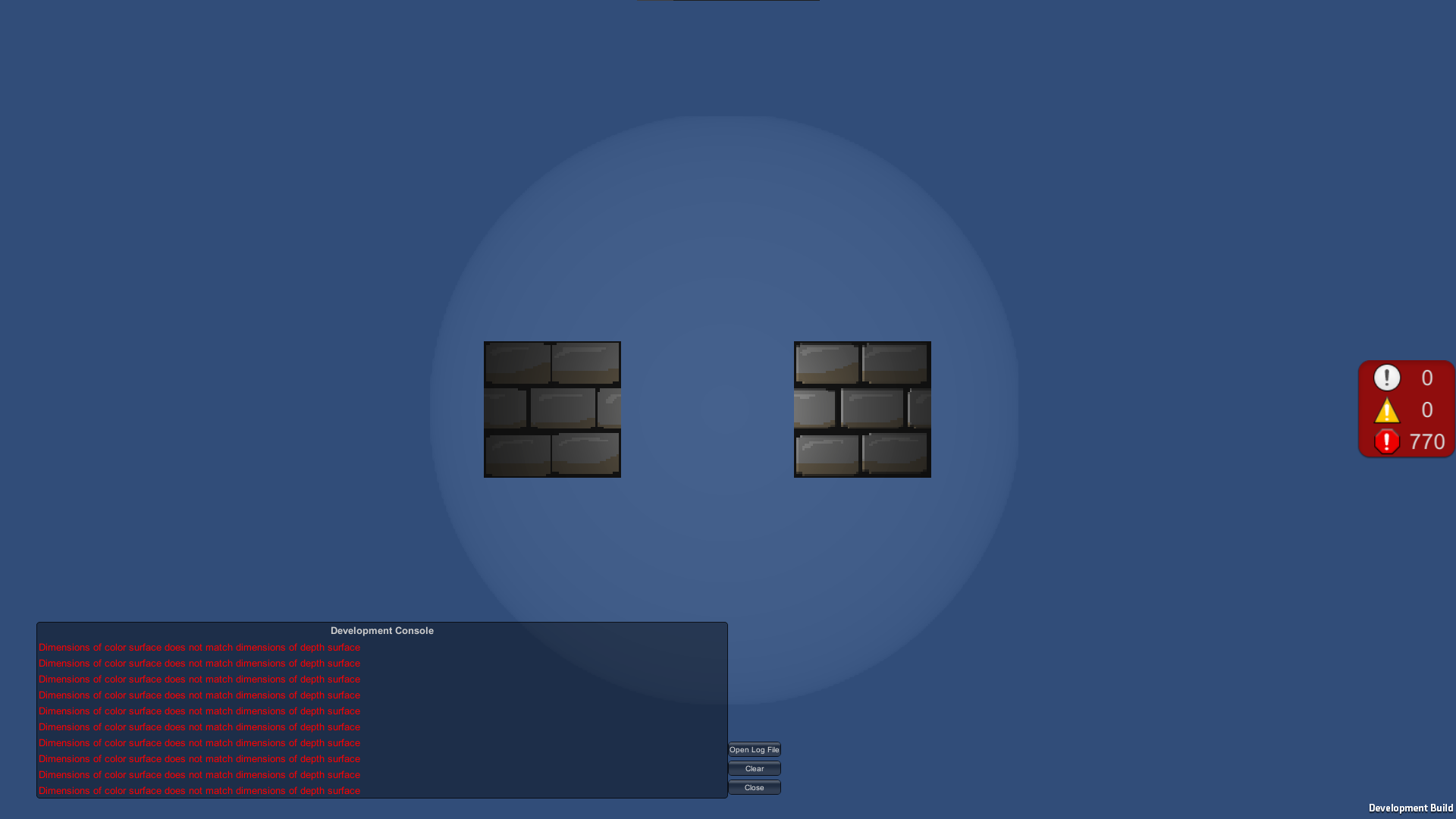
As you can see, even though it gives those errors it still renders the normal map somewhat right (light source distance needs adjustment, but that is not the point).
Google Drive Share of the Brick Sprite and It’s Normal Map
I have spent a lot of time browsing the internet and couldn’t find a solution so far and this bothers me way too much at this point. I haven’t edited any of the renderer scripts because… well I lack the knowledge to do anything smart with them. Almost forgot to mention. This all is on Unity 2019.4.19f1.